Are you tired of feeling cramped or distracted in your home office? The way you place your desk can change everything—from boosting your focus to improving your mood.
Imagine walking into your workspace every day and feeling instantly motivated and comfortable. You’ll discover simple, smart ideas to position your desk that make your home office both stylish and productive. Ready to transform your work area and take your efficiency to the next level?
Let’s dive in.
Choosing The Right Spot
Finding the perfect place for your home office desk is key. The right spot helps you work well and feel good.
Think about light, noise, and space before you decide where to put your desk.
Near Natural Light
Placing your desk near a window gives you sunlight all day. Natural light helps you stay awake and focused.
Try to avoid glare on your screen by using sheer curtains or blinds. This keeps your work comfortable.
Away From Distractions
Choose a quiet spot away from TVs, kitchens, or loud areas. This helps you concentrate and finish tasks faster.
Keep your workspace clear of clutter to avoid distractions. A neat area makes your mind feel calm.
Utilizing Corners
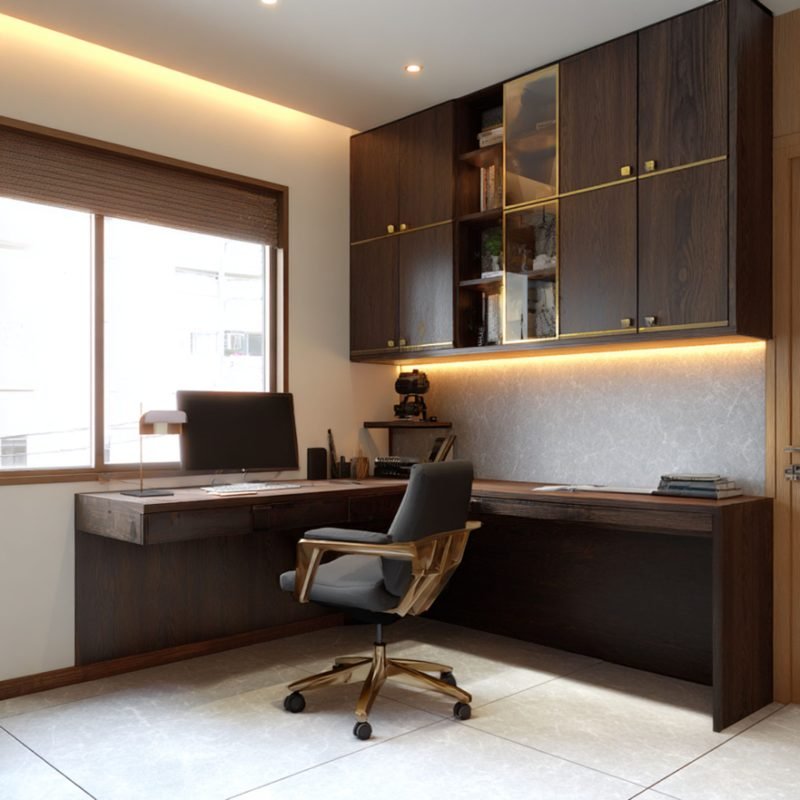
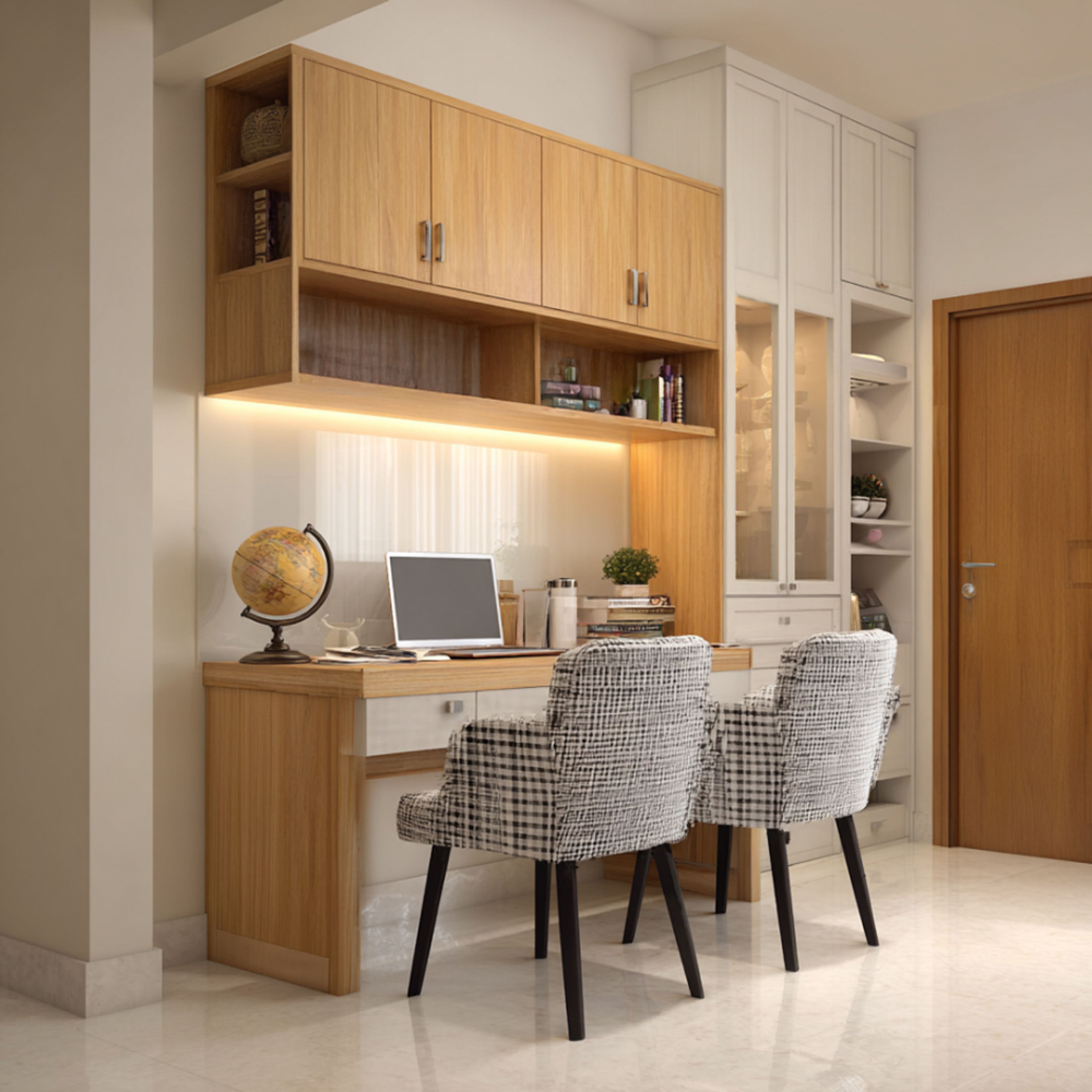
Corners can make great desk spots. They use space well and give you room to organize your things.
Adding shelves or wall storage near corners keeps your desk clear and your tools close.
- Corners save space in small rooms
- They create cozy, focused work zones
- Easy to add extra storage options
Credit: www.livspace.com
Desk Orientation Tips
Choosing the right desk orientation can improve your work comfort. It helps you focus and use space well.
This guide covers three common desk placements to fit your home office style.
Facing The Door
Placing your desk facing the door lets you see who enters. This setup feels secure and open.
This position can reduce distractions and increase alertness during work.
- Use a sturdy desk to anchor the room
- Keep the area behind you clear
- Add soft lighting to reduce glare
Back To The Wall
Having your back to the wall creates a secure and stable feeling. It helps you focus on tasks.
This setup works well in small spaces and keeps distractions low.
- Place your desk close to the wall for support
- Add shelves above for storage
- Use a comfortable chair to avoid strain
Window Views
Positioning your desk near a window brings in natural light. It can boost mood and energy.
Look outside for a pleasant view to rest your eyes during breaks.
- Avoid direct glare by using blinds or curtains
- Keep the desk surface clear to maximize light
- Use plants nearby to enhance the view
Space-saving Desk Designs
Choosing the right desk can help save space in your home office. Small rooms need smart furniture to keep things tidy.
Space-saving desks offer comfort without taking too much room. They keep your workspace organized and neat.
Wall-mounted Desks
Wall-mounted desks attach directly to the wall. They do not need legs, freeing up floor space below.
These desks fold up or stay fixed. They work well in small rooms or tight corners.
- Save floor space for other uses
- Easy to install at any height
- Can fold away when not used
- Simple designs fit many styles
Foldable Options
Foldable desks can be opened or closed quickly. They are perfect for rooms that need extra space sometimes.
When folded, these desks take little space. You can store them against a wall or inside a closet.
- Easy to fold and unfold
- Lightweight and portable
- Good for temporary work areas
- Varied styles and sizes available
Corner Desks
Corner desks fit into room corners to use space well. They give you more surface area without crowding the room.
These desks create a cozy workspace. You can place your computer and supplies within easy reach.
- Utilize unused corner space
- Offer extra tabletop area
- Help organize office tools
- Work well for dual monitors
Ergonomic Placement
Setting up your home office desk the right way helps prevent pain and tiredness. Ergonomic placement means arranging your desk and tools to fit your body.
This setup supports good posture and keeps you comfortable during work hours.
Proper Chair And Desk Height
Your chair and desk should be at heights that keep your body relaxed. Your feet must rest flat on the floor, and your knees should be at a 90-degree angle.
The desk height should allow your elbows to bend at about 90 degrees. This helps avoid strain on your arms and shoulders.
- Feet flat on the floor or on a footrest
- Knees at the same height or slightly lower than hips
- Elbows close to the body, bent at 90 degrees
- Desk height around 28 to 30 inches for most people
Monitor Positioning
Place your monitor so the top of the screen is at eye level. This stops your neck from bending up or down.
Keep the monitor about an arm’s length away. This distance helps reduce eye strain and keeps your posture correct.
- Top of screen at or slightly below eye level
- Screen 20 to 30 inches from your eyes
- Center the monitor directly in front of you
- Avoid glare by positioning away from windows or bright lights
Cable Management
Organize your cables to keep your desk tidy and safe. Loose cables can cause clutter and distractions.
Use clips, ties, or trays to route cables neatly. This also prevents accidental unplugging or tripping.
- Use cable clips to attach wires under the desk
- Bundle cables with ties to reduce tangling
- Label cables for easy identification
- Keep power strips off the floor to avoid dust and damage
Integrating Storage Solutions
Having smart storage ideas helps keep your home office neat. It also saves space and makes work easier.
Use clever storage to fit your needs and style. This guide shows good ways to add storage to your desk area.
Under-desk Storage
Under-desk storage keeps things close but out of sight. Drawers or small cabinets fit well below your desk.
This storage helps hold papers, tools, and supplies. It keeps your desk surface clean and open.
- Use rolling drawers for easy access
- Choose slim cabinets to save floor space
- Install hooks for hanging bags or cables
Floating Shelves
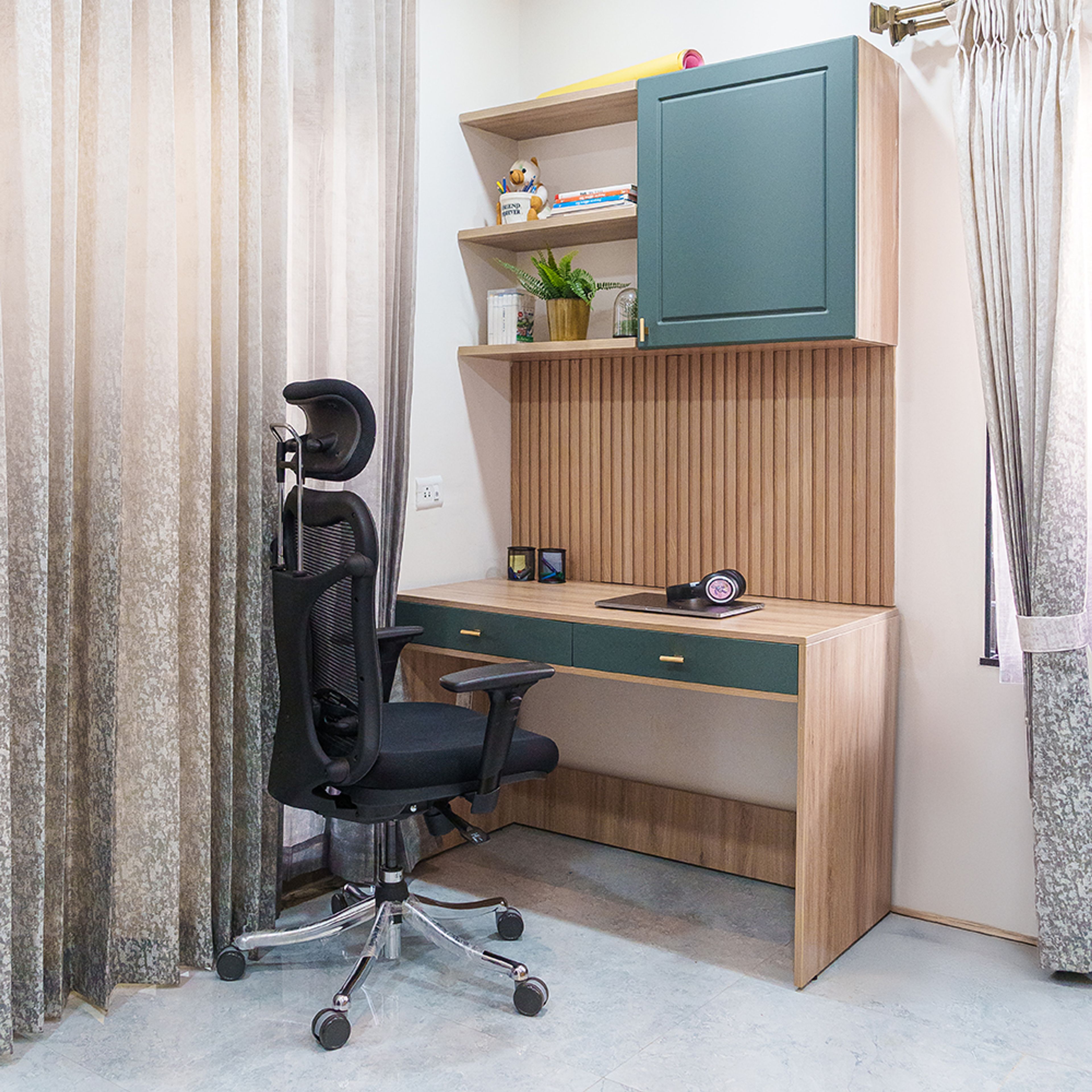
Floating shelves use wall space above your desk. They offer extra room without taking floor space.
These shelves hold books, decor, or office tools. They keep items visible but tidy and easy to reach.
- Place shelves at eye level for quick reach
- Use matching colors to blend with walls
- Add baskets or boxes for small items
Multi-functional Furniture
Furniture with built-in storage works well in small spaces. A desk with shelves or a bench with drawers saves space.
These pieces combine work areas and storage. They reduce clutter and keep your office neat.
- Choose desks with side shelves or cubbies
- Use ottomans or benches with hidden storage
- Look for fold-out desks with compartments
Personalizing Your Workspace
Your workspace should feel comfortable and inspiring. Personal touches help you enjoy working more.
Adding items that show your style makes your desk more inviting and unique.
Adding Plants
Plants bring life and color to your desk area. They also improve air quality and mood.
Choose small pots or succulents if space is limited. Place them where you can see them easily.
- Spider plants absorb toxins
- Succulents need little water
- Herbs add green and smell nice
Incorporating Art
Art makes your workspace feel personal and creative. It can be paintings, prints, or photos.
Pick art that motivates you or makes you happy. Hang it near your desk for easy viewing.
- Framed photos of family or friends
- Motivational quotes in stylish fonts
- Abstract art with calming colors
Using Color Accents
Color accents add energy and style to your desk. Use them in small items or decorations.
Choose colors that make you feel focused and calm. Mix bright and neutral tones for balance.
- Bright pens or notebooks for pops of color
- Desk organizers in your favorite shade
- Colorful mouse pads or cushions
Tech Setup For Efficiency
A smart tech setup helps you work faster and better. Setting up your desk right can save time and reduce stress.
Organize your devices so everything is easy to reach. This way, you stay focused and avoid clutter.
Optimal Device Placement
Place your computer screen at eye level to avoid neck strain. Keep your keyboard and mouse close to reduce arm movement.
Arrange devices so you can switch between them quickly. Keep charging stations nearby to keep devices powered.
- Monitor centered and about an arm’s length away
- Keyboard and mouse close to your body
- Phone and tablet within easy reach
- Charging cables organized and accessible
Lighting For Screens
Good lighting reduces eye strain and makes screens clearer. Use soft, indirect light to avoid glare on your monitor.
Place lights beside or behind your screen, not directly in front. Natural light is best but control it with curtains or blinds.
- Use desk lamps with adjustable brightness
- Avoid overhead lights that cause reflections
- Position screens perpendicular to windows
- Consider anti-glare screen protectors
Wireless Accessories
Wireless devices reduce cable clutter and increase desk space. Use wireless keyboards, mice, and headphones for more freedom.
Keep wireless devices charged and paired for quick use. This setup helps you move and adjust without hassle.
- Choose Bluetooth keyboards and mice
- Use wireless headphones for clear sound
- Keep a charging station for all wireless devices
- Label devices to avoid confusion
Credit: www.livspace.com

Credit: happynooks.com
Frequently Asked Questions
What Is The Best Desk Placement For Productivity?
Placing your desk near a window can boost productivity. Natural light enhances mood and energy levels. Ensure the desk faces away from distractions. This setup promotes focus and efficiency. Consider ergonomics to maintain comfort during long working hours. Proper desk placement can significantly improve your work output.
How Can I Maximize Small Office Space?
Utilize vertical space with shelves and wall-mounted organizers. Position your desk in a corner to save space. Opt for compact furniture and multifunctional pieces. Keep the area clutter-free for a more organized feel. Efficient use of space can make a small office functional and comfortable.
Should My Desk Face The Wall Or Room?
Facing the room can create an open, inviting atmosphere. It allows you to engage with the space. Conversely, facing the wall reduces distractions and enhances focus. Choose based on your work habits and room layout. Both setups have unique benefits for different work styles.
How Does Desk Placement Affect Lighting?
Desk placement affects both natural and artificial lighting. Position near windows for optimal daylight. Avoid screen glare by angling your desk correctly. Use task lighting for evening work. Proper lighting reduces eye strain and improves work quality. Consider lighting when arranging your home office.
Conclusion
Choosing the right desk placement shapes your workday. A good spot brings light and peace. It helps keep your focus sharp and mood bright. Small changes can make your office feel fresh and new. Try different angles or move near a window.
Let your space support your work and comfort. Your home office should fit your needs and style. Keep it simple, neat, and inviting. Enjoy working in a space that helps you do your best.