Your home office should be a place where you feel focused, comfortable, and inspired. But setting up that perfect space can be tricky.
You want something that fits your style, boosts your productivity, and makes working from home enjoyable. Imagine walking into a room that instantly puts you in the right mindset to get things done. Sounds great, right? Keep reading to discover simple, practical at home office ideas that can transform your workspace and help you work smarter every day.
Credit: www.extraspace.com
Choosing The Right Location
Finding the right spot for your home office is important. It helps you work better and feel comfortable.
Think about where you can focus and feel relaxed. The right location supports your daily tasks.
Quiet Corners And Natural Light
Choose a quiet corner in your home. It reduces noise and helps you concentrate.
Natural light keeps your space bright and lifts your mood. Pick a spot near windows if possible.
- Find a corner away from loud areas
- Use curtains to control sunlight
- Arrange your desk facing or near a window
Avoiding Distractions
Pick a place with fewer distractions around. This helps keep your mind on work.
Turn off or move noisy devices. Set clear boundaries with family or roommates.
- Choose a room with a door to close
- Keep your phone on silent or away
- Use noise-canceling headphones if needed
Utilizing Unused Spaces
Look for spaces you do not use often. These spots can become great home offices.
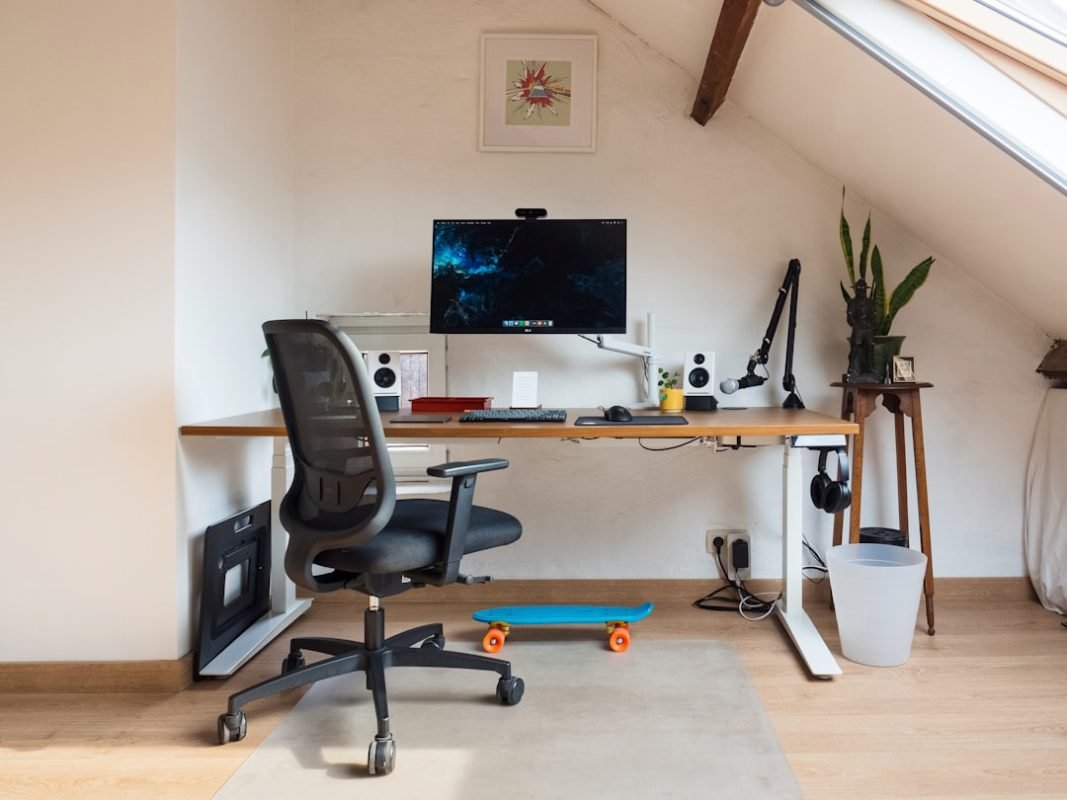
Small nooks, closets, or attic corners can turn into functional work areas.
- Clear out clutter from the space
- Add a small desk and comfortable chair
- Use shelves or organizers for storage
Credit: www.amlegendhomes.com
Ergonomic Furniture Essentials
Creating a home office means choosing the right furniture. Ergonomic furniture helps you stay comfortable all day. It reduces strain and keeps you healthy.
Focus on chairs, desks, and monitor placement. These three parts are key to a good workspace. Let’s look at what you need to know.
Selecting Comfortable Chairs
A good chair supports your back and lets you sit long without pain. Look for chairs with adjustable height and back support.
- Adjust the seat height so feet rest flat on the floor
- Use lumbar support to keep your lower back aligned
- Choose chairs with padded seats and breathable fabric
- Armrests should support your arms without raising your shoulders
Adjustable Desks And Workstations
Desks that you can adjust help you change your posture. You can sit or stand while working. This reduces fatigue and improves focus.
| Desk Feature | Benefit |
| Height Adjustability | Switch between sitting and standing easily |
| Spacious Surface | Keep all work tools within reach |
| Sturdy Build | Supports your equipment safely |
| Cable Management | Keeps cords organized and out of the way |
Proper Monitor Placement
Placing your monitor correctly helps reduce eye and neck strain. The top of the screen should be at eye level.
Use these tips for monitor placement:
- Keep the screen about an arm’s length away
- Center the monitor directly in front of you
- Adjust brightness to match room lighting
- Use a stand or riser if needed to raise the screen
Optimizing Lighting
Good lighting helps you work well at home. It keeps you focused and reduces tiredness.
Using the right mix of light sources makes your office bright and comfortable.
Balancing Natural And Artificial Light
Natural light is soft and easy on the eyes. Try to place your desk near a window.
Artificial light helps when natural light is low. Use it to fill dark spots in your room.
- Use curtains to control sunlight brightness
- Position lights to avoid glare on screens
- Mix warm and cool lights for a balanced feel
Task Lighting Options
Task lighting focuses light where you need it most. It helps you see details clearly.
Desk lamps and adjustable lights are good choices. They let you control light direction.
- LED desk lamps save energy and last long
- Clamp lights attach to desks for flexibility
- Adjust brightness to match your tasks
Reducing Eye Strain
Eye strain happens when light is too bright or too dim. Balanced lighting helps prevent it.
Take breaks and use soft lighting to relax your eyes. Avoid glare on screens.
- Use anti-glare screen covers
- Keep your light source behind or beside you
- Follow the 20-20-20 rule: every 20 minutes, look 20 feet away for 20 seconds
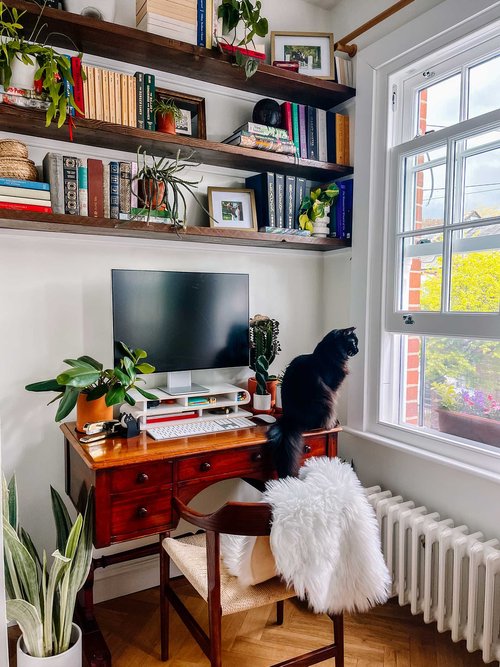
Credit: thegreenmadhouse.com
Storage Solutions
Keeping your home office tidy helps you work better every day. Good storage solutions make your workspace neat and easy to use.
Using smart storage ideas can save space and keep your tools ready. This guide shows how to organize with shelves, drawers, and more.
Decluttering With Shelves And Drawers
Shelves and drawers help clear your desk and floor. They keep items off your workspace and make the room look larger.
Use shelves to store books, files, and decor. Drawers hide small items like pens, papers, and chargers.
- Place frequently used items in easy-to-reach drawers
- Use labeled boxes on shelves for quick finding
- Keep only what you need on your desk
Smart Use Of Vertical Space
Vertical space is often wasted in home offices. Use tall shelves or wall-mounted racks to store more without clutter.
Hang organizers on walls to hold papers and tools. This frees up desk space and keeps things visible.
- Install floating shelves above your desk
- Use pegboards for hanging supplies
- Add hooks for bags or headphones
Organizing Supplies Efficiently
Sort your office supplies by type and use. This helps you find what you need quickly and keeps your desk clear.
Use containers or drawer dividers to separate items. Keep similar things together for easy access.
- Group writing tools in one container
- Store papers by project or date
- Keep electronics and cords in labeled boxes
Technology Setup
Setting up technology for your home office is important for work efficiency. Good tools and a smooth setup help you stay focused.
This guide covers key parts of a tech setup. Learn about internet, gadgets, and managing cables.
Reliable Internet Connection
A strong internet connection is the base of any home office. Slow or unstable internet can cause delays and stress.
- Choose a high-speed plan that fits your work needs.
- Place your router in a central, open spot for best signal.
- Use a wired connection for important devices when possible.
- Test your internet speed regularly to ensure good performance.
Essential Gadgets And Accessories
Having the right gadgets makes work easier. Select devices that help you do your tasks well.
| Gadget | Purpose |
| Monitor | More screen space for multitasking |
| Keyboard and Mouse | Comfort and speed when typing |
| Webcam | Clear video for meetings |
| Headphones | Good sound for calls and focus |
| Printer | Print documents when needed |
Cable Management Tips
Organizing cables keeps your desk tidy and safe. It also helps you find cables fast.
- Use cable ties to bundle cords together.
- Label cables to know their use.
- Keep power strips off the floor to avoid dust.
- Use cable clips to fix cables along desk edges.
- Choose wireless devices to reduce cords.
Incorporating Personal Touches
Creating a home office with personal touches can boost your productivity. It makes the space feel like your own.
Personal elements can inspire and motivate you throughout the workday. Here are some ideas to consider.
Choosing Inspiring Decor
Select decor that speaks to your personality. This can include artwork, photos, or mementos.
- Hang artwork that inspires you
- Display family photos on your desk
- Include a special souvenir from a trip
Adding Plants And Greenery
Plants improve air quality and bring life to your office. They can also reduce stress.
| Plant Type | Care Level |
| Succulents | Low |
| Ferns | Medium |
| Peace Lily | Low |
Creating A Motivating Atmosphere
A motivating atmosphere enhances focus and energy. Consider the lighting, colors, and scents in your office.
- Use natural light when possible
- Choose colors that energize you
- Consider a diffuser with calming scents
Sound Management
Managing sound in your home office is important for focus. Good sound control helps you work better. It reduces distractions and creates a calm environment.
Noise-canceling Tools
Noise-canceling tools can make a big difference in your work area. They help block out unwanted sounds.
- Noise-canceling headphones
- White noise machines
- Soundproof curtains
Soft Furnishings For Acoustics
Soft furnishings can improve the acoustics in your office. They absorb sound and reduce echo.
Tip:Use rugs and curtains to soften noise.
Background Music Ideas
Background music can help you concentrate. It masks disruptive sounds and creates a pleasant atmosphere.
| Music Genre | Effect |
| Classical | Boosts concentration |
| Ambient | Promotes relaxation |
| Jazz | Enhances creativity |
Time Management Tools
Managing your time well helps you work better at home. Good tools keep you focused and organized.
Using the right tools can reduce stress and increase your daily output.
Using Planners And Calendars
Planners and calendars help you plan your day clearly. They show what tasks you need to do.
Writing down your schedule makes it easier to stick to deadlines.
- Use a daily planner to list tasks
- Mark important dates on a calendar
- Check your planner each morning
Setting Up Task Zones
Task zones are special spots for different work types. They help you focus on one task at a time.
Keep your desk clear and create areas for writing, reading, and computer work.
- Designate a quiet area for deep focus
- Use a space for quick tasks and calls
- Keep tools and papers in each zone
Digital Productivity Apps
Apps can help you track time and manage tasks easily. They send reminders and keep lists updated.
Choose apps that fit your work style to stay on track and reduce distractions.
- Use calendar apps for scheduling
- Try task apps to list and check off jobs
- Set timers to focus on one task
Frequently Asked Questions
What Are The Best Space-saving Home Office Ideas?
Use vertical storage like shelves and wall organizers. Choose foldable desks and chairs to maximize space. Keep your workspace clutter-free to boost productivity.
How To Create A Productive Home Office Environment?
Ensure good lighting, preferably natural light. Use ergonomic furniture to reduce strain. Keep the area clean and personalize it with inspiring decor.
What Essential Equipment Is Needed For A Home Office?
A reliable computer, high-speed internet, and a comfortable chair are key. Add a printer, good lighting, and noise-canceling headphones for efficiency.
How Can I Improve Home Office Organization?
Use drawer organizers, cable management tools, and labeled storage boxes. Regularly declutter your workspace to maintain focus and efficiency.
Conclusion
Creating a comfortable home office helps you focus and work well. Choose a quiet spot and add good lighting. Keep your space tidy and organize your tools nearby. Personal touches make the area feel inviting and calm. Small changes can improve your mood and productivity.
Try different setups until you find what fits best. A good workspace supports your daily tasks and goals. Take breaks and keep your area neat to stay fresh. Your home office can become your favorite place to work.