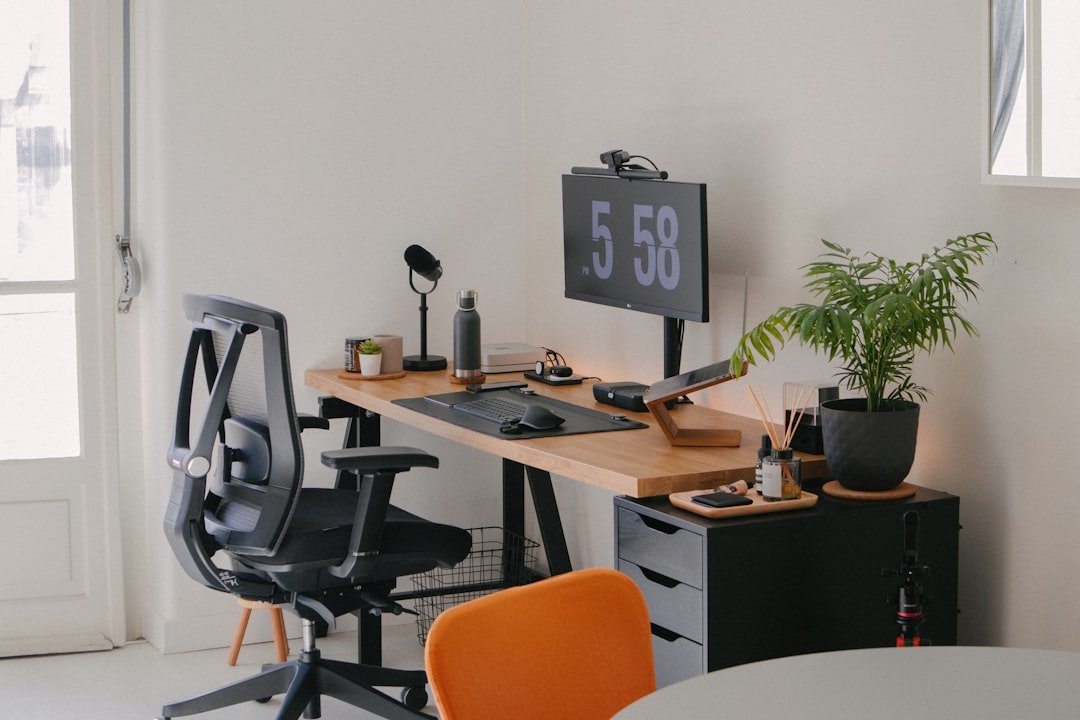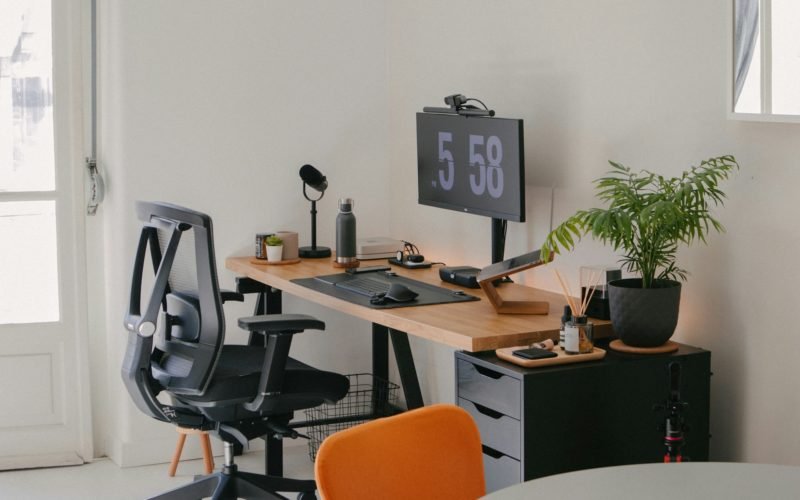
Are you ready to turn your home office into the ultimate gaming room? Imagine a space where work meets play, designed just for you.
Whether you want to unwind after a long day or boost your focus with a bit of fun, creating the perfect gaming setup in your home office can change everything. You’ll discover easy and exciting ideas to transform your space, making it both productive and entertaining.
Keep reading, and get ready to build a room that you’ll love spending time in every single day.
Choosing The Right Space
Picking the right spot for your home office gaming room is important. It helps you work and play without distractions.
Think about how much space you need and how the room feels. These ideas help you find the perfect place.
Room Size And Layout
Choose a room with enough space for your desk and gaming gear. A bigger room lets you move freely.
Look for a layout that fits your style. A square or rectangular room usually works best.
- Measure the room before setting up
- Leave space for a chair and walking
- Plan where to put your screen and keyboard
Lighting Considerations
Good lighting helps reduce eye strain during work and gaming. Natural light is the best choice.
Use blinds or curtains to control sunlight. Add soft lamps for evening use to avoid glare.
- Place your desk near a window for daylight
- Use adjustable lamps for focused light
- Avoid harsh overhead lights that cause shadows
Noise Control
Noise can distract you from work and gaming. Choose a quiet room away from busy areas.
Add soft materials like rugs and curtains to reduce sound. Use noise-canceling headphones if needed.
- Pick a room with a door to block noise
- Use carpets or rugs to absorb sound
- Seal gaps around windows and doors

Credit: www.thecoolist.com
Ergonomic Furniture Selection
Choosing the right furniture helps you stay comfortable in a home office gaming room. Ergonomic furniture supports good posture and reduces body strain.
Good furniture makes long hours of work and play easier. It helps keep your body healthy and focused.
Gaming Chairs Vs Office Chairs
Gaming chairs often have bright colors and extra padding. They offer good back support and adjust easily for comfort.
Office chairs focus on simple design and long-term comfort. They usually have better lumbar support and smooth mobility.
- Gaming chairs provide a sporty look and firm support.
- Office chairs have ergonomic features for all-day use.
- Choose a chair with adjustable height and armrests.
- Test chairs to find the best fit for your body.
Desk Options For Dual Use
Desks for both gaming and work should offer enough space. They need to fit your computer, keyboard, and other tools comfortably.
Consider desks with adjustable height. They let you switch between sitting and standing during the day.
- Standard desks with wide surfaces for multiple monitors
- Standing desks to improve posture and energy
- L-shaped desks for separating work and play areas
- Desks with cable management to reduce clutter
Monitor Stands And Mounts
Monitor stands and mounts help place screens at eye level. This reduces neck and eye strain.
Adjustable mounts allow you to change screen height and angle. They save desk space and keep your setup tidy.
- Single monitor stands for simple setups
- Dual or triple monitor mounts for multitasking
- Height and tilt adjustment features
- Clamp mounts to save desk surface area
Tech And Equipment Setup
A great home office gaming room needs the right tech and equipment. This setup helps you play games and work efficiently.
Choosing the right devices and accessories makes your space comfortable and powerful. Let’s explore the key items.
High-performance Pc Or Console
A strong PC or console is the heart of your gaming room. It runs games smoothly and handles other tasks fast.
Look for fast processors, enough memory, and good graphics cards to keep up with modern games.
Multiple Monitor Arrangements
Using two or more monitors helps you see more at once. It is great for gaming, streaming, and work.
Place monitors side by side or in a curved setup for better viewing angles and less neck strain.
- Dual monitors increase multitasking ability
- Curved monitors offer immersive views
- Adjust height for comfort and posture
Keyboard And Mouse Choices
Pick a keyboard and mouse that feel good and work well for games and typing. Comfort matters a lot.
Mechanical keyboards offer fast response and durability. A gaming mouse with extra buttons can help in many games.
- Mechanical keyboards improve typing speed
- Ergonomic designs reduce hand strain
- Customizable buttons add game controls
Audio Systems And Headsets
Good sound makes games more exciting. Use speakers or headsets to hear clear, rich audio.
Headsets with microphones are useful for talking to other players. Choose models with noise-canceling features.
- Speakers provide room-filling sound
- Headsets offer clear voice chat
- Noise cancellation blocks outside noise
Cable Management Tips
Creating a home office gaming room requires attention to detail. Cable management is key for a clean setup. Tidy cables enhance the gaming experience and reduce clutter.
Let’s explore some practical cable management tips. These will help you keep your gaming area neat and organized.
Hiding And Organizing Wires
Wires can look messy if not hidden well. Use furniture to conceal cables. Run cables along the edges or behind desks and shelves.
Labeling cables also helps in organizing. This makes it easy to identify wires when needed.
- Use zip ties to bundle cables together
- Hide wires behind or under furniture
- Label each cable for easy identification
Using Cable Trays And Sleeves
Cable trays and sleeves are perfect for managing wires. They keep cables organized and out of sight. Trays can be mounted under desks for easy access.
Sleeves are useful for bundling multiple cables. This reduces clutter and makes your setup look cleaner.
- Install cable trays under your desk
- Use sleeves to bundle multiple cables
- Ensure trays are within reach for adjustments
Power Strip Placement
Place power strips strategically to avoid cable tangling. Keep them accessible for easy plugging and unplugging. Attach power strips to the underside of your desk.
This keeps them off the floor and reduces tripping hazards. Ensure that power strips have enough outlets for your devices.
- Mount power strips under or on the side of the desk
- Choose power strips with enough outlets
- Avoid placing power strips on the floor
Decor And Ambiance
Creating the perfect home office gaming room is about setting the right mood. The decor and ambiance play a crucial role in enhancing your gaming experience.
From lighting to personal touches, every element contributes to a comfortable and immersive environment.
Led And Ambient Lighting
Lighting sets the mood for your gaming sessions. LED and ambient lights can transform your space into a vibrant hub.
- Use LED strips behind your monitor for a dynamic effect.
- Consider smart bulbs to change colors with your game.
- Install dimmable lamps for a soft glow.
Wall Art And Posters
Wall art reflects your personality and gaming interests. Posters and prints can make your room feel unique.
| Type | Example |
| Poster | Favorite Game Art |
| Canvas | Custom Gaming Logo |
| Decal | Inspirational Quotes |
Plants And Personal Touches
Plants add life to your gaming room. They improve air quality and bring a touch of nature indoors.

Credit: www.youtube.com
Storage Solutions
Organizing your home office gaming room helps keep your space tidy. Good storage solutions make it easy to find games and accessories. They also protect your items from dust and damage.
Choosing the right storage options can improve your gaming experience. It helps create a clean and inviting environment for work and play.
Shelving For Games And Accessories
Shelves are a smart way to store games and accessories. They keep items visible and easy to reach. You can use open shelves or closed cabinets depending on your style.
- Use adjustable shelves for different game sizes
- Add labels to keep track of your collection
- Include small baskets for cables and controllers
- Place shelves near your gaming desk for easy access
Drawer Organizers
Drawers help hide clutter and keep your room neat. Organizers inside drawers separate small items. This stops them from mixing and makes it easy to find what you need.
| Item | Suggested Drawer Organizer |
| Game discs | Divided slots or sleeves |
| Controllers | Padded compartments |
| Cables | Elastic bands or small bins |
| Headsets | Soft-lined compartments |
Keeping Clutter At Bay
Clutter can distract you from gaming and work. Use storage bins and boxes to gather loose items. A clean room feels more relaxing and helps you focus.
Try these tips to reduce clutter:
- Store extra cables in clear plastic boxes
- Use a small trash bin to catch paper scraps
- Keep your desk surface free by using vertical storage
- Regularly sort and donate games you no longer play
Boosting Productivity
Creating a home office gaming room can help you stay productive. A well-designed space lets you balance work and relaxation. This balance keeps your mind fresh and focused.
Using the right tools and layout helps you manage time and tasks. It also makes switching between work and play easy. This setup supports both your work goals and gaming fun.
Time Management Tools
Good time management tools keep your day on track. Use apps and devices that remind you to take breaks and meet deadlines. These tools help reduce distractions and improve focus.
- Use a digital calendar to schedule work and game time
- Set timers to limit gaming sessions
- Try task managers to organize daily goals
- Use focus apps to block distracting websites
- Keep a notebook for quick task notes
Dual-purpose Setup Tips
Design your space to serve both work and gaming needs. Choose furniture and gear that fit both tasks. This approach saves space and keeps your room tidy.
| Item | Work Use | Gaming Use |
| Desk | Spacious for papers and laptop | Room for keyboard and controller |
| Chair | Ergonomic for long hours | Comfortable for gaming sessions |
| Monitor | Clear display for documents | Fast refresh rate for games |
| Lighting | Bright for focus | Adjustable for ambiance |
Creating Work And Play Zones
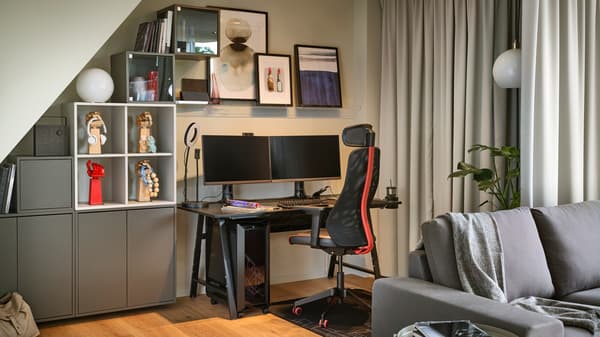
Separate your work and gaming areas to help your brain switch modes. Use rugs, shelves, or screens to divide the space. This separation reduces clutter and distraction.
- Quiet area with minimal noise
- Good lighting for reading and typing
- Organized desk with office supplies
- Comfortable seating with cushions
- Easy access to gaming gear
- Decor with fun and inspiring items
Credit: www.ikea.com
Maintaining Comfort
Creating a home office gaming room means focusing on comfort. You want a space where you can play and work without feeling tired or distracted.
Small changes in the room can help keep you relaxed and focused for longer sessions.
Temperature Control
Keeping the room at a comfortable temperature helps you stay alert. Too hot or too cold rooms can make you lose focus quickly.
- Use a fan or air conditioner in summer
- Try a space heater in winter
- Open windows for fresh air when possible
- Wear light or warm clothes depending on the season
Seating Breaks And Stretching
Sitting for long hours can cause discomfort. Take short breaks to stretch and move your body.
- Sit with your back straight and feet flat on the floor
- Stand up every 30 minutes and stretch your legs
- Roll your shoulders and neck to reduce tension
- Walk around the room for a few minutes
- Use a comfortable chair that supports your posture
Eye Care And Screen Settings
Looking at screens for too long can tire your eyes. Adjust settings to reduce strain and protect your vision.
| Tip | Details |
|---|---|
| Adjust Brightness | Match screen brightness to room light |
| Use Blue Light Filter | Reduces eye strain during long play |
| Keep Screen Clean | Clear screens prevent glare and blurriness |
| Follow 20-20-20 Rule | Every 20 minutes, look 20 feet away for 20 seconds |
| Position Screen | Keep screen at eye level and 20-30 inches away |
Frequently Asked Questions
What Are Essential Items For A Home Office Gaming Room?
Essential items include a comfortable gaming chair, a high-quality desk, multiple monitors, good lighting, and noise-canceling headphones. These improve comfort and productivity while enhancing your gaming experience. Proper cable management and ergonomic accessories also make the space more organized and enjoyable.
How Can I Optimize Space In A Gaming Office?
Use vertical storage shelves and wall mounts to save floor space. Choose compact furniture with multi-functional features. Keep cables organized with clips and trays. Declutter regularly to maintain a clean, efficient gaming workspace that maximizes comfort and productivity.
What Lighting Works Best In A Gaming Office?
LED strip lights and adjustable desk lamps with soft white bulbs create an ideal ambiance. Avoid harsh overhead lights to reduce eye strain. RGB lighting adds a personalized gaming vibe and enhances overall mood during long sessions.
How Do I Reduce Noise In A Gaming Room?
Use soundproofing materials like foam panels or thick curtains to absorb noise. A carpeted floor can also reduce sound reflection. Noise-canceling headphones help block external distractions, creating a focused gaming and work environment.
Conclusion
Creating a home office gaming room can boost both work and play. Choose furniture that fits your space and style. Good lighting helps reduce eye strain and keeps you focused. Organize cables and devices for a clean look. Personal touches make the room feel comfortable and fun.
Small changes can create a big difference. Enjoy your gaming time without leaving your office. Make the space truly yours, balancing work and relaxation. This way, every day feels a bit more enjoyable.