Are you tired of feeling uncomfortable and distracted while working or relaxing in your chair? The secret might not just be in the chair itself, but where you place it.
Modern ergonomic chair placement can transform your comfort, boost your focus, and even improve your posture without extra effort. Imagine sitting in a spot that supports your body perfectly and helps you stay energized throughout the day. Ready to discover how a simple change in chair placement can make a big difference for your health and productivity?
Keep reading to unlock the tips that will change the way you sit forever.
Ergonomic Chair Essentials
An ergonomic chair helps you sit comfortably for long hours. It supports your body and reduces strain.
Choosing the right chair is important for your health and work efficiency. Look for key features that fit your needs.
Key Features To Look For
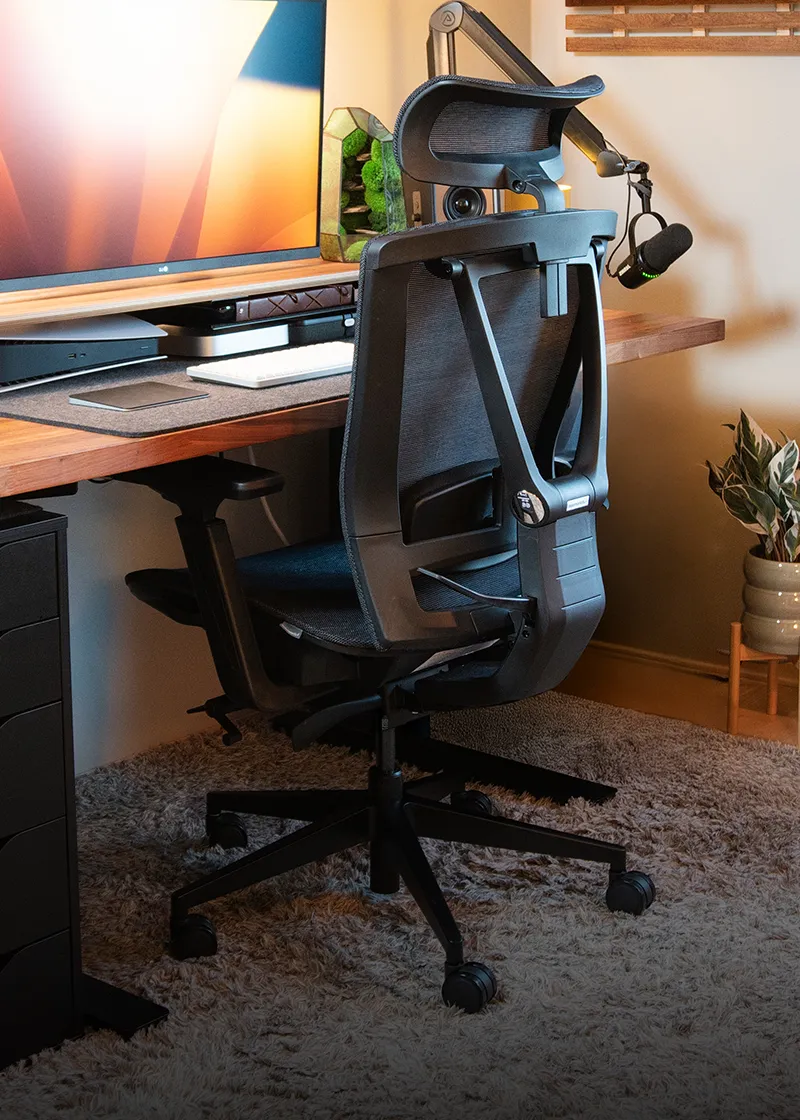
Good lumbar support is a must. It keeps your lower back aligned and prevents pain. The chair should also have a seat that fits your body size.
- Adjustable seat height
- Supportive backrest
- Comfortable seat cushion
- Armrests that support your elbows
- Swivel base for easy movement
Adjustability Options
Adjustability lets you customize the chair to your body. It improves comfort and posture over time.
| Adjustability Type | Benefit |
| Seat Height | Allows feet to rest flat on the floor |
| Backrest Tilt | Supports natural spine curve |
| Armrest Height | Reduces shoulder strain |
| Seat Depth | Fits thigh length comfortably |
Material And Build Quality
Materials affect comfort and durability. Look for breathable fabric or mesh to keep cool. Strong frame and base add safety.
| Material | Pros | Cons |
| Mesh | Breathable, lightweight | Less cushioning |
| Leather | Durable, easy to clean | Can be hot and stiff |
| Fabric | Soft, variety of colors | Can stain easily |

Credit: bosq.in
Optimal Chair Placement
Placing your ergonomic chair correctly helps you work comfortably. It reduces strain on your body during long hours at your desk.
Good chair placement supports your posture and increases productivity. It is key to a healthy workspace setup.
Aligning With Desk Height
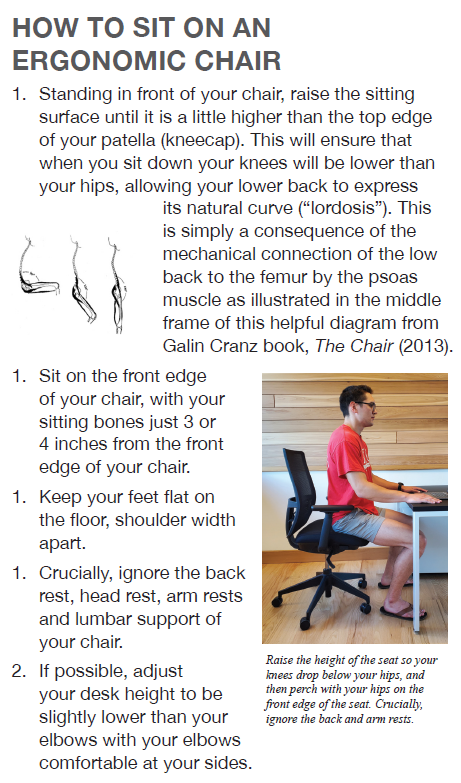
Set your chair height so your elbows rest at the same level as the desk surface. This keeps your shoulders relaxed and wrists straight.
Your feet should be flat on the floor or on a footrest. Adjust the seat height until your thighs are parallel to the ground.
Distance From Workstation
Keep a small gap between your chair and the desk. This allows easy movement and proper arm support.
- Sit close enough to reach your keyboard without stretching.
- Allow space to move your legs freely under the desk.
- Maintain a comfortable distance to avoid leaning forward.
Positioning Relative To Light Sources
Place your chair to avoid glare on your screen from windows or lamps. Good lighting reduces eye strain and improves focus.
| Light Source | Chair Position |
| Window | Sit perpendicular to avoid glare |
| Desk Lamp | Place to the side of your dominant hand |
| Overhead Light | Ensure even distribution across workspace |
Impact On Posture And Health
Placing a modern ergonomic chair correctly helps keep your body healthy. It supports good posture and reduces pain.
Good chair placement can improve comfort during long work hours. It also helps prevent long-term health issues.
Reducing Back And Neck Strain
An ergonomic chair reduces pressure on your back and neck. Proper placement keeps your spine aligned while sitting.
Adjust the chair height so your feet rest flat on the floor. Keep your knees at a 90-degree angle to avoid strain.
- Keep your back against the chair’s backrest
- Use armrests to support your arms
- Avoid leaning forward or slouching
Supporting Natural Spine Curvature
The chair should follow the natural curve of your spine. This support prevents the lower back from rounding.
Use the lumbar support feature on the chair. It helps keep your lower back in a healthy position all day.
- Adjust lumbar support height and firmness
- Keep your back fully supported
- Avoid flat or hard seats without support
Promoting Circulation
Proper chair placement improves blood flow in your legs and feet. This reduces numbness and swelling.
Keep your thighs parallel to the floor. Avoid sitting with crossed legs or on the edge of the chair.
- Adjust seat depth to support your thighs
- Keep feet flat on the floor or footrest
- Take breaks to stand and stretch often

Credit: www.odinlake.com
Enhancing Productivity
Placing a modern ergonomic chair correctly helps improve work output. It supports good posture and comfort.
A well-set chair reduces strain and helps you focus on tasks longer. This leads to better productivity.
Minimizing Fatigue
An ergonomic chair reduces tiredness by supporting your body well. It keeps your back and neck aligned.
Adjust the chair height so your feet rest flat on the floor. Keep your knees at a 90-degree angle.
- Use lumbar support to ease lower back pressure
- Keep armrests at elbow height to relax shoulders
- Sit with hips pushed back in the chair
Encouraging Movement Breaks
Proper chair placement reminds you to take short breaks often. Standing or stretching helps blood flow.
Set a timer to stand up every 30 minutes. Moving helps reduce stiffness and keeps you alert.
- Stand and stretch your legs and arms
- Walk around your workspace for a minute
- Do simple neck and shoulder rolls
Creating A Focused Workspace
Place your chair to face your main work area directly. This reduces distractions and helps concentration.
Keep your desk and chair at a comfortable distance. Avoid clutter near your seating space.
- Position your screen at eye level to prevent neck strain
- Keep essential items within easy reach
- Use neutral colors around your workspace to stay calm
Tech Integration With Chairs
Modern ergonomic chairs do more than support your back. They include smart technology to improve comfort and health.
Tech integration helps users adjust their sitting habits for better posture and productivity.
Smart Sensors And Feedback
Smart sensors in chairs track your posture and sitting time. They detect if you slouch or sit too long.
The sensors send feedback to your phone or chair display. This helps you correct your posture in real time.
- Posture monitoring alerts
- Time reminders to stand or move
- Pressure sensors for better support
Adjustable Settings Via Apps
Many chairs connect to apps that control settings like height and tilt. You can save your favorite positions.
The app guides you to adjust the chair for your body size and work style. This makes sitting more comfortable.
- Control seat height and backrest angle
- Save multiple user profiles
- Track usage and comfort levels
Integrating With Standing Desks
Smart chairs can sync with standing desks. They adjust automatically when you switch from sitting to standing.
This integration helps keep your body active. It supports smooth transitions between sitting and standing.
- Automatic height adjustments
- Reminders to change posture
- Data sharing between chair and desk apps
Personalizing Your Setup
Modern ergonomic chairs help you stay comfortable while working. Personalizing your chair setup can boost your productivity.
Adjust your chair to fit your body and work needs. This guide will help you customize your chair setup effectively.
Customizing For Body Type
Everyone has a different body type. Your chair should match your height and weight for the best support.
Adjust the chair’s height so your feet rest flat on the floor. Ensure the backrest supports your lower back.
- Use seat depth adjustment for better leg support
- Adjust armrests to keep elbows at a 90-degree angle
- Choose a chair with adjustable lumbar support
Incorporating Accessories
Accessories can enhance your chair’s functionality. Consider adding items that improve comfort and efficiency.
Footrests and cushions can provide extra support. Accessories help you maintain a healthy posture all day.
- Footrests relieve pressure on your legs
- Chair cushions add comfort for long sitting periods
- Headrests support your neck and reduce strain
Adapting To Different Tasks
Tasks may require different seating adjustments. Make sure your chair adapts to your work needs easily.
For writing, sit upright with your back supported. For reading, recline slightly for comfort.
| Task | Chair Adjustment |
| Writing | Upright position, back fully supported |
| Reading | Slight recline, relaxed posture |
| Computer work | Screen at eye level, arms parallel to desk |
Credit: www.autonomous.ai
Frequently Asked Questions
What Is The Best Ergonomic Chair Placement For Productivity?
Place the ergonomic chair at a height where your feet rest flat on the floor. Ensure your knees are at a 90-degree angle. Position the chair close enough to the desk to avoid leaning forward. This setup reduces strain and boosts productivity by promoting good posture.
How Far Should An Ergonomic Chair Be From The Desk?
Your ergonomic chair should be close enough so your elbows form a 90-degree angle while typing. Typically, this means sitting about 18-24 inches from the desk. Proper distance prevents slouching and supports comfortable arm positioning, reducing shoulder and neck strain.
Can Chair Placement Affect Back Pain Relief?
Yes, proper ergonomic chair placement supports your spine’s natural curve. Sitting with your back fully against the chair and feet flat reduces pressure on your lower back. Correct placement helps alleviate back pain by encouraging better posture throughout the workday.
Should Ergonomic Chairs Face The Computer Screen Directly?
Yes, facing the computer screen directly minimizes neck and eye strain. Align your chair so your eyes meet the top third of the monitor. This setup promotes a neutral neck position and helps maintain focus without discomfort.
Conclusion
Placing your ergonomic chair correctly improves comfort and health. It helps reduce back pain and boosts focus. Keep the chair close to your desk to support good posture. Adjust the height so your feet rest flat on the floor. Small changes make a big difference in your workday.
Try different positions to find what feels best. A well-placed chair creates a better workspace. Enjoy working without strain or discomfort every day.