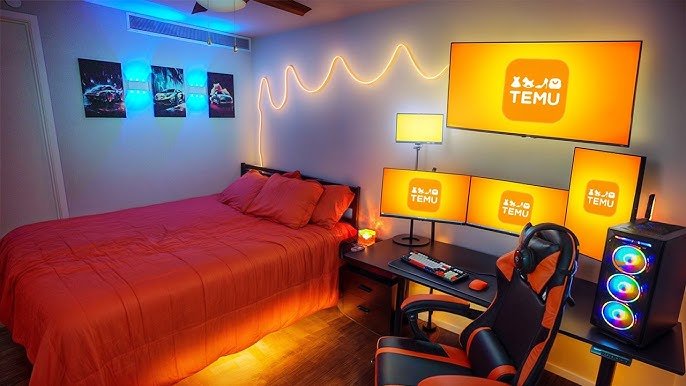
Your bedroom can be more than just a place to sleep—it can be your ultimate gaming sanctuary. Imagine stepping into a setup where every detail is designed to boost your focus, comfort, and excitement.
Whether you’re aiming for a sleek, minimal look or a vibrant, immersive space, the right bedroom gaming setup can transform how you play. Ready to turn your room into the perfect gaming zone? Keep reading, because we’re about to explore ideas that will make your gaming experience unforgettable.
Choosing The Right Space
Picking the best spot for your bedroom gaming setup is key. It helps you play comfortably and stay focused.
Think about space, light, and noise before setting up your gaming area. This makes your gaming time more enjoyable.
Maximizing Small Bedrooms
Small bedrooms need smart use of space. Choose furniture that fits well and does not block movement.
Use vertical space for shelves or storage to keep your gaming gear organized and off the floor.
- Pick a compact desk for your computer or console
- Use wall mounts for monitors or TVs
- Keep cables tidy with clips or sleeves
- Choose a comfortable, small chair that fits the room
Lighting Considerations
Good lighting reduces eye strain and improves your gaming focus. Natural light is best during the day.
Use soft, indirect lights to avoid screen glare. LED strips or desk lamps work well for gaming setups.
- Place your screen away from direct sunlight
- Use adjustable lamps to control light direction
- Consider RGB lights for mood without bright glare
- Avoid harsh overhead lights that cause reflection
Noise Control Tips
Noise can distract you while gaming. Use methods to block or reduce sounds for better focus.
Soft materials absorb sound and help keep your room quiet. Think about rugs, curtains, and cushions.
- Use thick curtains to block outdoor noise
- Place rugs on hard floors to reduce echo
- Add cushions or soft chairs to absorb sound
- Consider noise-canceling headphones for loud environments

Credit: www.youtube.com
Essential Gaming Gear
Creating the right bedroom gaming setup requires the right gear. This gear can improve your comfort and game quality. Focus on items that fit your space and style.
We will look at three main parts: desks, chairs, and monitors. Each plays a key role in your gaming experience.
Selecting The Perfect Desk
Your desk holds all your gear. It needs to be the right size and shape for your room. A good desk gives you enough space to place your monitor, keyboard, and other accessories.
- Choose a desk with enough surface area for your gear.
- Look for desks with cable management features.
- Consider desks with adjustable height for comfort.
- Pick a style that matches your room decor.
Ergonomic Chairs For Comfort
A good chair supports your back and neck during long sessions. Ergonomic chairs help reduce strain and keep you comfortable.
| Feature | Benefit |
| Adjustable height | Fits your desk height |
| Lumbar support | Supports lower back |
| Swivel base | Easy to move and turn |
| Padded seat | Comfort for long use |
High-performance Monitors
Monitors show your games in the best way. Look for screens with fast refresh rates and low response times. Size and resolution also matter for clear images.
Here are some key monitor specs to consider:
- Refresh rate: 144Hz or higher
- Response time: 1ms to 5ms
- Resolution: At least 1080p (Full HD)
- Screen size: 24 to 32 inches
Immersive Audio Solutions
Creating the perfect bedroom gaming setup involves more than just a good screen. Audio plays a crucial role in enhancing your gaming experience.
Let’s explore some immersive audio solutions that can transform your gaming sessions into an audio adventure.
Surround Sound Systems
Surround sound systems envelop you in audio, making games more lifelike. These systems use multiple speakers to create a 3D sound field around you.
- Position speakers at ear level for best sound.
- Use a central speaker for clear dialogue.
- Place subwoofers on the floor for deeper bass.
Noise-cancelling Headphones
Noise-cancelling headphones block external sounds, focusing your attention on the game. They are perfect for late-night gaming when you need to be quiet.
Consider features like wireless connectivity and battery life when choosing headphones.
Speaker Placement Tips
Correct speaker placement is key to achieving the best sound in your gaming area. It enhances the audio experience by providing clear and balanced sound.
| Speaker Type | Ideal Placement |
| Front Speakers | In front, at ear level |
| Rear Speakers | Behind, slightly above ear level |
| Subwoofer | On the floor, near front speakers |

Credit: www.youtube.com
Decor And Ambiance
Creating the right decor and ambiance makes your bedroom gaming setup more enjoyable.
Simple changes can improve comfort and style for long gaming sessions.
Led Lighting Ideas
LED lights add color and mood to your gaming space. You can change colors with a remote or app.
- Use LED strips behind your desk or monitor for soft backlight.
- Add LED bulbs in lamps with color-changing options.
- Place LED panels on the wall for dynamic patterns.
- Install smart bulbs to sync lights with game sounds.
Themed Wall Art
Themed wall art shows your gaming style and adds personality to the room.
| Type | Description |
|---|---|
| Posters | Print favorite game covers or characters |
| Canvas Prints | High-quality images on canvas for a bold look |
| Wall Decals | Removable stickers for easy decoration |
| 3D Art | Textured pieces that add depth to walls |
Organizing Cables And Accessories
Keep cables neat to avoid clutter and make your setup look clean.
- Use cable clips to hold wires in place.
- Try cable sleeves to bundle cords together.
- Label cables for quick identification.
- Store small accessories in drawer organizers.
- Mount power strips under the desk.
Storage And Organization
A well-organized bedroom gaming setup makes playing more enjoyable. Keeping games and gear tidy saves space and time.
Good storage helps protect your equipment and keeps your room neat. It also creates a better gaming environment.
Shelving For Games And Gear
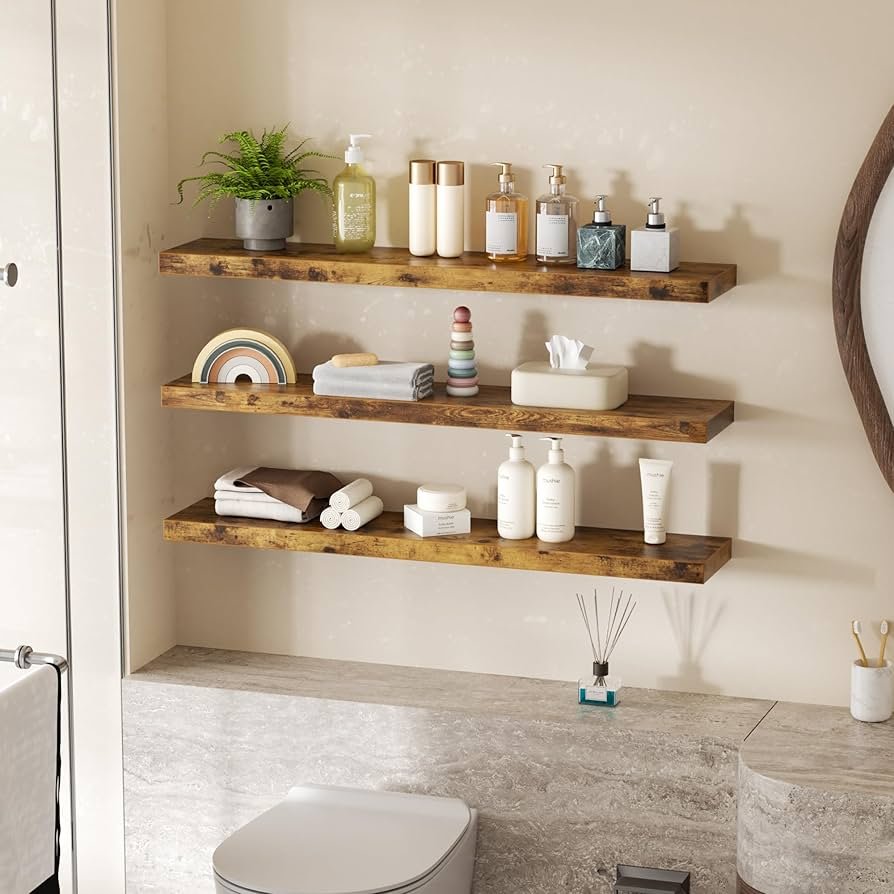
Shelves are great for showing off your game collection and storing controllers. They keep everything easy to reach.
Use wall shelves to save floor space. Adjustable shelves fit different sized games and gadgets.
- Place shelves near your gaming station
- Use sturdy materials for heavier gear
- Add labels to find games quickly
- Combine shelves with small bins for cables
Hidden Storage Options
Hidden storage keeps your gaming area clean and clutter-free. It also protects gear from dust and damage.
Look for furniture with built-in storage like beds with drawers or desks with compartments. Use storage boxes under the bed.
- Under-bed drawers for extra controllers and cables
- Desks with hidden compartments for small devices
- Storage ottomans to hold games and headphones
- Use cable management boxes to hide wires
Maintaining A Clutter-free Space
Keep your gaming space tidy by putting things back after use. A clean area helps you focus better.
Regularly sort through games and gear. Remove items you no longer use or need to save space.
- Set a daily reminder to organize your desk
- Use trays or small containers for loose items
- Keep only essential gear on your desk
- Clean dust off shelves and devices weekly
Tech Upgrades And Accessories
Setting up a gaming room can be a fun project. You can make your space more exciting with the right tech upgrades. From custom controllers to cooling solutions, there’s plenty to explore.
Here, we will look at different upgrades. These will help you enjoy gaming at its best. Let’s dive into the world of tech and accessories.
Custom Controllers And Keyboards
Custom controllers and keyboards add flair to your gaming setup. They can improve gameplay and comfort. You can pick designs that suit your style.
- Choose ergonomic designs for comfort
- Consider programmable keys for quick actions
- Look for wireless options to reduce clutter
Vr Setup Tips
Virtual Reality (VR) can take gaming to another level. Setting up VR is simple with the right steps. Ensure your space is ready for an immersive experience.
Ensure your room has:
- Enough space to move around safely
- Proper lighting to avoid glare
- Strong Wi-Fi for seamless connectivity
Cooling Solutions For Hardware
Keeping your gaming hardware cool is important. Overheating can slow down your system and affect performance. Cooling solutions help maintain ideal temperatures.
| Solution | Benefit |
| Fans | Circulate air efficiently |
| Liquid Cooling | Reduces noise and improves cooling |
| Cooling Pads | Portable and easy to use |
Personalizing Your Setup
Making your bedroom gaming setup unique helps you enjoy your space more. Personal touches show your style and make gaming fun.
Simple changes can turn a basic setup into a cozy and exciting place to play and relax.
Incorporating Collectibles
Add collectibles to your setup to show what you love. Figures, posters, and game memorabilia add personality.
Place items on shelves or desks where you can see them while gaming. It makes the space feel yours.
- Display action figures or statues
- Hang posters of favorite games
- Use themed storage boxes
- Show off limited edition items
Customizable Rgb Effects
RGB lights let you change colors to fit your mood. You can match your setup with your favorite game or music.
Use smart lighting strips or RGB keyboards and mice to add color and style that changes anytime.
- Set colors to match game themes
- Create light patterns for excitement
- Use soft colors for calm times
- Sync lights with music beats
Creating A Relaxation Zone
Add a small area in your setup to rest your eyes and mind. Comfortable seating and soft lights help you relax.
Include pillows, blankets, or a bean bag chair. This space helps you take breaks without leaving your room.
- Use a cozy chair or bean bag
- Add soft lighting or lamps
- Place a small table for snacks
- Keep calming items like books or plants

Credit: www.reddit.com
Frequently Asked Questions
What Are The Best Gaming Setups For Small Bedrooms?
Compact desks, wall-mounted shelves, and multi-functional furniture optimize space. Prioritize ergonomic chairs and minimal cables to keep the area tidy and efficient.
How To Improve Lighting In Bedroom Gaming Setups?
Use adjustable LED lights or RGB strips to reduce eye strain. Position lights to avoid screen glare and create an immersive gaming atmosphere.
Which Gaming Accessories Suit Bedroom Setups Best?
Choose wireless keyboards, mice, and headphones to minimize clutter. Consider a monitor stand and cable organizers for a clean, organized gaming space.
How To Soundproof A Bedroom Gaming Setup?
Use foam panels, heavy curtains, and rugs to reduce noise. Seal door gaps and consider noise-canceling headphones for an immersive experience.
Conclusion
Creating a bedroom gaming setup can boost your comfort and fun. Choose furniture that fits your space well. Good lighting and sound make a big difference. Keep cables neat to avoid clutter and accidents. Personal touches show your style and make the space yours.
Small changes can improve your gaming experience greatly. Enjoy your setup and play with ease every day.