Imagine sitting at your desk and instantly feeling calm, focused, and ready to tackle any task. The secret isn’t just in what you do but where you place your office desk organizer.
You might think it’s a small detail, but how and where you arrange your desk tools can boost your productivity and reduce stress more than you realize. You’ll discover smart ways to position your modern office desk organizer to create a workspace that works for you.
Ready to transform your desk and your day? Let’s dive in.
Choosing The Right Organizer
A clean and well-arranged desk helps you work better. Choosing the right desk organizer keeps your space neat. It saves time and reduces stress.
Think about what items you use daily. This helps pick the best organizer for your needs.
Types Of Desk Organizers
Desk organizers come in many styles. Each type fits different work habits and needs.
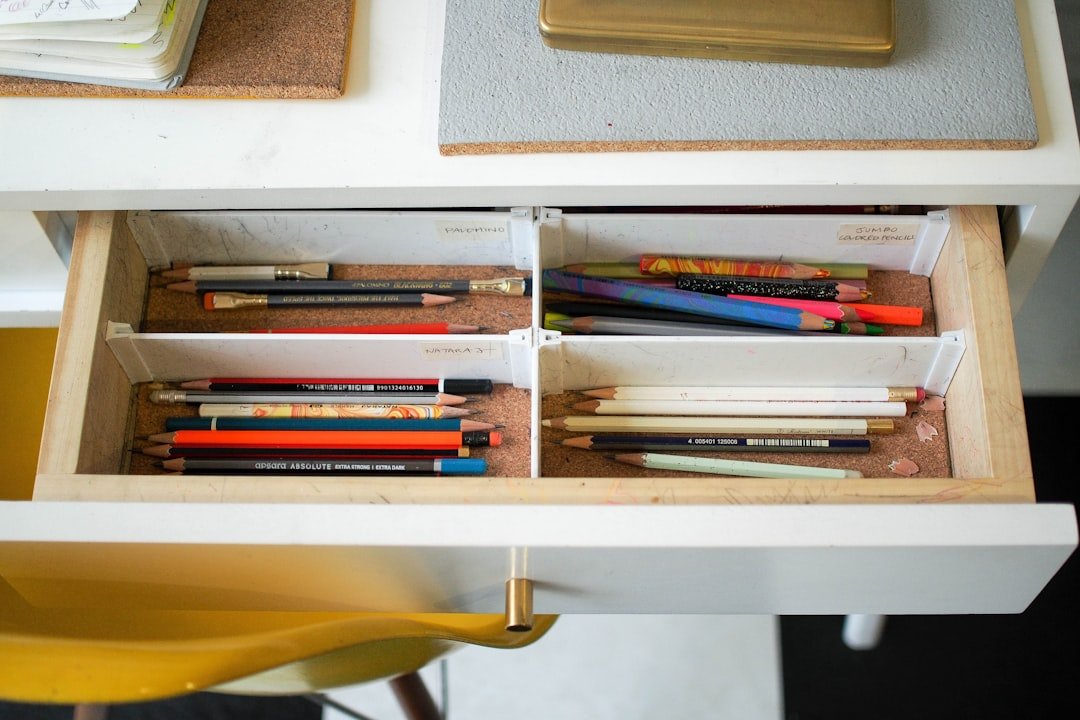
- Drawer organizers hold small items like paper clips and pens.
- Desktop trays stack papers or files neatly.
- Pen holders keep writing tools in one place.
- Multi-compartment organizers store gadgets and notes.
- Vertical file holders save space and sort documents.
Materials And Durability
Material choice affects the look and lifespan of your organizer. Some materials suit modern offices better.
| Material | Durability | Appearance |
| Wood | Strong and long-lasting | Classic and warm |
| Plastic | Light but less durable | Colorful and casual |
| Metal | Very durable | Sleek and modern |
| Bamboo | Eco-friendly and sturdy | Natural and stylish |
| Fabric | Less durable | Soft and flexible |
Size And Capacity Considerations
Choose an organizer size that fits your desk space. It should hold all your items without crowding.
- Measure your desk area before buying.
- Think about how many items you want to store.
- Choose compartments to fit different tools.
- Keep easy access in mind.
- Consider future needs for extra space.

Credit: www.amazon.com
Optimal Desk Layout
Creating a modern office desk organizer placement helps improve work efficiency. A well-planned desk layout reduces distractions and keeps tools within reach.
Organizing your desk with purpose makes your workspace neat and easy to use. This guide covers key ideas for an ideal desk setup.
Assessing Desk Space
Start by measuring your desk area and noting the available surface space. Identify spots for your computer, writing area, and storage.
Consider the size of your office tools and how often you use them. This helps decide which items need prime placement.
Zone-based Placement
Divide your desk into zones based on activity type. Each zone should hold items related to a specific task.
- Work Zone:Place your computer, keyboard, and mouse here.
- Writing Zone:Set aside space for notebooks, pens, and planners.
- Storage Zone:Keep drawers, files, and supplies in this area.
- Accessory Zone:Put phone, chargers, and small devices within reach.
Balancing Accessibility And Clutter
Make sure frequently used items are easy to reach. Store less-used items away to avoid clutter.
| Item | Placement | Reason |
| Computer and keyboard | Center front | Primary tools for work |
| Pens and notepads | Right or left side | Quick access for notes |
| Files and documents | Desk drawers or shelves | Keep area tidy |
| Phone and chargers | Near the accessory zone | Easy to reach but not in the way |
Placement Strategies
Organizing your office desk well improves your work efficiency. Proper placement helps keep your space neat and easy to use.
Good placement strategies reduce clutter and save time finding things. This guide covers key ideas for better desk organization.
Frequent Use Items
Keep items you use often close to you. This reduces reaching and distractions while working.
Place pens, notepads, and your phone within arm’s reach. Use small trays or holders to keep them tidy.
- Use a pen cup near your writing hand
- Keep sticky notes by your monitor
- Place your phone on a stand beside your keyboard
Cable Management Solutions
Messy cables create a cluttered look and make cleaning hard. Organize cables to keep your desk neat and safe.
Use clips, sleeves, or ties to group cables together. Label cables to know which device they belong to.
- Attach cable clips under your desk
- Use cable sleeves to bundle wires
- Label cables with tags or colored tape
- Keep power strips off the floor if possible
Vertical Vs Horizontal Storage
Vertical storage saves desk space by stacking items up. Horizontal storage spreads items out flat for easy access.
Choose vertical storage for files and books. Use horizontal trays for papers and tools you use daily.
- Vertical file holders keep documents upright
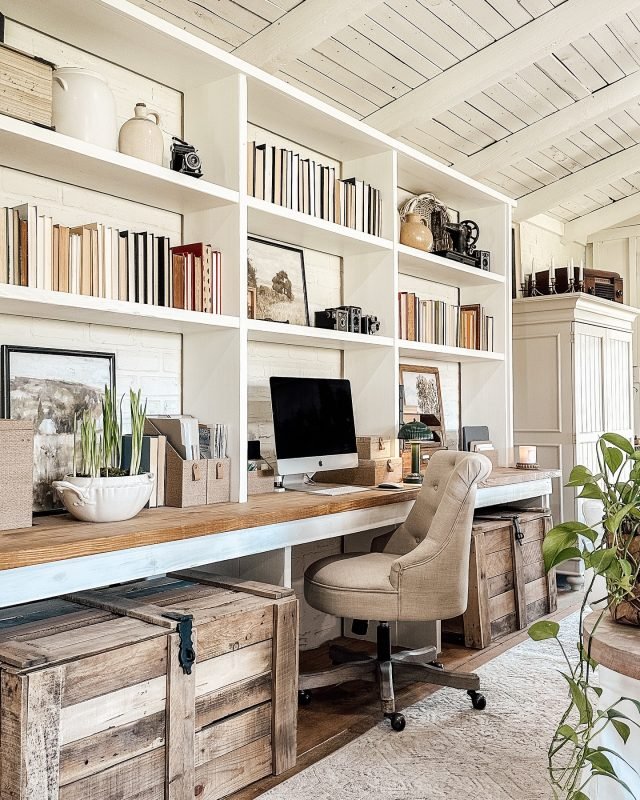
- Wall shelves free up desk surface
- Horizontal trays sort papers or notes
- Drawer organizers separate small items

Credit: www.decorilla.com
Tech Integration
Modern office desks need smart tech setups. Organizing tech helps keep work smooth and fast.
Good tech integration saves space and reduces clutter. It makes your desk look neat and clean.
Charging Station Positioning
Place charging stations where you can easily reach them. Keep them close to your main work area.
A good spot is near the edge of your desk or under it. This keeps devices charged without blocking space.
- Use a spot with easy plug access
- Keep chargers off main work surfaces
- Choose locations that avoid cable tangles
Gadget Holders
Gadget holders keep your devices safe and visible. They stop gadgets from sliding or falling off your desk.
Use holders for phones, tablets, and headphones. This helps you grab them quickly when needed.
- Choose holders that match device sizes
- Place holders within arm’s reach
- Keep holders organized to avoid clutter
Minimizing Wire Mess
Wire mess makes your desk look untidy. Use cable clips and ties to keep wires neat and out of sight.
Route wires along desk edges or under the desk. This stops cables from tangling and getting damaged.
- Use cable organizers to group wires
- Label cables for easy identification
- Keep power strips off the floor when possible
Personalization And Aesthetics
Creating a modern office desk organizer placement helps improve both style and function. Personalizing your space makes work more enjoyable. A tidy desk with thoughtful design boosts focus and mood.
Balancing personalization with a neat look keeps the workspace professional. This guide covers color coordination, adding personal items, and keeping a polished appearance.
Color Coordination
Choosing colors that match or complement your office decor creates a calm and inviting space. Use soft tones to reduce distractions and bright colors to add energy.
- Pick organizer colors that match your walls or furniture
- Use neutral tones for large items to keep balance
- Add a pop of color with small accessories
- Stick to two or three colors to avoid cluttered looks
Incorporating Personal Items
Including a few personal items makes your desk feel unique and comfortable. Choose items that inspire you without crowding the space.
| Personal Item | Purpose | Placement Tips |
|---|---|---|
| Photo frame | Motivation and memories | Keep near monitor, avoid blocking view |
| Small plant | Freshness and calm | Place in a corner with light |
| Favorite mug | Comfort and style | Use as pen holder or drink cup |
| Desk clock | Timekeeping and design | Set near keyboard for easy view |
Maintaining A Professional Look
Keep your desk tidy and organized to maintain a professional look. Avoid too many decorations that distract from work.
- Use matching storage containers
- Keep cables hidden or tied
- Limit personal items to three or less
- Clear desk surface at the end of day

Credit: www.digsdigs.com
Maintaining Organization
Keeping your office desk tidy helps you work more efficiently. A well-organized desk can reduce stress and boost productivity.
Here are some practical tips for maintaining organization at your modern office desk.
Routine Cleaning Tips
Regular cleaning is essential for a neat workspace. Dust and clutter can accumulate quickly.
- Wipe surfaces with a microfiber cloth weekly
- Use organizers to keep small items in place
- Discard unnecessary papers immediately
Decluttering Techniques
Decluttering helps in maintaining a clear and focused work area. Get rid of items that no longer serve a purpose.
| Item | Action |
| Old magazines | Recycle |
| Broken pens | Dispose |
| Expired notes | Shred |
Adjusting Organizer Placement Over Time
As your work habits change, so should your organizer placement. This can improve your workflow.
Frequently Asked Questions
What Is The Best Placement For A Modern Office Desk Organizer?
Place your desk organizer within arm’s reach to enhance productivity. Keep frequently used items like pens and notes close. Avoid clutter by assigning specific spots for each organizer section. This setup ensures easy access and a tidy workspace.
How Does Desk Organizer Placement Improve Office Productivity?
Proper organizer placement reduces time spent searching for items. It keeps the desk neat and items visible. This minimizes distractions and maintains workflow focus. An organized desk supports efficient task management and quicker decision-making.
Where Should I Position My Desk Organizer For Maximum Space?
Position your organizer at a corner or side of the desk. This frees up central workspace for your main tasks. Choose a spot that doesn’t block your monitor or keyboard. Smart placement maximizes desk space and comfort.
Can Desk Organizer Placement Affect Ergonomic Comfort?
Yes, placing organizers within easy reach reduces unnecessary stretching. It helps maintain good posture and decreases strain. Ergonomic placement supports long-term comfort and prevents fatigue during work hours.
Conclusion
A well-placed desk organizer keeps your workspace neat and clear. It helps you find things quickly and saves time. Good placement also reduces clutter and makes work easier. You feel more focused and less stressed. Small changes in arrangement can make a big difference.
Try different spots to see what works best. A tidy desk supports better work habits every day. Keep it simple and consistent for lasting results. Organize smartly, and enjoy a calm, productive office space.