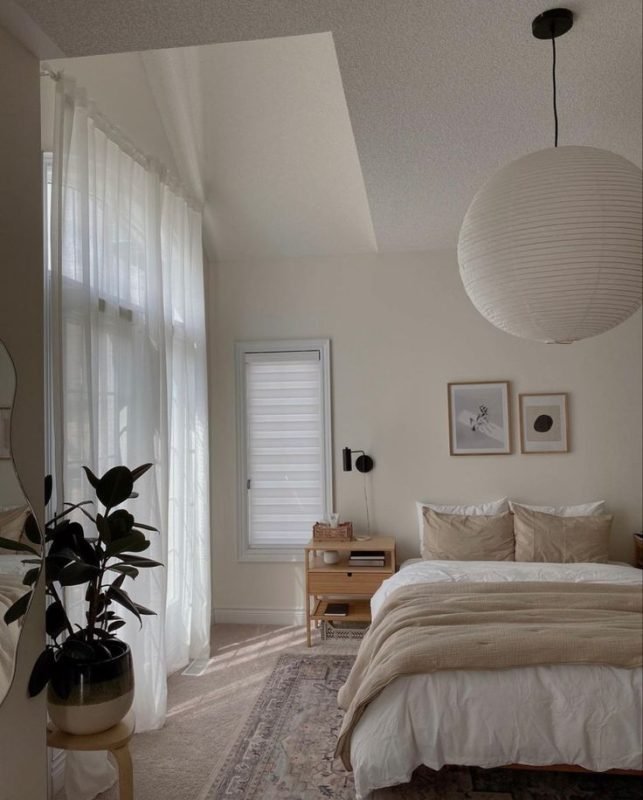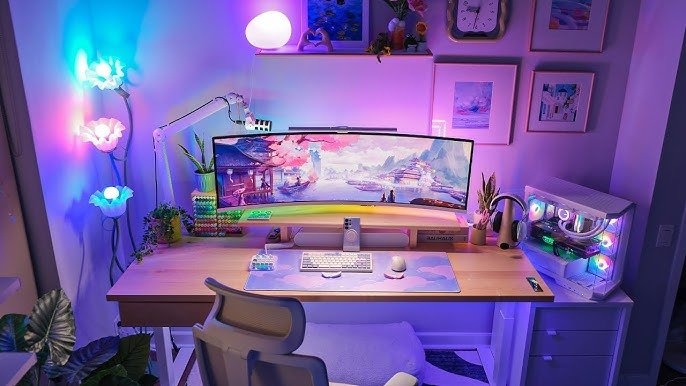
Your bedroom is more than just a place to sleep—it can be your ultimate gaming sanctuary. Imagine sinking into your chair, surrounded by everything you need for an epic gaming session, without ever leaving your room.
But how do you create that perfect setup that boosts your focus, comfort, and style? In this post, you’ll discover simple, smart tips to transform your bedroom into a gaming haven that feels just right for you. Ready to level up your gaming space?
Let’s dive in.
Choosing The Right Space
Picking the best spot in your bedroom for gaming is important. It helps you play comfortably and enjoy your time.
Look for a quiet area with enough room for your gear. Make sure it feels cozy and fits your style.
Maximizing Small Areas
Small spaces can work well for gaming if you organize them smartly. Use vertical space to save floor room.
Choose furniture that fits well and has storage to keep things tidy. Keep your setup simple to avoid clutter.
- Use wall shelves for games and accessories
- Pick a compact desk or a foldable table
- Store cables and controllers in boxes or drawers
- Keep the area clean and free of distractions
Lighting And Ventilation Tips
Good lighting helps reduce eye strain during long gaming sessions. Natural light is best but avoid glare on screens.
Proper airflow keeps the room fresh and cool. It stops your equipment from overheating and makes gaming more comfortable.
- Place your desk near a window for natural light
- Use adjustable lamps to control brightness
- Open windows or use fans for air circulation
- Avoid direct sunlight on your monitor
Essential Gaming Furniture
Setting up a bedroom for gaming needs the right furniture. Good furniture helps you play longer and feel better.
This guide covers key furniture items that improve your gaming space and comfort.
Ergonomic Chairs For Comfort
Gaming chairs support your back and neck during long sessions. Ergonomic designs reduce pain and tiredness.
Look for chairs with adjustable height, lumbar support, and good padding. These features keep you comfortable.
- Adjustable armrests to reduce shoulder strain
- High backrests for full spine support
- Breathable materials to keep you cool
- Swivel base for easy movement
Desks That Fit Your Style
Your desk should match your room and gaming needs. Choose a size that fits your space and gear.
Some desks have built-in features like cable management or extra shelves to keep things neat.
- Wide surface for multiple monitors and accessories
- Sturdy build to hold heavy equipment
- Simple design to fit any bedroom style
- Adjustable height desks for sitting or standing
Storage Solutions
Organized storage keeps your gaming area clean and easy to use. Use shelves and drawers for your gear.
Good storage stops cables from tangling and protects your devices from damage.
- Drawers for controllers and small items
- Shelves for consoles and game cases
- Cable organizers to reduce clutter
- Closet space or bins for extra accessories
Selecting The Perfect Gaming Gear
Choosing the right gear shapes your gaming experience. Your setup should fit your space and style.
Good gear helps you play longer and enjoy every moment. Let’s explore key parts of your setup.
Monitors And Screens
Select a monitor with low response time to reduce lag. A screen with good resolution shows sharp images.
- Look for at least 1080p resolution
- Choose 144Hz refresh rate or higher
- Consider screen size between 24 and 27 inches
- Check for adjustable stands and VESA mounts
Keyboards And Mice
Pick keyboards and mice that feel comfortable. Mechanical keyboards offer fast response and durability.
| Feature | Keyboard | Mouse |
| Type | Mechanical or Membrane | Optical or Laser |
| Extra Buttons | Macro keys for commands | Programmable side buttons |
| Lighting | RGB or single color | RGB lighting options |
| Ergonomics | Wrist rest available | Shape fits hand size |
Headsets And Audio
Good audio lets you hear game sounds and teammates clearly. Choose headsets with clear sound and a mic.
- Comfortable padding for long sessions
- Noise cancellation to block distractions
- Clear microphone for voice chat
- Wired or wireless options

Credit: www.youtube.com
Optimizing Cable Management
A clean bedroom gaming setup looks better and feels more comfortable. Good cable management helps keep cables neat and safe. It also stops cables from tangling or breaking.
Organizing cables can make your gaming space easier to use. It also helps keep dust away and improves airflow around your devices.
Hiding And Organizing Cables
Hiding cables keeps your gaming area tidy and less distracting. Use cable sleeves or wraps to group cables together. This stops them from spreading all over the floor or desk.
Label cables with tags or colored tape. This makes it easy to find the right cable when you need to unplug or move devices.
- Use cable sleeves to bundle cables
- Label cables for easy identification
- Keep cables off the floor to reduce dust
- Use zip ties to secure loose cables
Using Cable Trays And Clips
Cable trays attach under your desk to hold cables off the ground. They keep cables out of sight and protect them from damage. Trays also make cleaning easier.
Cable clips stick to surfaces and hold cables in place. Use clips to guide cables along walls or desks. This prevents cables from hanging loosely or tangling.
- Install cable trays under your desk
- Use clips to guide cables along edges
- Choose adhesive clips for easy setup
- Combine trays and clips for best results
Creating Ambiance With Lighting
Lighting sets the mood in your bedroom gaming setup. It helps create a fun and cozy space.
Good lighting reduces eye strain and makes gaming more enjoyable. You can mix different lights to get the perfect look.
Led Strips
LED strips are thin lights you can place around your desk or shelves. They add color and style to your space.
You can change their colors to match your game or mood. LED strips are easy to install and use little power.
- Place them behind your monitor for a cool glow
- Use color changes to signal game events
- Choose strips with remote control for easy use
Smart Lights
Smart lights connect to your phone or voice assistant. You can adjust brightness and color without leaving your seat.
They help set the right tone for different games or times of day. Some smart lights sync with your gameplay for effects.
- Control lights with apps or voice commands
- Set schedules for automatic on/off
- Choose colors to match game themes
Balancing Natural And Artificial Light
Natural light makes your room bright during the day. It helps keep you alert and fresh while gaming.
Artificial light works best when natural light is low. Use lamps or LED lights to fill dark corners and avoid glare.
- Position your desk near a window for daylight
- Use curtains to reduce harsh sunlight
- Mix warm and cool lights for comfort
- Avoid direct light on screens to reduce reflections
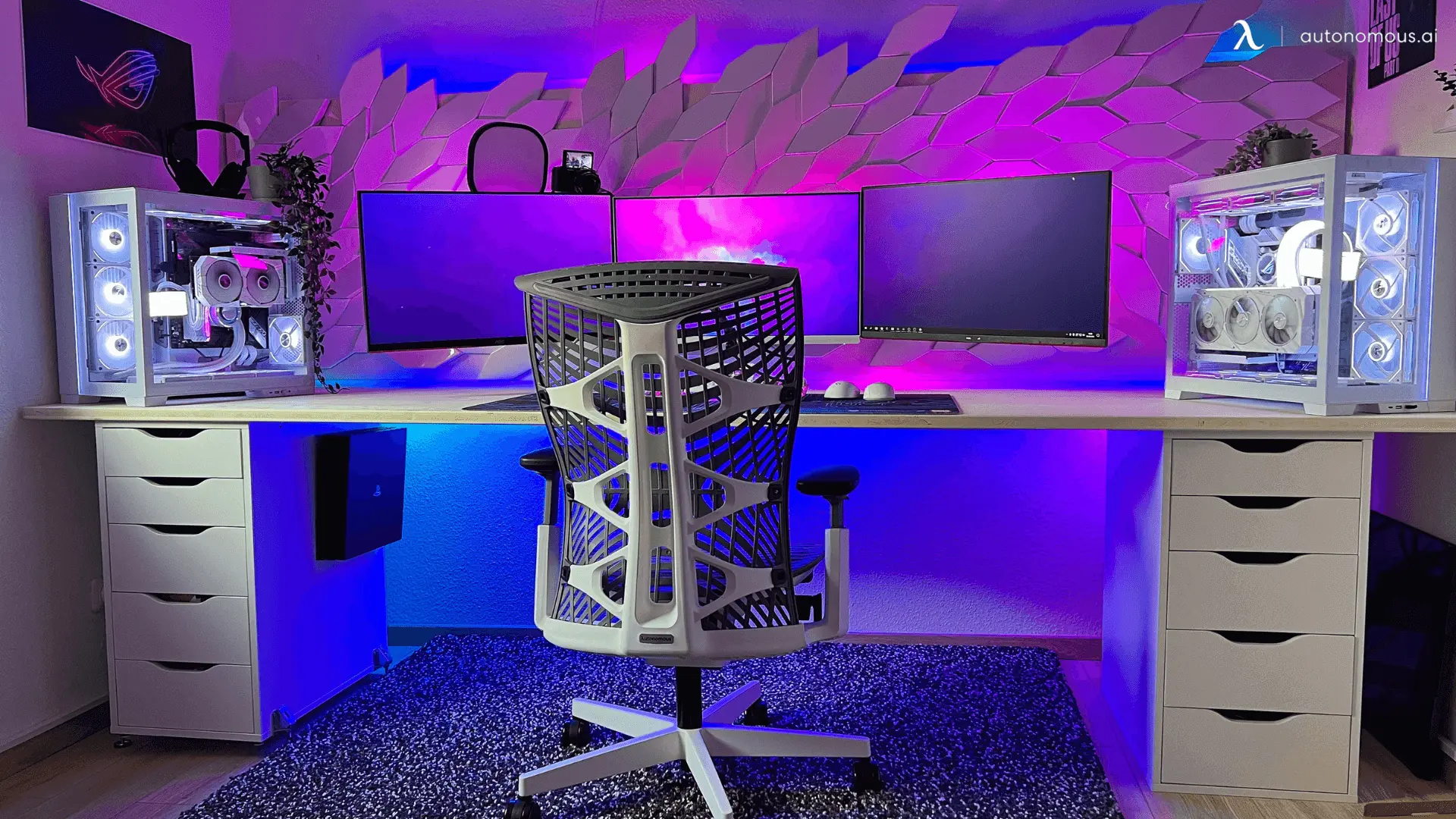
Credit: www.autonomous.ai
Decor And Personal Touches
Your bedroom gaming setup becomes special with the right decor and personal touches. These elements make the space comfortable and unique.
Adding art, collectibles, and cozy items brings personality to your gaming area. Let’s explore some ideas to decorate your space.
Wall Art And Posters
Wall art and posters can show your favorite games and characters. They add color and life to plain walls.
- Choose posters with bold colors to brighten the room
- Frame your favorite game covers for a neat look
- Use LED backlighting behind posters for a cool effect
- Mix different sizes to create a gallery wall
- Replace or update posters to keep the space fresh
Collectibles And Memorabilia
Collectibles and memorabilia show your love for gaming history and achievements. Display them where you can see and enjoy them.
| Type | Display Ideas |
| Action Figures | Use glass shelves or shadow boxes |
| Game Cartridges | Arrange in small bins or clear cases |
| Signed Items | Frame and hang on the wall |
| Event Badges | Pin on a corkboard or inside a frame |
Comfort Items And Textiles
Comfort items help you relax during long gaming sessions. Soft textiles add warmth and style to your space.
Consider adding these comfort items:
- Memory foam seat cushions for better support
- Cozy blankets to stay warm
- Decorative pillows with game-themed covers
- Rugs that add color and soften the floor
- Blackout curtains to control light and reduce glare
Soundproofing And Acoustics
Creating a perfect gaming setup in your bedroom involves soundproofing. Soundproofing keeps noise out and enhances your gaming experience. It also helps in maintaining good acoustics.
Acoustics are important for clear sound. They improve your listening experience. Let’s explore ways to reduce noise and enhance sound quality in your gaming setup.
Reducing Noise Distractions
Noise distractions can ruin your gaming focus. To minimize them, use heavy curtains or acoustic panels. These items absorb sound and keep your room quieter.
Seal gaps in windows and doors. Use weather stripping or door sweeps. This prevents outside noise from entering your gaming space.
- Install soundproof curtains
- Add acoustic panels on walls
- Seal window and door gaps
Enhancing Sound Quality
Good sound quality is vital for gaming. It makes every sound effect clear. Position your speakers or headphones correctly for the best results.
Consider using sound diffusers. They help in scattering sound waves evenly. This improves the clarity and richness of sound.
- Place speakers at ear level
- Use sound diffusers for better clarity
- Choose high-quality headphones
Tech Upgrades And Connectivity
Setting up a bedroom gaming space can be exciting. It’s important to focus on tech upgrades and connectivity for the best gaming experience.
High-speed internet and proper charging stations enhance gaming. These elements create a seamless and immersive play environment.
Wi-fi And Ethernet Setup
Wi-Fi routers should be powerful enough for gaming. Look for dual-band routers with strong signal strength.
Ethernet connections provide stable internet. Use wired connections for a lag-free gaming experience.
- Place the router in a central location
- Use Ethernet cables for direct connections
- Consider mesh networks for larger spaces
Charging Stations And Hubs
Charging stations keep devices ready. It’s useful to have multiple ports for different gadgets.
USB hubs can connect several devices. This reduces cable clutter and keeps the gaming area tidy.
| Charging Station Features | Benefits |
| Multiple USB Ports | Charge several devices |
| Fast Charging | Reduce waiting time |
| Compact Design | Save space |
Maintaining And Cleaning Your Setup
Keeping your bedroom gaming setup clean helps it work well for a long time. Dust and dirt can cause problems if you do not clean often.
A clean space also makes gaming more comfortable and enjoyable. Follow simple tips to keep your gear in good shape.
Routine Cleaning Tips
Clean your gaming area regularly to avoid dust build-up. Use soft cloths and safe cleaning tools to protect your equipment.
- Turn off and unplug all devices before cleaning.
- Use compressed air to blow dust from keyboards and vents.
- Wipe screens gently with a microfiber cloth.
- Clean desk surfaces with a damp cloth and mild cleaner.
- Organize cables to reduce dust traps and improve airflow.
Protecting Equipment Longevity
Proper care helps your equipment last longer. Avoid heat, moisture, and physical damage to keep devices safe.
| Equipment | Care Tips |
| Monitor | Keep away from direct sunlight and clean screen often |
| Keyboard | Use covers and clean crumbs or dust regularly |
| PC Tower | Place in a ventilated area and clean dust filters monthly |
| Headset | Store in a safe spot and wipe ear pads with a dry cloth |

Credit: xrockergaming.com
Frequently Asked Questions
What Essentials Make A Perfect Bedroom Gaming Setup?
A perfect bedroom gaming setup includes a comfortable chair, quality monitor, powerful PC or console, good lighting, and organized cables. These essentials enhance comfort, performance, and immersion while keeping the space tidy and inviting.
How Can I Optimize Space In A Small Gaming Bedroom?
Use vertical storage, wall-mounted shelves, and compact furniture. Choose multi-functional items like desks with drawers. Keep cables organized to maximize floor space and maintain a clutter-free environment for better gaming focus.
What Lighting Is Best For Bedroom Gaming Setups?
Soft, adjustable LED lighting is ideal. It reduces eye strain and creates an immersive atmosphere. Use RGB lights for customizable colors that match your gaming mood and enhance the overall aesthetic.
Which Gaming Desk Suits A Bedroom Gaming Setup?
A compact, sturdy desk with enough surface area for monitors and accessories is best. Look for desks with cable management features to keep wires neat and ensure ergonomic comfort during long gaming sessions.
Conclusion
Creating a bedroom gaming setup can make gaming more fun and comfortable. Choose a good desk and chair to support long play sessions. Organize cables and lighting to keep the space neat and cozy. Add personal touches like posters or shelves for your games.
Small changes can make a big difference in your gaming experience. Enjoy your games in a space that feels just right for you. Keep improving your setup step by step as you play more. Your perfect gaming room is within reach.