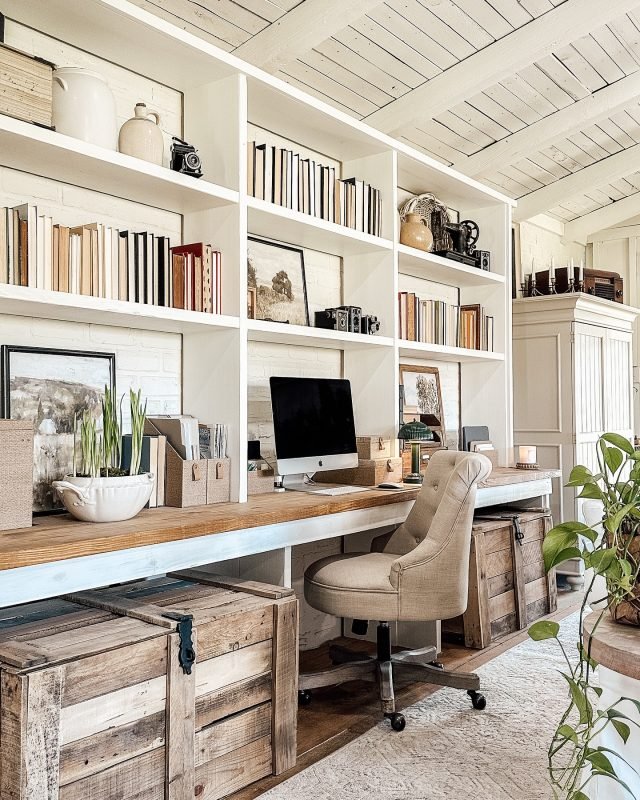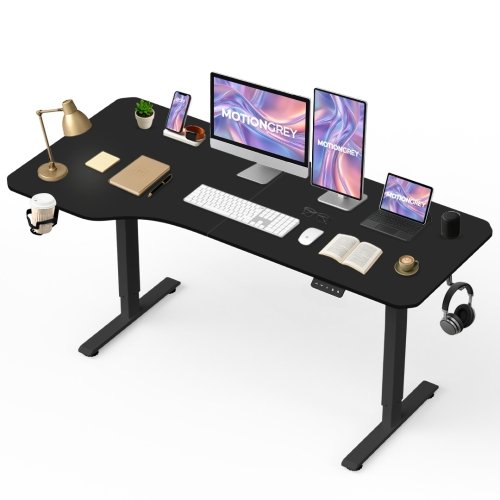
Imagine a workspace where comfort meets style, and every item on your desk works to boost your focus and energy. Your desk setup plays a huge role in how productive and comfortable you feel throughout the day.
If you’ve been struggling with aches, distractions, or simply a cluttered space, it’s time to rethink your approach. This guide will show you how to create a contemporary ergonomic desk setup that supports your body and sharpens your mind. Ready to transform your workday and enjoy a healthier, more efficient workspace?
Keep reading to discover the secrets behind the perfect ergonomic desk arrangement designed just for you.

Credit: www.vecteezy.com
Ergonomic Desk Essentials
Creating a comfortable workspace helps you work better and feel good. A good ergonomic desk setup supports your body and reduces strain.
Choosing the right tools for your desk keeps you healthy and focused all day. This guide covers the main parts of a good ergonomic setup.
Choosing The Right Desk
The desk you use affects your posture and comfort. It should fit your body and work style well.
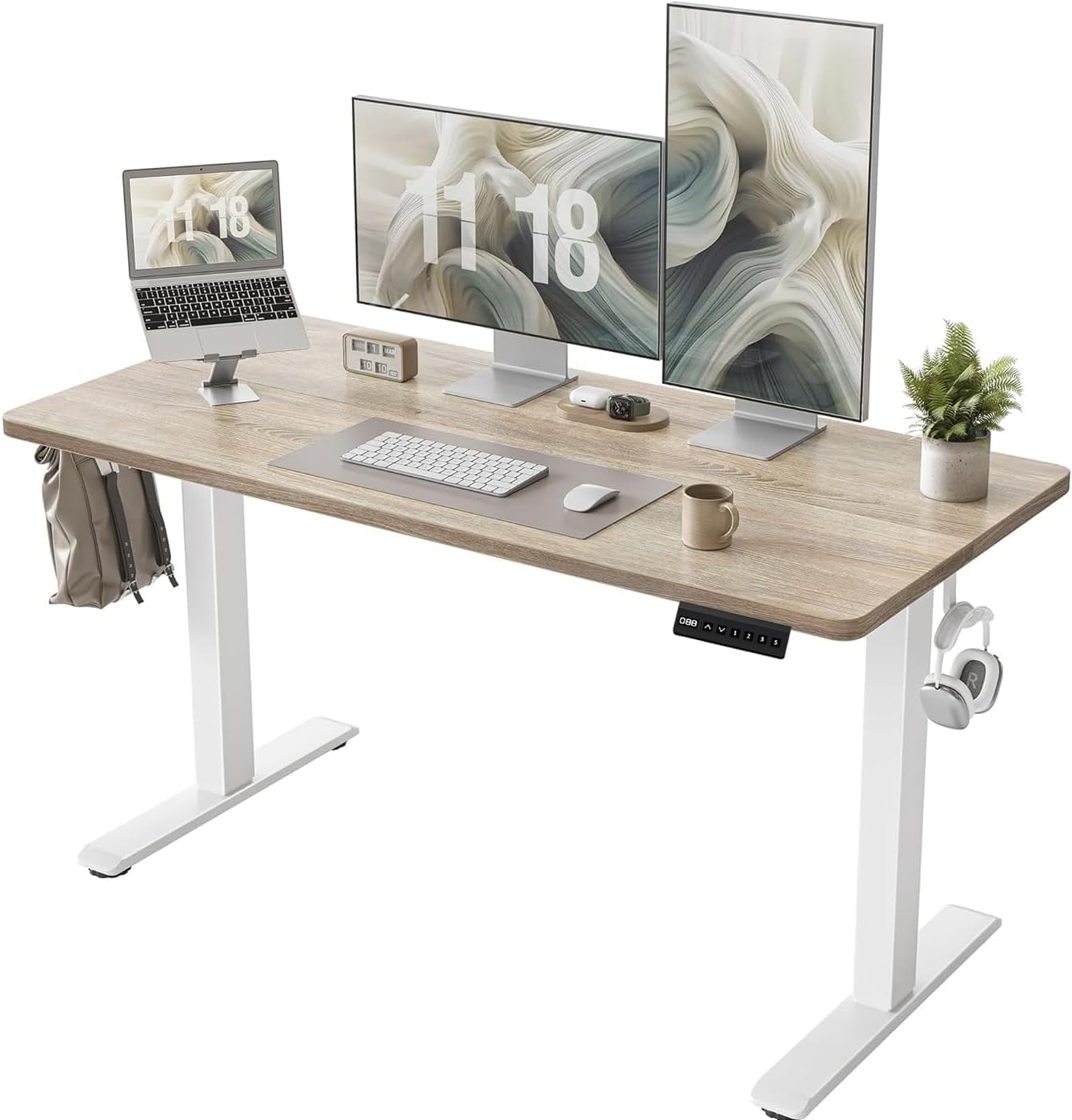
Look for desks with adjustable height to switch between sitting and standing. A wide surface helps keep everything organized.
- Height adjustable desks promote better posture
- Enough space for computer, keyboard, and accessories
- Rounded edges prevent arm and wrist pressure
- Stable surface to avoid shaking or wobbling
Ergonomic Chair Features
A good ergonomic chair supports your back and encourages a natural sitting posture. It should be easy to adjust for your needs.
Choose chairs with lumbar support and adjustable height. Armrests help reduce shoulder strain, and a swivel base allows easy movement.
- Adjustable seat height fits your desk and legs
- Lumbar support protects your lower back
- Armrests reduce shoulder and neck tension
- Swivel base helps reach items without strain
- Breathable material keeps you cool
Essential Desk Accessories
Accessories improve comfort and keep your workspace tidy. They help prevent pain and improve focus.
Use items that support your hands, neck, and eyes. Organizers keep tools within reach and reduce clutter.
- Keyboard and mouse wrist rests reduce strain
- Monitor stands place screens at eye level
- Footrests improve circulation and posture
- Desk organizers keep supplies neat
- Anti-glare screens protect your eyes
Optimal Monitor Placement
Setting up your monitor correctly improves comfort and productivity. Proper placement reduces neck and eye strain.
Learn how to position your monitor for the best ergonomic benefits in your workspace.
Ideal Height And Distance
Your monitor should be at eye level to keep your neck straight. The top of the screen must be at or just below eye height.
Keep the screen about 20 to 30 inches away from your eyes. This distance helps you see clearly without straining.
Dual Monitor Setup Tips
- Place monitors side by side and align their top edges evenly.
- If you use both equally, center them in front of you.
- For a main monitor, place it directly in front and the second at a slight angle.
- Keep the same height and distance for both screens.
- Use adjustable stands to fine-tune monitor positions.
Reducing Eye Strain
| Tip | Details |
| Adjust Brightness | Match your screen brightness to room lighting. |
| Use Blue Light Filter | Reduce blue light to ease eye fatigue. |
| Follow 20-20-20 Rule | Every 20 minutes, look at something 20 feet away for 20 seconds. |
| Keep Screen Clean | Remove dust and smudges to improve clarity. |
Keyboard And Mouse Positioning
Setting up your desk with the right keyboard and mouse placement helps prevent strain. Good positioning supports comfort and productivity.
Focus on how you place your keyboard and mouse to reduce wrist and arm stress. This guide covers key points to improve your setup.
Choosing Ergonomic Keyboards
Ergonomic keyboards help keep your wrists straight and relaxed. Look for models that reduce reaching and bending of your hands.
- Split keyboards allow natural hand positioning
- Keyboards with a negative tilt keep wrists flat
- Compact designs reduce arm movement
- Soft-touch keys lower finger strain
Mouse Placement Strategies
Place your mouse close to your keyboard to avoid overreaching. Keep it at the same height as your desk surface.
| Mouse Position | Recommended Height | Distance from Keyboard |
| On desk surface | At elbow height | Within 6 inches |
| Mouse pad with wrist rest | Neutral wrist angle | Close enough to avoid stretching |
| Vertical mouse option | Natural handshake position | Same as keyboard height |
Wrist Support Solutions
Wrist support can reduce pressure and keep your wrists aligned. Use cushions or pads to add comfort during long computer use.
Effective wrist support options include:
- Gel pads to absorb pressure
- Memory foam rests that mold to your wrist
- Adjustable wrist braces for extra stability
Lighting For Comfort And Focus
Good lighting helps you work better and feel good at your desk. It can reduce eye strain and keep you alert.
Choosing the right light sources and placing them well makes your workspace ergonomic and comfortable.
Natural Light Benefits
Natural light improves mood and energy during work. It also reduces headaches and dry eyes from screen glare.
- Helps regulate your body clock for better sleep
- Reduces the need for harsh artificial lights
- Makes the workspace feel open and fresh
Task Lighting Options
Task lighting targets your work area to increase focus. It highlights what you need to see clearly.
| Type | Description | Best Use |
| Desk Lamp | Adjustable light for close tasks | Reading, writing, drawing |
| LED Strip | Even light along the desk edge | Keyboard and workspace lighting |
| Clip-on Light | Portable, clips to shelves or monitors | Extra light where fixed lamps can’t reach |
Reducing Glare
Glare causes eye strain and makes it hard to see screens. Adjust your lighting to avoid bright spots and reflections.
- Use blinds or curtains to control sunlight
- Position lights to the side, not in front or behind
- Choose matte screen protectors or anti-glare filters
- Keep your monitor clean to reduce reflections
Cable Management Techniques
Cables can make your desk look messy and unsafe. Good cable management keeps your workspace neat and easy to use.
Using simple tools and habits, you can organize cables to improve safety and the look of your desk.
Organizing Cables Efficiently
Start by grouping cables by type and length. This helps avoid tangles and makes finding cables easier.
- Use cable ties or Velcro straps to bundle cables together.
- Label each cable near the plug for quick identification.
- Place power strips under the desk or behind monitors.
- Use cable sleeves to cover multiple cables in one neat tube.
- Secure cables to the desk edges with clips or adhesive mounts.
Safety And Aesthetic Tips
Keep cables off the floor to prevent trips and damage. Hide cables to create a cleaner look.
| Tip | Benefit |
|---|---|
| Use cable covers for floor cables | Prevents tripping and protects cables |
| Choose cables matching desk color | Makes cables less visible |
| Regularly check cables for wear | Improves safety and avoids fire risks |
| Keep excess cable length coiled | Reduces clutter and tangles |

Credit: www.vecteezy.com
Incorporating Movement And Breaks
Incorporating movement into your desk setup helps your body stay active. Taking regular breaks boosts productivity and well-being.
Learn how to use standing desks, stretch, and schedule breaks for better health.
Standing Desk Advantages
Standing desks let you switch between sitting and standing. This change helps reduce back pain and improves posture.
Standing while working keeps your muscles engaged and increases energy levels throughout the day.
- Helps burn more calories
- Reduces risk of weight gain
- Improves mood and focus
Stretching And Mobility Tips
Stretching helps keep your muscles flexible. Flexibility reduces the chance of injury and stiffness.
Simple stretches at your desk can improve circulation and relieve tension in your body.
- Stretch your neck gently
- Roll your shoulders forward and backward
- Extend your arms and rotate your wrists
Scheduling Breaks Effectively
Regular breaks help maintain focus and reduce fatigue. Short breaks every hour can boost your productivity.
Plan your breaks to include movement, like a quick walk or stretch, to refresh your mind and body.
- Take a 5-minute break every hour
- Use a timer to remind you
- Walk around or do light exercises
Personalizing Your Workspace
A well-personalized workspace boosts productivity and mood. Creating a space that reflects your style is important.
Let’s explore ways to make your desk setup both ergonomic and personal.
Adding Plants And Decor
Plants and decor can bring life and color to your desk. They create a calming atmosphere.
- Choose low-maintenance plants like succulents.
- Use colorful pots to match your style.
- Add personal photos or artwork.
Customizing For Comfort
Comfort is key for long hours at the desk. Adjust your setup to fit your needs.
Consider these customizable features:
- Adjustable chair height
- Ergonomic keyboard and mouse
- Monitor stand for eye level viewing
Maintaining A Clutter-free Zone
A clean desk helps focus and reduces stress. Keep only essentials within reach.
| Item | Storage Solution |
| Papers | File organizer |
| Stationery | Desk drawer |
| Cables | Cable management clips |
Credit: www.amazon.ca
Frequently Asked Questions
What Is A Contemporary Ergonomic Desk Setup?
A contemporary ergonomic desk setup combines modern design with comfort. It promotes good posture, reduces strain, and increases productivity. Key elements include adjustable chairs, desks, proper monitor placement, and supportive accessories. This setup suits today’s work-from-home and office environments, enhancing both health and efficiency.
How Do Ergonomic Desks Improve Productivity?
Ergonomic desks improve productivity by reducing discomfort and fatigue. They encourage proper posture, which minimizes muscle strain. Adjustable heights allow users to switch between sitting and standing. This flexibility boosts energy levels and focus, leading to better work performance throughout the day.
What Essential Accessories Complete An Ergonomic Desk?
Essential accessories include adjustable chairs, monitor stands, keyboard trays, and footrests. These items support natural body alignment and reduce strain. Cable management tools also keep the workspace tidy. Together, they create a comfortable and efficient environment for long hours of work.
How To Position Monitors In An Ergonomic Setup?
Place monitors at eye level, about 20-30 inches away from the face. The top of the screen should align with your eyes to prevent neck strain. Position screens to avoid glare from windows or lights. Proper monitor placement reduces eye fatigue and promotes better posture.
Conclusion
Creating a comfortable workspace helps improve focus and reduce pain. Choose a desk and chair that support good posture. Keep your screen at eye level to avoid neck strain. Use accessories like keyboard trays and footrests for extra comfort. A clean, organized desk boosts productivity and mood.
Small changes make a big difference in daily work life. Try different setups until you find what feels best. A well-planned ergonomic desk setup supports health and work success.