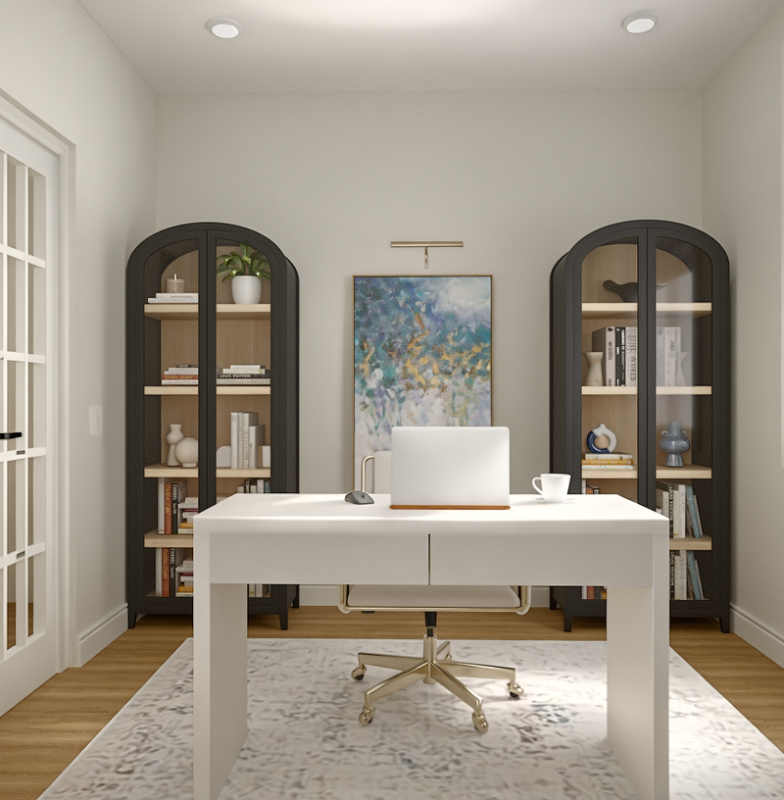
Your home office should be more than just a place to work—it should be a space where you feel confident, productive, and inspired. Imagine stepping into a room that reflects your professionalism and style, helping you focus and impress clients during video calls.
Whether you’re leading a team or managing important projects, the right setup can make all the difference. You’ll discover executive home office ideas that transform your workspace into a powerful hub for success. Get ready to create a space that works as hard as you do.
Credit: www.urban-411.com
Choosing The Right Location
Picking the best spot for your executive home office is key. The right location helps you work better and stay focused.
Think about light, noise, and space before setting up your office. These factors make a big difference in comfort and productivity.
Maximizing Natural Light
Natural light improves mood and reduces eye strain. Choose a room with large windows or good sunlight during the day.
Place your desk near the window but avoid glare on your screen. Use light curtains to soften harsh sunlight.
- Pick rooms facing south or east for morning sun
- Keep windows clean for clear light
- Use mirrors to reflect light in darker corners
Minimizing Distractions
Find a quiet place away from busy areas of your home. This helps keep your mind on work tasks.
Close doors and use noise-cancelling tools if needed. Avoid rooms near the kitchen or living room where noise is common.
- Choose a room with a door you can close
- Keep pets and children away during work hours
- Use rugs and curtains to reduce sound
Space Requirements
Your office should have enough space for your desk and storage. Make sure you can move around comfortably.
Plan for extra room if you need meeting space or equipment. A cramped office can hurt your focus and comfort.
- Measure the room before buying furniture
- Leave space for filing cabinets or shelves
- Keep pathways clear for easy movement

Credit: www.takis.com
Selecting Executive Furniture
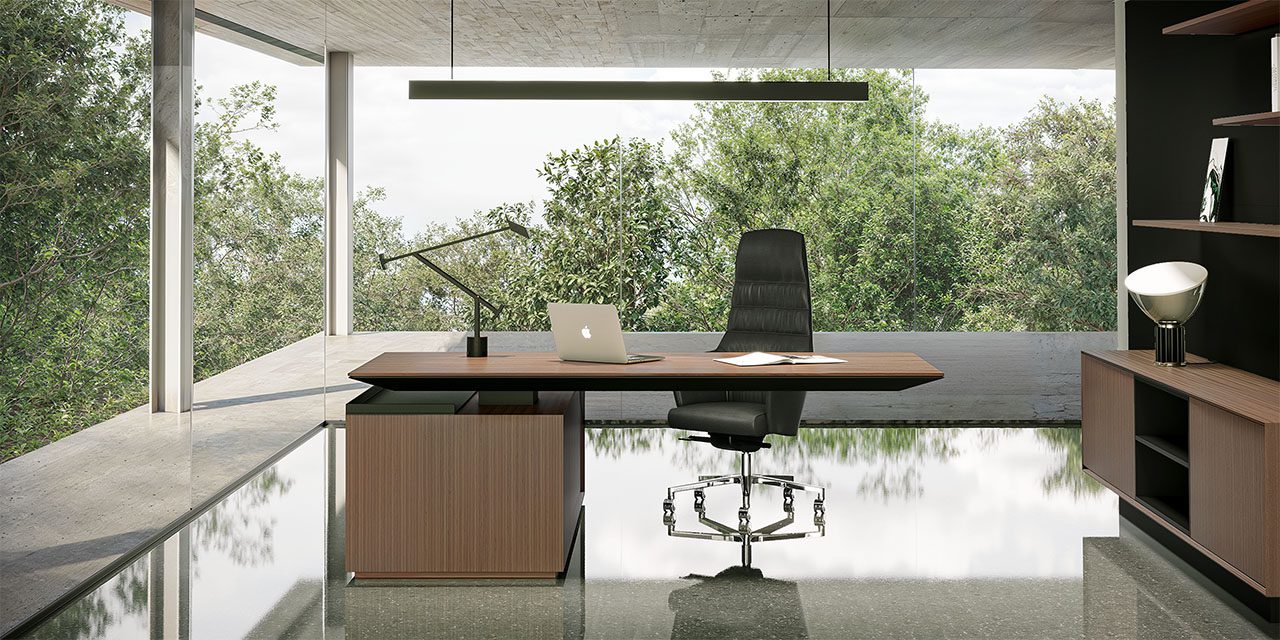
Selecting the right executive furniture is key to a productive home office. Good furniture makes work easier and more comfortable.
Focus on pieces that blend style, comfort, and function. This balance creates a professional space at home.
Ergonomic Chairs
Ergonomic chairs support your back and posture during long work hours. Choose chairs with adjustable height and lumbar support.
Comfort reduces strain and helps you stay focused. Look for breathable materials and smooth mobility features.
- Adjustable seat height and armrests
- Good lumbar and back support
- Breathable fabric or leather
- Swivel and smooth-rolling casters
Stylish Desks
Choose desks that fit your space and style. They should offer enough surface area for your computer and documents.
Materials like wood or metal can add a sleek look. Consider desks with built-in cable management for a neat workspace.
- Large surface for work items
- Durable materials like wood or metal
- Built-in cable management
- Simple design with clean lines
Storage Solutions
Good storage keeps your office tidy. Look for cabinets and shelves that fit your space and needs.
Storage helps organize files, supplies, and personal items. Choose options that blend with your furniture style.
- Lockable filing cabinets for security
- Open shelves for easy access
- Drawers to store small items
- Matching finishes to desk and chair
Incorporating Technology
Technology plays a key role in creating a productive home office. It helps you stay connected and work efficiently. Using the right tools and setup improves your daily tasks.
Focus on fast internet, useful gadgets, and neat cable management. These elements make your workspace comfortable and organized.
High-speed Internet Setup
Fast internet is essential for video calls, file sharing, and research. Choose a reliable provider with good speed and low downtime. Place your router in a central spot for best coverage.
- Use a wired Ethernet connection for stable speed
- Upgrade to a router that supports the latest Wi-Fi standards
- Test your internet speed regularly to ensure performance
- Limit the number of devices on your network during work hours
Essential Gadgets
Choose gadgets that help you work smarter and stay comfortable. Here is a list of must-have devices for your home office technology setup.
- High-resolution monitor for clear visuals
- Wireless keyboard and mouse for flexibility
- Noise-canceling headphones to reduce distractions
- Webcam with good video quality for meetings
- Smart speaker or assistant for hands-free help
Cable Management Tips
Organize cables to keep your desk tidy and safe. Use simple tools and follow easy steps to manage wires effectively.
| Tip | Description | Tools Needed |
| Label cables | Mark each cable to know what it connects to | Label tags or tape |
| Use cable clips | Attach cables neatly along the desk edges | Cable clips or adhesive hooks |
| Bundle cables | Group cables together to avoid tangles | Velcro straps or zip ties |
| Hide cables | Use cable sleeves or boxes to keep cables out of sight | Cable sleeves or cable boxes |

Credit: www.decorilla.com
Designing For Productivity
Creating an executive home office that boosts productivity is key to working well. The right design helps you focus and finish tasks faster.
Small changes in color, organization, and space setup make a big difference in how you work each day.
Color Schemes That Motivate
Colors affect mood and energy. Choose colors that keep you alert and calm at the same time. Blue can help with focus, while green reduces eye strain.
- Use light blue walls to boost concentration
- Add green plants for a calm feeling
- Incorporate yellow accents to encourage creativity
- Keep colors soft to avoid distraction
Organizational Tools
Good tools keep your workspace tidy and your mind clear. Use storage that fits your needs and keeps things easy to find.
| Tool | Use | Benefit |
| Filing Cabinet | Store papers | Reduces clutter |
| Desk Organizer | Hold pens and notes | Easy access |
| Whiteboard | Track tasks | Visual reminders |
| Drawer Dividers | Separate small items | Keep order |
Creating Zones For Tasks
Divide your office into zones for different work types. This helps your brain switch focus and stay productive.
Example zones include:
- Focus Zone:Quiet area with minimal distractions for deep work.
- Meeting Zone:Space with comfortable seating for calls or discussions.
- Creative Zone:Area with tools and materials for brainstorming or design.
Adding Personal Touches
Creating an executive home office means making it truly yours. Personal touches bring warmth and comfort. They help you feel inspired and focused.
Simple details can change the whole look and feel of your workspace. Choose items that reflect your style and boost your mood.
Artwork And Decor
Art and decor give your office character. Pick pieces that motivate or calm you. Use colors that match your personality.
- Hang framed photos or prints you love
- Add a stylish clock or wall sculpture
- Use decorative shelves for books and keepsakes
- Choose a rug that adds texture and color
Plants For Freshness
Plants bring life and fresh air to your office. They reduce stress and increase focus. Pick low-maintenance plants if you are busy.
| Plant | Care Level | Benefits |
| Snake Plant | Easy | Air purifier, low light |
| Succulent | Easy | Needs little water |
| Peace Lily | Medium | Improves air quality |
| Spider Plant | Easy | Removes toxins |
Personalized Accessories
Use accessories that show who you are. They make your desk a happy place. Find items that are both useful and meaningful.
- Custom nameplate or engraved pen
- Photo frames with family or friends
- Unique desk organizers or trays
- Motivational quotes in small signs
Lighting Solutions
Creating the perfect lighting in your home office boosts productivity. Good lighting reduces eye strain and increases comfort.
Explore various lighting solutions to make your workspace efficient and pleasant.
Ambient Lighting
Ambient lighting provides overall illumination in the room. It creates a comfortable environment for work.
- Use ceiling lights for even distribution.
- Install dimmer switches for adjustable brightness.
- Add wall sconces for a softer touch.
Task Lighting Options
Task lighting is essential for specific work activities. It focuses light where you need it the most.
| Task | Recommended Light |
| Reading | Desk lamp with adjustable arm |
| Computer Work | LED desk lamp with a wide beam |
| Writing | Clip-on lamp for direct light |
Reducing Eye Strain
Reducing eye strain is crucial for long hours in front of screens. Proper lighting plays a key role.
- Position lights to avoid glare on screens.
- Use blue light filters on devices.
- Take regular breaks to rest your eyes.
Maintaining Work-life Balance
Creating a home office that supports work-life balance is essential. It helps you stay productive and relaxed at home.
Designing your space thoughtfully will make your workdays more efficient and enjoyable.
Setting Boundaries
Clear boundaries between work and home life are crucial. They help you focus and reduce stress.
- Define your work hours and stick to them
- Set up a dedicated office space
- Inform your family about your work schedule
Relaxation Corners
Having a relaxation corner in your office can refresh your mind. It provides a quick escape from work stress.
Consider adding a small reading nook or a comfortable chair. Use soothing colors and soft lighting to enhance the ambiance.
Time Management Tips
Effective time management boosts productivity. It also ensures you have time for personal activities.
| Task | Time Allocation |
| Email Check | 30 minutes |
| Project Work | 2 hours |
| Break | 15 minutes |
| Meeting | 1 hour |
Frequently Asked Questions
What Are Essential Features Of An Executive Home Office?
An executive home office needs ergonomic furniture, ample storage, and good lighting. It should include a large desk, comfortable chair, and soundproofing for focus and professionalism.
How To Design A Productive Executive Home Office?
Use a clean layout with minimal clutter. Prioritize natural light, add plants for freshness, and incorporate technology that boosts efficiency and connectivity.
Which Colors Suit An Executive Home Office Best?
Neutral tones like gray, beige, and white promote calm and focus. Accents in navy or dark green add sophistication and professionalism.
How To Organize Documents In An Executive Home Office?
Use labeled filing cabinets or digital storage solutions. Keep important papers accessible but tidy to maintain a clean workspace and improve productivity.
Conclusion
Creating an executive home office takes thought and care. Choose furniture that fits your space well. Keep your area neat and free from clutter. Good lighting helps you stay focused all day. Add personal touches to make the space yours.
Small changes can boost your work mood. A comfortable office helps you work better. Start with simple ideas and build from there. Your workspace should inspire confidence and calm. Enjoy the process of making your office unique.
