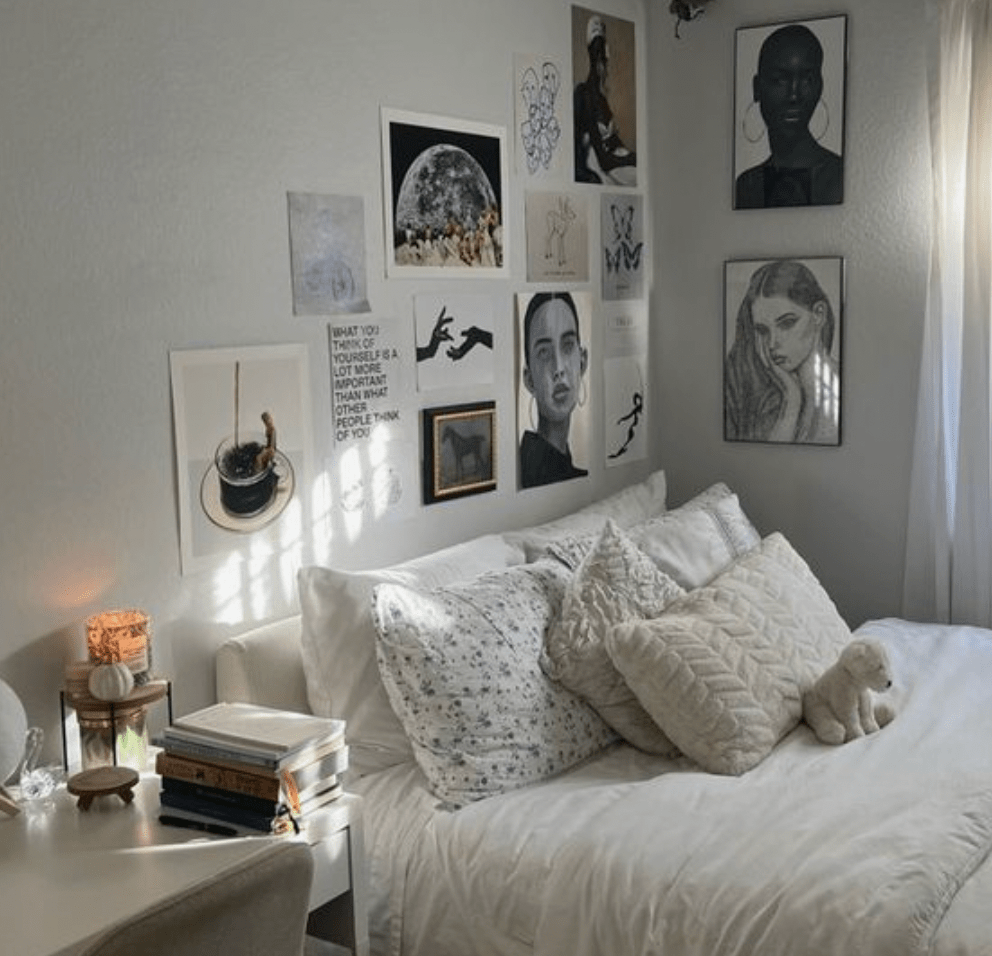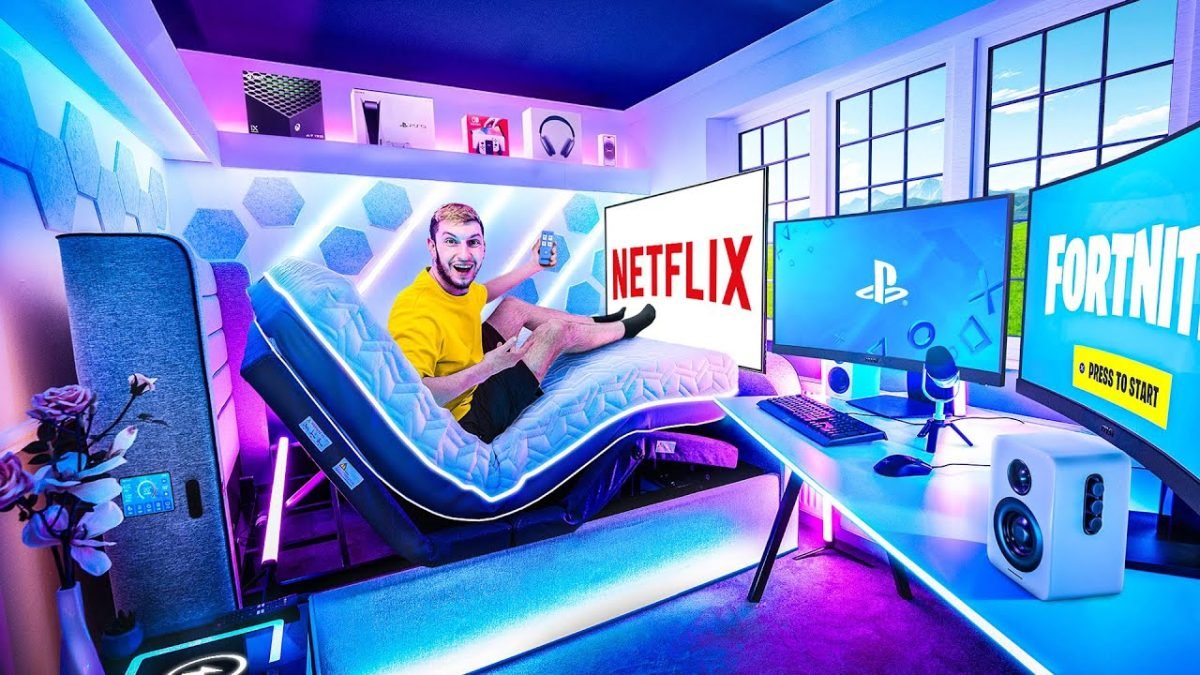
Your bedroom is more than just a place to sleep—it can be your ultimate gaming sanctuary. Imagine stepping into a space designed just for you, where every detail enhances your gaming experience.
Whether you’re a casual player or a serious gamer, the right setup can make all the difference. You’ll discover simple tips and ideas to create a gaming setup in your bedroom that boosts your focus, comfort, and style. Ready to level up your space?
Keep reading to transform your bedroom into the gaming haven you deserve.

Credit: xrockergaming.com
Choosing The Perfect Desk
Picking the right desk is key for a good gaming setup in your bedroom. It affects comfort and how much space you have.
Think about your room size and what fits best before buying a desk for gaming.
Size And Shape Options
Your desk size should fit your room and allow enough space for your gear. The shape matters for comfort and style.
- Rectangular desks are classic and fit many spaces.
- L-shaped desks offer more surface and corner space.
- Compact desks work well in small rooms.
- Adjustable desks help you change height for sitting or standing.
Material And Durability
Choose desk materials that last long and suit your style. Strong materials keep your setup steady.
| Material | Pros | Cons |
| Wood | Sturdy and classic look | Can be heavy and costly |
| Metal | Very durable and modern | May feel cold and noisy |
| Glass | Stylish and easy to clean | Fragile and shows fingerprints |
| Particleboard | Affordable and lightweight | Less durable, can chip |
Cable Management Solutions
Good cable management keeps your gaming area neat and safe. It also makes cleaning easier.
Try these cable management ideas:
- Use cable trays under the desk to hold wires.
- Attach clips to guide cables along edges.
- Wrap cables with Velcro ties to avoid tangles.
- Choose desks with built-in grommets for cables.
Selecting The Ideal Chair
Choosing the right chair for your gaming setup bedroom is important. A good chair helps you play longer without discomfort.
This guide covers key points to find a chair that fits your needs and style.
Ergonomic Features
An ergonomic chair supports your body to reduce strain. Look for chairs that protect your back and neck.
- High backrest for full spine support
- Built-in lumbar support to ease lower back pain
- Headrest to support the neck and head
- Breathable material to keep you cool
- Sturdy base to prevent tipping
Style And Comfort
Your chair should match your bedroom’s style and feel comfortable. Comfort affects how long you can play without feeling tired.
| Style | Comfort Features |
| Modern sleek design | Soft padding and smooth fabric |
| Classic leather look | Firm cushions with durable leather |
| Sporty racer style | High sides and thick foam padding |
| Minimalist mesh chair | Airflow mesh for temperature control |
Adjustability And Support
A chair with good adjustability fits your body and desk height. Support helps keep your posture correct.
- Adjust seat height to align with your desk
- Tilt mechanism to change your sitting angle
- Adjustable armrests to reduce shoulder tension
- Swivel base for easy movement
- Recline function for resting between games
Optimizing Monitor Placement
Good monitor placement improves comfort and gameplay. It reduces eye strain and helps you focus.
We will look at screen size, mounts, stands, and multiple monitors. These tips fit any gaming setup bedroom.
Screen Size And Resolution
Choose a screen size that fits your desk space. A screen too big or too small can cause discomfort.
Higher resolution gives sharper images. Match resolution with screen size for best results.
| Screen Size | Recommended Resolution |
| 24 inches | 1920 x 1080 (Full HD) |
| 27 inches | 2560 x 1440 (QHD) |
| 32 inches | 3840 x 2160 (4K UHD) |
Mounts Vs Stands
Stands are easy to use and come with most monitors. They let you adjust height and tilt.
Mounts save desk space and offer more flexible positioning. They can hold one or more monitors.
- Stands are simple and stable.
- Mounts free up desk space.
- Mounts allow better angle adjustment.
- Choose mounts for clean, organized setups.
Multiple Monitor Setups
Use multiple monitors to increase your view and multitasking ability. Align them at eye level.
Try to keep screen edges close to avoid neck strain. Use matching sizes and resolution for balance.
- Place the main monitor directly in front.
- Set secondary monitors on each side.
- Angle side monitors slightly towards you.
- Adjust height so all screens align horizontally.
Lighting For Ambiance And Function
Good lighting makes your gaming setup more enjoyable and practical. It sets the mood and helps you see clearly. A mix of ambient and task lighting works best in a gaming bedroom.
Choosing the right lights can protect your eyes during long gaming sessions. Let’s explore some lighting ideas that balance style and function.
Rgb Lighting Options
RGB lights add color and energy to your gaming space. You can customize colors to match your style or game themes. LED strips and smart bulbs are popular choices.
- LED light strips behind monitors or desks
- RGB bulbs with app control for color changes
- Gaming keyboards and mice with built-in RGB
- Wall-mounted RGB panels for creative designs
Task Lighting
Task lighting helps you see important details without glare. It should be bright but soft to avoid shadows and eye fatigue. Desk lamps and adjustable arm lights work well.
| Type | Purpose | Best Placement |
| Desk Lamp | Focus on keyboard and mouse | Side of desk |
| Clamp Light | Flexible light angle | Attached to desk or shelf |
| LED Ring Light | Even light for streaming | Behind or above monitor |
Reducing Eye Strain
Eye strain happens when lighting is too harsh or dim. You can reduce it by balancing room light and screen brightness. Use soft lights that do not flicker.
Follow these tips to protect your eyes:
- Keep ambient light on to avoid screen glare.
- Adjust monitor brightness to match room light.
- Take breaks every 20 minutes to rest eyes.
- Use blue light filters or glasses if needed.
Sound System And Acoustics
A good sound system is key for a gaming setup in your bedroom. Clear audio helps you hear game details better.
Acoustics also affect how sound travels in your room. Proper setup makes your gaming sound clear and rich.
Speakers Vs Headsets
Speakers fill the room with sound and create a shared experience. They work well if you have space and want to hear ambient sounds.
Headsets deliver sound directly to your ears. They block outside noise and help you focus. Headsets are great for multiplayer games with voice chat.
- Speakers: better for room sound and casual play
- Headsets: better for clear, private sound and communication
- Speakers need good room acoustics
- Headsets avoid sound disturbance to others
Soundproofing Tips
Soundproofing helps keep gaming noise inside and outside sounds out. It improves your focus and keeps the peace with others.
Use soft materials to reduce echoes and sound leaks. Thick curtains, rugs, and foam panels work well.
- Place foam panels on walls to absorb sound
- Use rugs on the floor to reduce noise bounce
- Hang heavy curtains on windows
- Seal gaps around doors to block sound
Enhancing Audio Quality
Good audio quality makes games more immersive. Adjust your sound system settings for the best experience.
Position speakers or headset drivers correctly. Avoid placing speakers in corners to reduce sound distortion.
- Place speakers at ear level for clear sound
- Keep speakers away from walls and corners
- Use equalizer settings to balance bass and treble
- Test audio with different game types
Storage And Organization
Creating a gaming setup in your bedroom requires smart storage solutions. Proper organization keeps your space tidy and enhances your gaming experience.
Let’s explore ways to manage your gaming gear effectively. We’ll look at shelves, drawers, game storage, and cable management.
Shelves And Drawers
Shelves and drawers provide ample space for storing gaming consoles and accessories. They help keep your gear organized and within reach.
- Install wall-mounted shelves for extra space.
- Use drawer organizers to separate controllers and cables.
- Label drawers for easy access to your gear.
Game And Accessory Storage
Proper storage for games and accessories prevents clutter. It makes finding your favorite games quick and easy.
| Item | Storage Solution |
| Video Games | Stackable boxes |
| Controllers | Drawer organizers |
| Headsets | Hooks or stands |
Keeping Cables Tidy
Cable management is crucial for a clean look. Tidy cables reduce tripping hazards and make it easier to clean your space.
Consider these tips for managing cables:
- Use cable clips to keep wires in place.
- Label cables for easy identification.
- Bundle excess lengths with zip ties.
Personalizing Your Space
Your gaming setup bedroom should reflect your style. It’s important to make the space feel uniquely yours.
Personalizing your space can enhance your gaming experience. Think about what makes you comfortable and happy.
Decor And Themes
Decor and themes set the mood for your gaming room. Choose a theme that speaks to your personality.
Consider different styles like futuristic, rustic, or minimalist. Each style creates a different atmosphere.
- Futuristic: sleek lines and neon lights
- Rustic: wood accents and warm tones
- Minimalist: clean lines and neutral colors
Collectibles And Memorabilia
Display your collectibles and memorabilia. They add a personal touch and show your gaming passion.
Items like figures, game boxes, or signed posters can be great. They also serve as conversation starters.
- Action figures of your favorite characters
- Classic game boxes on shelves
- Signed posters or game art
Wall Art And Posters
Wall art and posters can transform your room. They bring in color and theme related to your interests.
Choose art that excites you. It could be related to your favorite games or just vibrant abstract pieces.
| Type of Art | Example |
| Game Poster | Legend of Zelda poster |
| Abstract Art | Colorful geometric shapes |
Improving Comfort And Health
A good gaming setup in your bedroom helps you play longer and feel better. Comfort and health should be your top focus.
Small changes can reduce strain and keep the air fresh. Use smart habits to protect your body and mind.
Posture Tips
Good posture lowers back and neck pain. Set your chair and desk right to support your body.
- Sit with feet flat on the floor or on a footrest.
- Keep your back straight and shoulders relaxed.
- Adjust your monitor to eye level to avoid neck strain.
- Use a chair with good lumbar support.
- Keep your elbows close to your body at a 90-degree angle.
Break Reminders
Taking breaks helps your eyes and muscles stay fresh. Move often and rest your focus.
- Every 30 minutes, stand up and stretch your legs.
- Look away from the screen for 20 seconds every 20 minutes.
- Drink water to stay hydrated during long sessions.
- Try light exercises like shoulder rolls or wrist stretches.
- Use a timer app to remind you to take breaks.
Air Quality And Temperature
Good air and the right temperature keep you alert and comfortable. Avoid stuffy rooms and too much heat.
| Factor | Ideal Range | Tips |
| Air Quality | Fresh, low dust | Open windows daily or use an air purifier |
| Temperature | 68-72°F (20-22°C) | Use a fan or heater to adjust room climate |
| Humidity | 30%-50% | Use a humidifier or dehumidifier if needed |
Tech And Accessories
A good gaming setup in your bedroom needs the right tech and accessories. These tools help you play better and enjoy your games more.
Picking the right devices makes your space neat and your gaming smooth. Let’s look at some key items you need.
Keyboard And Mouse Choices
Choosing a keyboard and mouse affects how you control games. Many gamers like mechanical keyboards for their feel and speed.
A good mouse should fit your hand well and have adjustable buttons. Wired mice often give faster response times, but wireless ones add freedom.
- Mechanical keyboards offer tactile feedback
- Wireless keyboards reduce cable clutter
- Gaming mice have extra buttons for shortcuts
- Adjustable DPI settings help with precision
Controllers And Vr Gear
Controllers are great for certain game types. They give you smooth movement and easy button access.
Virtual reality (VR) gear lets you step inside the game world. A good VR headset and controllers add a new level of fun.
- Standard controllers work well for sports and racing games
- VR headsets need enough space to move safely
- Some VR systems include hand controllers for gestures
- Wireless controllers add comfort during long sessions
Charging Stations
Charging stations keep your devices ready to use. They help avoid tangled cords and lost chargers.
Choose a station that fits all your gear like controllers, headsets, and phones. Some have LED lights to show charging status.
- Multi-device stations save space
- Fast charging helps you get back to gaming quickly
- Organize cables to keep the setup tidy
- Look for stations with safety features to protect batteries

Credit: www.youtube.com
Budget-friendly Setup Ideas
Setting up a gaming space in your bedroom can be affordable. You do not need to spend a lot to create a nice area for gaming.
With the right tips, you can make a cool setup without breaking your budget.
Affordable Furniture
Choose furniture that fits your space and budget. Look for desks and chairs that are simple and comfortable.
Second-hand stores and online marketplaces often have good deals on used furniture.
- Basic desk with enough surface area for your devices
- Comfortable chair that supports your back
- Small shelves or storage units to keep your space tidy
Diy Enhancements
DIY projects can add style and function without costing much money. Use simple materials to customize your setup.
Try making cable holders, LED light mounts, or a headphone stand yourself.
- Use cardboard or wood to build small shelves
- Wrap cables with colored tape for easy sorting
- Create your own wall art with gaming posters or prints
Smart Shopping Tips
Shop smart to save money on gaming gear. Check sales and compare prices before buying.
Look for bundle deals that include multiple items at once. Buy only what you need to avoid extra costs.
- Use price comparison websites
- Check clearance sections in stores
- Join online groups for second-hand gear
- Wait for holiday sales or discount events

Credit: www.youtube.com
Frequently Asked Questions
What Is The Best Gaming Setup For A Bedroom?
The best bedroom gaming setup balances comfort, space, and performance. Prioritize a quality gaming chair, desk, and monitor. Use proper lighting to reduce eye strain. Organize cables to keep the area tidy. Customize accessories to enhance your gaming experience.
How Do I Optimize Space In A Small Gaming Bedroom?
Use vertical shelving and wall mounts for monitors. Choose multi-functional furniture like desks with storage. Keep cables organized with clips or sleeves. Use compact gaming accessories to save space. Maintain a clutter-free environment to maximize comfort and efficiency.
What Lighting Is Ideal For A Gaming Setup Bedroom?
Soft, adjustable LED lighting is ideal for gaming. Avoid harsh overhead lights to reduce glare. Use RGB lights to create an immersive atmosphere. Position lights behind monitors to lessen eye strain. Choose lighting that matches your gaming mood and room decor.
How Can I Reduce Noise In A Bedroom Gaming Setup?
Use soundproofing materials like foam panels or rugs. Opt for noise-canceling headphones to enhance focus. Close doors and windows to block external noise. Arrange furniture to absorb sound effectively. Keep the setup quiet for a better gaming experience.
Conclusion
A good gaming setup in your bedroom makes gaming more fun and comfortable. Choose the right chair and desk to support long sessions. Good lighting and sound improve your focus and mood. Keep cables tidy to avoid mess and distraction.
Personalize the space to feel relaxed and inspired. Small changes can make a big difference. Enjoy your games with a setup that fits your style and needs. Gaming becomes better when your space feels just right.