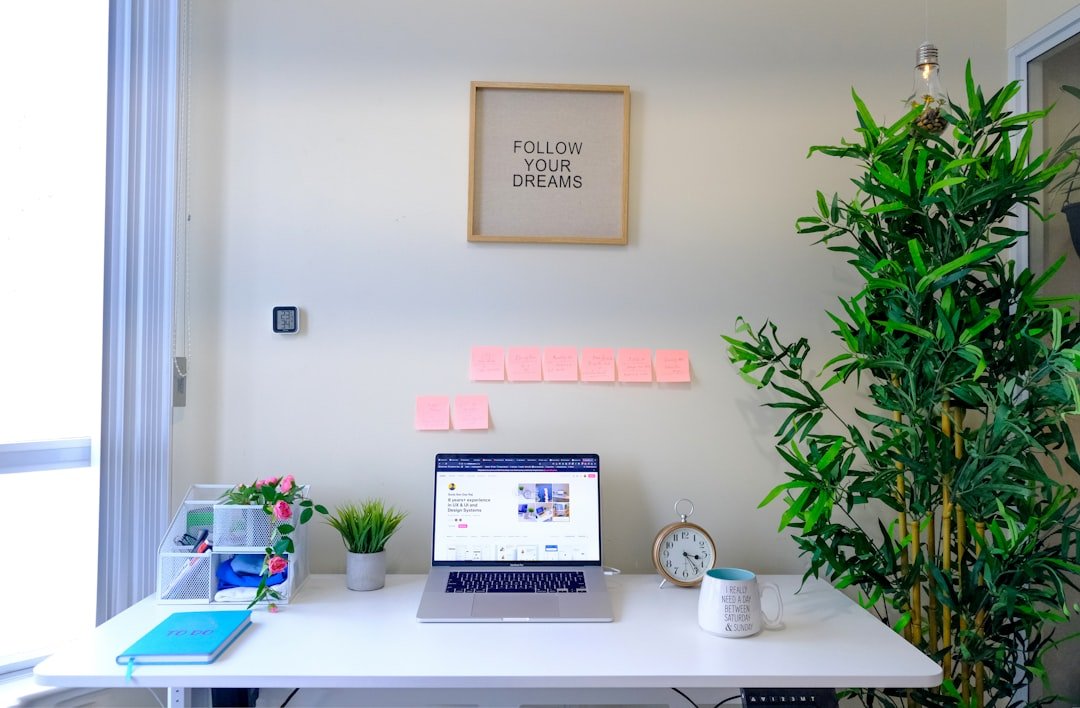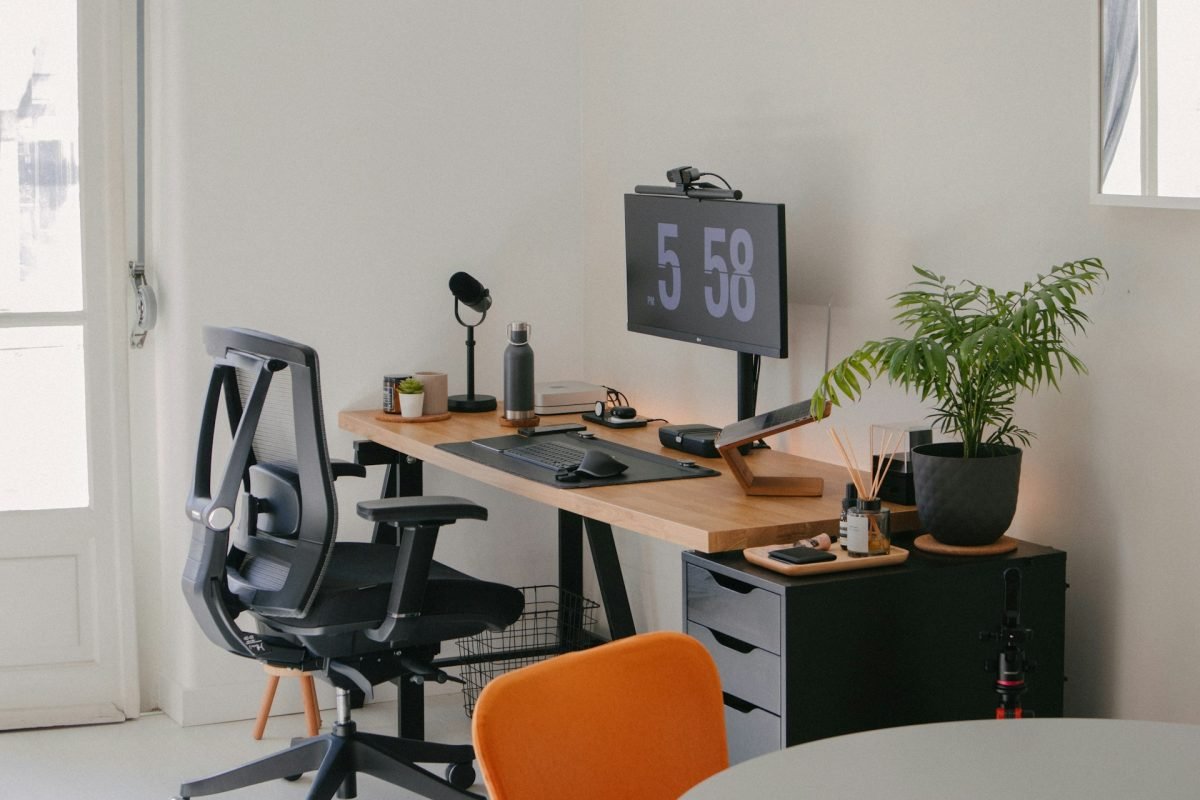
Creating the perfect home office desk setup can change the way you work every day. Imagine a space that boosts your focus, sparks creativity, and keeps you comfortable from morning to evening.
Whether you have a small corner or a whole room, the right setup can make your work feel less like a chore and more like a pleasure. You’ll discover simple and smart ideas to transform your desk into a place where productivity meets comfort.
Ready to upgrade your workspace and feel motivated every time you sit down? Let’s dive in.
Choosing The Right Desk
Setting up a home office starts with picking the right desk. The desk should fit your space and work needs.
Think about how much room you have and the kind of tasks you do. This helps find a desk that works well.
Size And Shape Options
Desks come in many sizes and shapes. Choose one that fits your room without crowding it.
- Rectangular desks fit most spaces and offer a large work surface.
- L-shaped desks provide extra corner space for multitasking.
- Compact desks work well in small rooms or apartments.
- Corner desks use room corners efficiently.
Material And Finish Choices
Pick a desk made from materials that match your style and last long. The finish affects how the desk looks and feels.
| Material | Durability | Appearance |
| Wood | High | Warm and classic |
| Metal | Very high | Modern and sleek |
| Glass | Moderate | Clean and elegant |
| Laminate | Good | Varied colors and patterns |
Adjustable And Standing Desks
Adjustable desks let you change height for sitting or standing. Standing desks improve comfort and focus.
- Manual crank desks are budget-friendly and easy to adjust.
- Electric desks adjust height with buttons for convenience.
- Standing desks help reduce back pain and boost energy.
- Some desks combine sitting and standing with smooth height changes.

Credit: ergohide.com
Ergonomic Chair Selection
Choosing the right ergonomic chair is key for a comfortable home office. It supports your body and helps avoid pain.
An ergonomic chair improves your focus by reducing discomfort during long work hours. Let’s explore what to look for.
Key Features To Look For
Look for chairs with adjustable parts to fit your body well. Good lumbar support helps keep your lower back safe.
- Adjustable seat height to keep feet flat on the floor
- Proper lumbar support to maintain spine curve
- Swivel base for easy movement
- Breathable fabric to avoid sweating
- Armrests that support your arms at a 90-degree angle
Budget-friendly Ergonomic Chairs
You do not need to spend a lot to get good ergonomic support. Many chairs offer key features at low prices.
| Chair Model | Price Range | Main Features |
| ErgoBasic | $100 – $150 | Adjustable height, lumbar support |
| ComfortSeat | $150 – $200 | Swivel base, breathable mesh |
| PosturePro | $120 – $170 | Armrests, lumbar cushion |
Maintaining Proper Posture
Proper posture helps avoid back and neck pain. Your chair should support a healthy sitting position.
- Sit back so your spine rests against the chair
- Keep feet flat on the floor or on a footrest
- Adjust armrests to keep your elbows close to your body
- Keep knees at or slightly below hip level
- Take breaks to stand and stretch every hour
Optimizing Desk Layout
Having a well-organized desk helps you work better and feel calm. A good layout saves space and keeps tools easy to reach.
We will look at simple ways to set up your desk for comfort and focus. Small changes make a big difference.
Essential Desk Accessories
Some accessories make your desk neat and support your work. Choose items that fit your needs and space.
- A desk lamp to reduce eye strain
- Pen holders to keep writing tools tidy
- Notepads or sticky notes for quick reminders
- A mouse pad with wrist support
- Small storage boxes for cables and chargers
Cable Management Tips
Cables can clutter your desk and cause distractions. Managing them keeps your space clean and safe.
| Tip | Description |
| Use Cable Clips | Attach clips to the desk edge to hold cables in place. |
| Label Your Cables | Use tags or colored tape to identify each cable quickly. |
| Use a Cable Box | Hide power strips and excess cables in a box under your desk. |
| Shorten Cables | Use cable ties to bundle extra lengths and avoid tangles. |
Personalizing Your Space
Adding personal touches makes your desk feel welcoming. It can boost your mood and creativity.
- Place a small plant or flower pot
- Use photos of family or friends
- Choose a colorful mouse pad or coaster
- Display a favorite quote or artwork
- Add a scented candle or air freshener

Credit: ergohide.com
Lighting Solutions
Creating a productive home office starts with the right lighting. Proper light can boost mood and efficiency.
Explore ideas to enhance your workspace with natural and artificial lighting options.
Natural Light Benefits
Natural light is not just eco-friendly but also enhances well-being. It reduces stress and improves focus.
- Boosts vitamin D levels
- Improves concentration and productivity
- Reduces the need for artificial lighting
Task Lighting Options
Task lighting focuses light where you need it most. This helps in reducing shadows and glare on work surfaces.
| Type | Description |
| Desk Lamps | Adjustable and direct light |
| Clip-on Lights | Flexible and space-saving |
| Under-cabinet Lights | Ideal for illuminating work areas |
Reducing Eye Strain
Eye strain is common with prolonged screen time. Proper lighting can help reduce discomfort and fatigue.
Consider these steps to protect your eyes:
- Use anti-glare screens
- Position screens 20 inches from eyes
- Take regular breaks using the 20-20-20 rule
Storage And Organization
A well-organized home office desk helps you work better every day. Good storage keeps your space clean and your tools easy to find.
Using smart storage and organizing techniques can save space. It also reduces clutter and makes your desk look neat.
Smart Storage Ideas
Choose storage that fits your needs and desk size. Use containers, drawers, and trays to keep items sorted.
- Use small boxes for pens and office supplies
- Install under-desk drawers for papers and files
- Use cable organizers to keep cords tidy
- Label storage containers for easy access
Decluttering Techniques
Remove items you do not need on your desk daily. Keep only essentials to avoid distractions and mess.
Sort items into groups like keep, store, or toss. Regularly clean and tidy your desk space.
- Clear papers that are no longer needed
- Put away gadgets not in use
- Use a basket for quick daily cleanup
- Set a weekly time to organize your desk
Using Vertical Space
Use wall shelves and pegboards to save desk space. Vertical storage keeps items visible and easy to reach.
Hang hooks or baskets on walls for extra storage. This keeps your desk surface clear and organized.
- Install shelves above your desk for books and files
- Use pegboards for tools and office supplies
- Hang cups or containers for pens and scissors
- Use wall-mounted racks for papers and folders
Tech Setup Essentials
Setting up a home office needs the right technology. Good tech helps you work better and faster.
Focus on tools that make your space organized and comfortable. This guide covers key tech essentials.
Choosing Monitors And Keyboards
Pick a monitor with clear images and enough size for your work. Bigger screens help with multitasking.
Keyboards should be comfortable to type on for long hours. Mechanical or membrane types suit different needs.
- Monitor size: 24 to 27 inches is ideal
- Look for Full HD or higher resolution
- Choose an ergonomic keyboard for comfort
- Wireless keyboards reduce desk clutter
Optimizing Audio Equipment
Good audio helps in video calls and focus. Use quality headphones or speakers to hear clearly.
A noise-canceling microphone improves your voice quality. It reduces background sounds during meetings.
- Choose headphones with clear sound and comfort
- Use a microphone with noise-canceling features
- Test audio levels before important calls
- Consider a small speaker for casual listening
Managing Power And Connectivity
Keep your devices charged and connected. Use power strips with surge protection for safety.
Good internet is key. Use wired connections or strong Wi-Fi for fast and stable access.
- Power strips with surge protectors prevent damage
- Organize cables to keep your desk tidy
- Use Ethernet for reliable internet connection
- Place Wi-Fi routers near your workspace
Incorporating Greenery
Adding plants to your home office creates a fresh, natural feel. Greenery can improve your mood and focus.
Plants also make your workspace look more inviting and lively. They fit well with many desk setups.
Best Plants For Home Offices
Choose plants that need little light and care. They should fit small spaces and clean the air.
- Snake Plant: Tolerates low light and purifies air
- Spider Plant: Easy to grow and brightens the room
- Pothos: Grows fast and needs little water
- Succulents: Require little water and look modern
- Peace Lily: Adds elegance and improves air quality
Benefits Of Indoor Plants
Indoor plants help reduce stress and boost creativity. They can make your work time more pleasant.
Plants also improve air by adding oxygen and removing toxins. This creates a healthier workspace.
- Reduce stress and anxiety
- Increase focus and productivity
- Improve air quality
- Make space feel cozy and inviting
Easy Plant Care Tips
Keep your plants healthy with simple care. Water them when soil feels dry, but avoid overwatering.
Place plants where they get the right light. Clean leaves to help plants breathe better.
- Check soil moisture before watering
- Use pots with drainage holes
- Keep plants near natural light
- Remove dust from leaves regularly
- Trim dead leaves to encourage growth

Credit: www.designcafe.com
Creating A Motivating Ambiance
Setting up a home office desk can be fun. A great space helps you work better. Let’s explore ways to create a motivating ambiance.
Your desk setup should make you feel positive and ready to work. Good colors, art, and personal touches can help.
Color Schemes That Boost Productivity
Colors can change how you feel. Some colors help you focus and work better. Choose wisely for your home office.
Blue is calming and helps you concentrate. Green is refreshing and reduces eye strain. Yellow can make you feel cheerful and creative.
- Blue: Calm and focus
- Green: Refreshing and reduces strain
- Yellow: Cheerful and creative
Inspiring Wall Art Ideas
Art on your walls can inspire you. Choose pieces that make you think or feel good. Simple art can have a big impact.
Try motivational quotes or nature scenes. Photos of places you want to visit can also inspire you. Art should reflect your dreams and goals.
- Motivational quotes
- Nature scenes
- Travel photos
Incorporating Personal Touches
Adding personal items can make your workspace feel like yours. These items can make you happy and comfortable.
Use family photos or souvenirs from trips. A favorite mug or a small plant can also be nice. These items remind you of good times.
- Family photos
- Travel souvenirs
- Favorite mug
- Small plant
Frequently Asked Questions
What Is The Best Desk Size For A Home Office Setup?
The ideal desk size depends on your room and work needs. A standard size is 48-60 inches wide and 24-30 inches deep. This provides enough space for a laptop, monitor, and essential accessories without overwhelming your workspace.
How Can I Organize My Home Office Desk Efficiently?
Use drawer organizers, cable management tools, and desktop trays. Keep only daily essentials on the desk. Declutter regularly and use vertical storage like shelves to maximize space and maintain a tidy, productive environment.
Which Ergonomic Features Improve Home Office Desk Comfort?
Adjustable chair height, desk height, and monitor stands enhance comfort. Use a keyboard tray and wrist rests to reduce strain. Proper ergonomics prevent fatigue and boost productivity during long work hours.
What Lighting Is Best For A Home Office Desk?
Natural light is ideal for reducing eye strain. Supplement with adjustable LED desk lamps that provide bright, focused light. Avoid harsh overhead lighting and glare on screens for a comfortable workspace.
Conclusion
A good home office desk setup helps you work better every day. Keep your space tidy and add things that make you feel calm. Choose a desk and chair that fit your body well. Add some light and keep your tools close.
Small changes can create a big difference in how you focus. Make your desk a place you enjoy spending time. Your work will get easier and more comfortable. A simple, neat setup can boost your mood and your work. Try different ideas until you find what works best for you.