
Creating a home office for two can be a challenge, but it doesn’t have to be stressful. You want a space where both of you can work comfortably without distractions or clutter.
Imagine having a setup that boosts your focus and keeps your energy high throughout the day. You’ll discover simple and smart ideas to design a shared home office that fits your needs perfectly. Keep reading, and you’ll find solutions that make working together easier and more enjoyable than ever.
Maximizing Small Spaces
Working from home means making the most of your space. Small areas need smart ideas to fit two people comfortably.
Organizing well helps keep the space clear and productive for both users.
Choosing Compact Furniture
Pick furniture that fits the room without crowding it. Look for desks and chairs that are small but functional.
- Use desks with built-in storage to save space.
- Choose chairs that tuck under desks when not in use.
- Consider foldable or stackable furniture for flexibility.
- Use shared tables to reduce the number of pieces.
Utilizing Vertical Storage
Wall space is key in small rooms. Use shelves and hooks to keep items off the floor.
| Storage Type | Use |
| Floating Shelves | Store books and office supplies |
| Wall Hooks | Hang bags and headphones |
| Overhead Cabinets | Keep files and documents |
| Pegboards | Organize tools and stationery |
Creating Zones With Rugs
Rugs help define areas in a shared office. Use them to separate desks and create personal space.
- Place a rug under each desk to mark individual work zones.
- Use different colors or patterns to add contrast.
- Choose rugs that fit the desk size and chair movement.
- Keep rugs easy to clean for a tidy space.
Credit: www.hgtv.com
Designing For Privacy
Sharing a home office needs careful planning. Privacy helps keep focus and reduce distractions.
Small changes can create separate work zones that feel private and quiet.
Using Room Dividers
Room dividers create clear boundaries between workspaces. They block visual distractions and give personal space.
- Use folding screens for flexible separation
- Place bookshelves as barriers that add storage
- Try curtains for a soft and movable wall
- Choose dividers that match room style and color
Incorporating Soundproofing
Soundproofing cuts noise and improves concentration. It helps keep calls and work private.
| Method | Benefit |
| Thick rugs or carpets | Absorb footstep noise |
| Acoustic panels on walls | Reduce echo and sound travel |
| Weather stripping on doors | Block sound gaps |
| Heavy curtains | Lower outside noise |
Positioning Desks Strategically
Desk placement affects privacy and focus. Position desks to avoid facing each other directly.
Consider these tips for desk layout:
- Place desks near walls to reduce distractions
- Keep some space between desks for personal zones
- Use corners for quieter work spots
- Avoid sitting with backs to doors
Shared Desk Arrangements
Creating a home office for two can be fun and efficient. Shared desk arrangements are a great way to save space and work together.
Consider how you both work best. This will help you pick the right layout for your shared office.
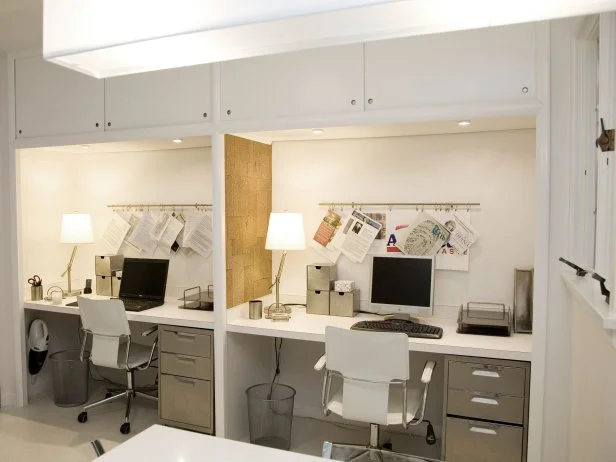
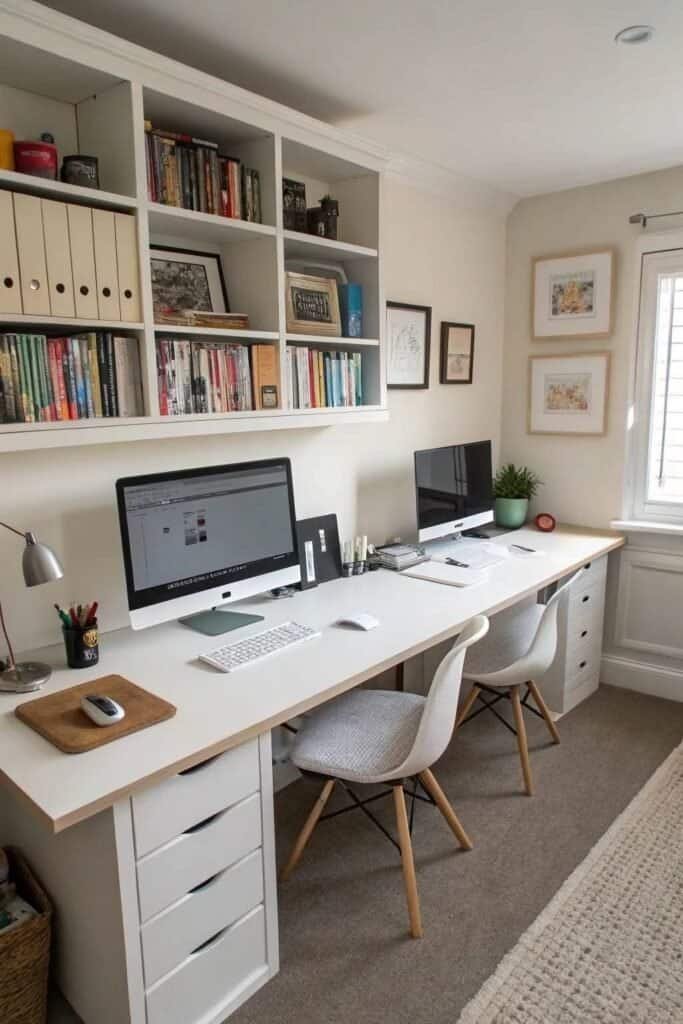
Side-by-side Layouts
Side-by-side desks are perfect for collaboration. You can easily talk and share ideas.
This layout is great if you both need to use similar resources. It’s also good for using shared devices like printers.
- Easy to communicate
- Shared resources are accessible
- Great for teamwork
Back-to-back Desks
Back-to-back desks offer more privacy. This layout is best if you both need to focus on different tasks.
It’s a good choice when you want to minimize distractions. You each have your own space but can still talk when needed.
- More personal space
- Reduces distractions
- Allows for focus on tasks
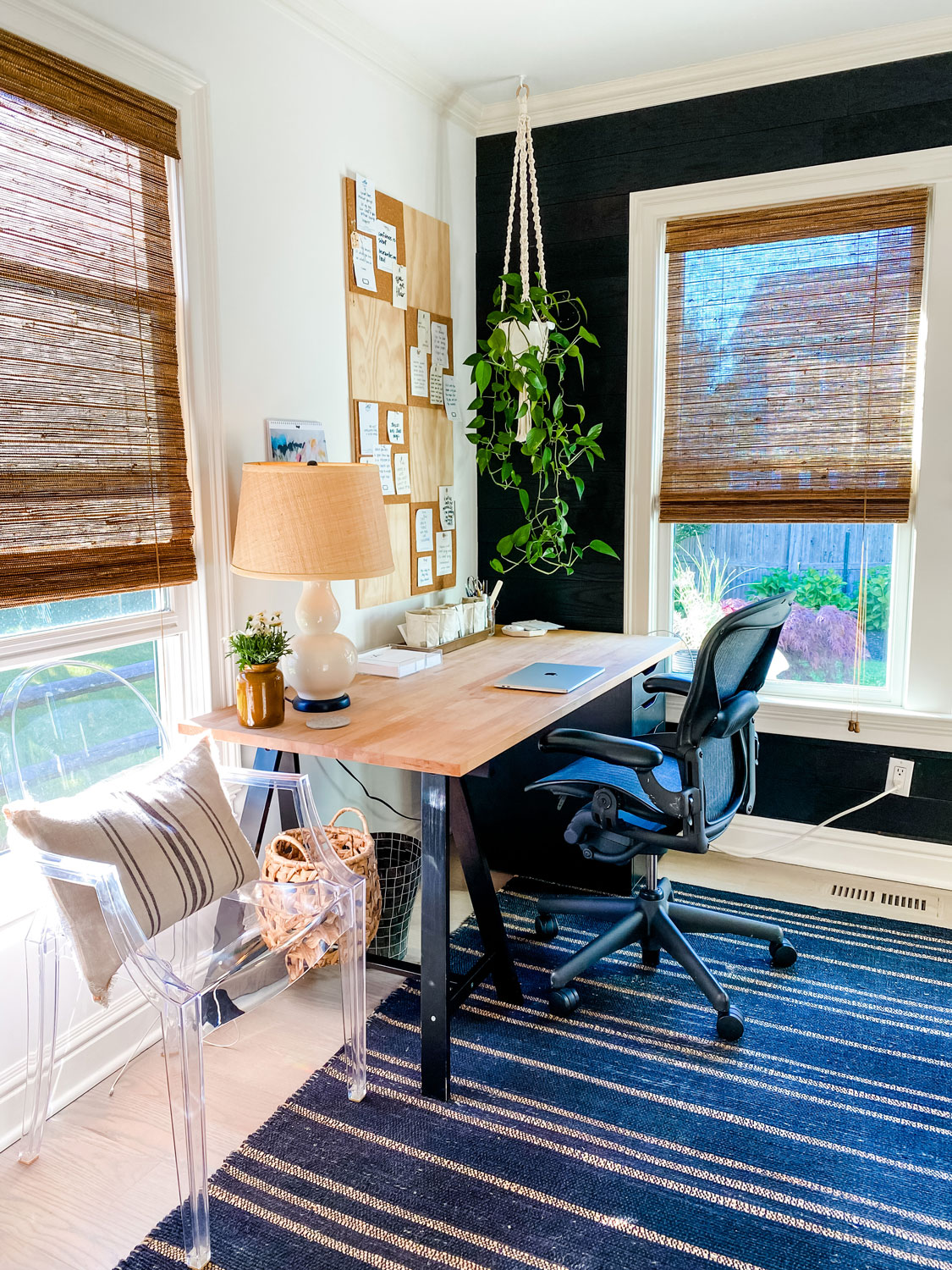
L-shaped Configurations
L-shaped desks give you both space for different tasks. One person can work on a computer while the other uses a table for paperwork.
This layout is flexible. It gives you room to spread out while keeping everything within reach.
- Flexible workspace
- Room for multiple tasks
- Efficient use of space
Personalizing Workspaces
Making your home office your own helps you feel more comfortable. Personal touches can improve focus and mood.
Simple changes can make your workspace inviting and productive. Here are ways to personalize your office area.
Color Coding Areas
Use different colors to separate work zones. This helps organize tasks and boosts focus.
Choose colors that match the function of each area. Soft colors work well for calm spaces.
- Blue for calm and focus
- Yellow for creativity and energy
- Green for balance and calmness
- Red for alertness and action
Adding Individual Decor
Decorate with items that reflect your style. Personal objects make the space feel welcoming.
Photos, plants, and artwork add personality. Avoid clutter to keep the space neat.
- Family photos for warmth
- Small plants for freshness
- Favorite artwork for inspiration
- Desk organizers for order
Customizing Lighting
Good lighting reduces eye strain and keeps you alert. Adjust lighting to fit your needs.
Use a mix of natural and artificial light. Task lights work well for focused work.
- Place desk near a window for daylight
- Use adjustable lamps for reading
- Choose warm light to relax
- Use bright light for detailed tasks
Storage Solutions For Two
Sharing a home office space can be tricky. Good storage helps keep things neat.
Organizing supplies and documents for two people needs smart ideas. Use storage that works for both.
Dual Filing Systems
Create two separate filing areas to avoid confusion. Label folders clearly for each person.
- Use color-coded folders or labels.
- Place files in separate drawers or cabinets.
- Keep shared documents in a neutral area.
- Review and clean files regularly.
Shared Shelving Units
Choose shelves that both people can use easily. Keep items grouped by owner.
| Type of Item | Person A Shelf | Person B Shelf | Shared Shelf |
| Books | Left side | Right side | Center |
| Office Supplies | Top shelf | Middle shelf | Bottom shelf |
| Decor | Scattered | Scattered | Shared space |
Hidden Storage Options
Use hidden storage to keep clutter out of sight. It helps keep the office calm and tidy.
- Under-desk drawers for small items
- Storage ottomans that double as seats
- Wall-mounted cabinets with doors
- Desk organizers with lids
Tech Setup And Cable Management
Creating a home office for two people requires smart tech setup. It’s important to manage cables effectively for a clean space.
Shared power outlets and organized cables help maintain productivity. Collaborative tech tools also enhance teamwork.
Shared Power Outlets
Sharing power outlets efficiently is crucial. It prevents cable clutter and ensures both workstations are powered.
Use a power strip with surge protection. This keeps devices safe and provides multiple outlets for two workstations.
- Place power strips under desks
- Label outlets for each device
- Choose strips with USB ports for charging
Organizing Cables
Organizing cables reduces tangles and makes the workspace tidy. Labeling helps to identify cables quickly.
Use cable ties and clips to bundle cables together. This keeps them off the floor and out of sight.
- Label each cable
- Use cable sleeves for protection
- Install cable trays under desks
Setting Up Collaborative Tech
Collaborative tech tools help two people work better together. Shared screens and cloud storage are useful.
Set up a shared monitor for video calls. Use cloud services for easy access to documents and projects.
- Use shared screens for meetings
- Store files in the cloud
- Sync calendars for scheduling
Maintaining Harmony In Shared Spaces
Sharing a home office can be a great way to save space and work closely. It needs care to keep peace and focus for both people.
Clear rules and good habits help make the shared space work well every day.
Establishing Boundaries
Set clear limits for each person’s work area. This helps avoid confusion and distractions.
- Use physical dividers like shelves or screens.
- Assign specific desk spaces to each person.
- Mark areas for shared supplies and storage.
- Agree on noise levels and personal items in the space.
Scheduling Work Times
Plan your work hours to reduce overlap and noise. This helps each person focus better.
| Person | Work Start | Work End |
| Alice | 8:00 AM | 12:00 PM |
| Bob | 12:30 PM | 5:00 PM |
Regular Space Maintenance
Keep the office tidy to create a nice work environment. Both should help clean and organize.
Try this simple cleaning schedule:
- Monday: Clear desks and wipe surfaces
- Wednesday: Organize supplies and files
- Friday: Vacuum and empty trash
Credit: mostlovelythings.com
Credit: workwellremote.com
Frequently Asked Questions
How Can I Set Up A Home Office For Two People?
Start by choosing a spacious area with good lighting. Use dual desks or a large shared desk. Add ergonomic chairs for comfort. Organize with storage solutions to keep supplies tidy. Ensure each person has enough personal space to work efficiently.
What Are Space-saving Ideas For A Home Office For Two?
Use vertical storage like shelves to free up floor space. Opt for foldable or wall-mounted desks. Choose slim chairs that tuck under desks. Use cable organizers to reduce clutter. Consider shared equipment to save room and costs.
How Do I Maintain Privacy In A Shared Home Office?
Use room dividers or screens to create personal zones. Arrange desks back-to-back or side-by-side with barriers. Use noise-canceling headphones to minimize distractions. Establish clear boundaries and work schedules to respect each other’s focus time.
What Lighting Works Best For A Two-person Home Office?
Natural light is ideal, so position desks near windows. Use adjustable desk lamps for task lighting. Choose warm LED bulbs to reduce eye strain. Avoid harsh overhead lighting that creates glare. Layer lighting to ensure a bright, comfortable workspace.
Conclusion
Creating a home office for two can boost teamwork and comfort. Small spaces work well with smart layouts. Choose furniture that fits both style and function. Good lighting helps keep focus and energy high. Personal touches make the space feel inviting.
With these ideas, sharing a home office feels easy and productive. Try these tips and enjoy working side by side.
