
Creating the perfect home office starts with the right furniture design layout. How your workspace is arranged can boost your focus, comfort, and productivity every single day.
Imagine walking into your office and feeling instantly ready to work, without distractions or discomfort. This article will guide you step-by-step to design a layout that fits your space and work style perfectly. Ready to transform your home office into a place where ideas flow and tasks get done?
Let’s dive in.
Choosing The Right Desk
Selecting the right desk is key for a good home office layout. It helps you work well and stay comfortable.
Your desk should fit your tasks and room size. Think about style, comfort, and space before buying.
Desk Types And Styles
Desks come in many types and styles. Choose one that fits your work needs and room design.
- Writing Desk:Simple and small, good for light tasks.
- Computer Desk:Designed for computers with space for accessories.
- L-Shaped Desk:Offers more surface area and fits corner spaces.
- Standing Desk:Lets you work while standing to reduce sitting time.
- Executive Desk:Large and sturdy with storage options.
Ergonomic Considerations
Ergonomics helps you avoid pain and tiredness. A good desk supports healthy posture.
Look for desks that allow you to keep your wrists straight and feet flat on the floor.
- Adjust desk height to match your chair and body.
- Use a desk with space for a keyboard and mouse at elbow level.
- Choose a surface with enough room to avoid clutter.
- Consider desks that can change height for sitting or standing.
Size And Space Planning
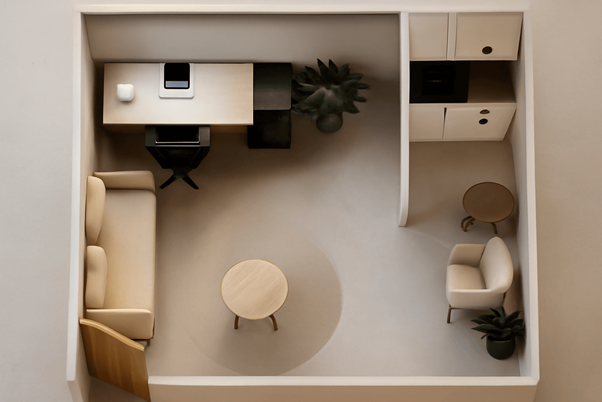
Measure your room before choosing a desk. Size matters to keep your office neat.
Leave enough space around the desk to move and add other furniture comfortably.
- Small rooms need compact desks or wall-mounted options.
- Large rooms allow bigger desks with extra storage.
- Keep walkways clear to avoid trips and falls.
- Plan desk placement near natural light for better work mood.
Credit: www.euphoriainteriors.com
Selecting Comfortable Seating
Choosing the right seating helps you work longer with less pain. Comfort is key for a productive home office.
Good seating supports your body and keeps you focused throughout the day.
Ergonomic Chairs
Ergonomic chairs are designed to fit the natural shape of your body. They help reduce back and neck strain.
- Look for chairs with lumbar support to protect your lower back.
- Choose a seat with enough padding for comfort.
- Check for breathable materials that keep you cool.
Alternative Seating Options
Not every home office needs a traditional chair. Alternative options can improve posture and add variety.
- Stools encourage active sitting and strengthen your core.
- Balance balls help with posture and keep you moving.
- Kneeling chairs reduce pressure on your lower back.
Adjustability Features
| Feature | Benefit |
| Height Adjustment | Aligns chair to desk and body height |
| Armrest Adjustment | Supports arms and reduces shoulder strain |
| Seat Tilt | Improves posture and comfort during long use |
| Backrest Recline | Allows movement and reduces back pressure |
Optimizing Lighting
Good lighting is important for a home office. It helps you see better and feel comfortable while working.
Using the right mix of light can reduce tiredness and improve focus in your workspace.
Natural Light Benefits
Natural light is the best source for your home office. It makes the room bright and cheerful.
Working near a window can boost your mood and energy during the day.
- Reduces eye strain by providing soft light
- Improves alertness and productivity
- Helps regulate your body clock
Task Lighting Solutions
Task lighting focuses light on your work area. It helps you see details clearly.
Use adjustable desk lamps or LED lights that can be directed where you need them.
- Choose lights with adjustable brightness
- Place lamps to avoid shadows on your work
- Use warm or neutral white light for comfort
Reducing Glare And Eye Strain
Glare causes discomfort and makes it hard to see your screen. It can cause eye strain.
Use window coverings and position lights carefully to cut down glare.
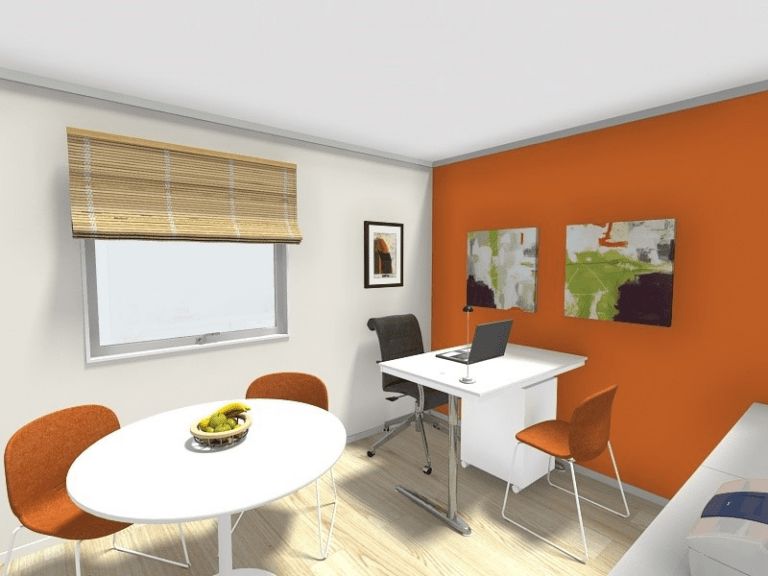
- Place your desk perpendicular to windows
- Use blinds or curtains to control sunlight
- Choose matte screen protectors for monitors
- Avoid very bright lights behind your screen
Credit: www.roomsketcher.com
Organizing Storage Solutions
A neat home office helps you work better and stay focused. Good storage design keeps your space clean and items easy to find.
Choosing the right shelves, desk organizers, and cable management tools makes your office both functional and tidy.
Shelving And Cabinets
Shelves and cabinets provide essential storage for books, supplies, and files. They keep your desk free of clutter and your materials organized.
- Use wall-mounted shelves to save floor space.
- Choose cabinets with doors to hide messy items.
- Label shelves and drawers for easy access.
- Stack boxes or bins on shelves for small items.
Desk Organizers
Desk organizers help arrange pens, papers, and gadgets within reach. They reduce distractions and create a neat work area.
| Organizer Type | Purpose |
| Pen holders | Keep writing tools upright and visible |
| Drawer dividers | Separate small items like clips and notes |
| File trays | Sort papers and incoming documents |
| Sticky note holders | Store reminder notes in one place |
Cable Management
Cables can make your desk look messy and cause tripping hazards. Proper cable management keeps wires neat and safe.
- Use cable clips to hold cords on the desk edge.
- Bundle cables with ties or Velcro strips.
- Label each cable for quick identification.
- Place power strips under the desk to hide plugs.
- Choose wireless devices to reduce cable clutter.
Incorporating Technology
In a modern home office, technology plays a crucial role. It enhances productivity and keeps your workspace efficient.
With the right tools and gadgets, you can create a seamless work environment. This ensures that you stay connected and organized.
Essential Tech Tools
Tech tools are the backbone of a functional home office. They help you stay organized and improve communication.
- Reliable Computer or Laptop
- High-Speed Internet Connection
- Wireless Keyboard and Mouse
- Multi-Function Printer
- Cloud Storage Services
Smart Office Gadgets
Smart gadgets can enhance your office experience. They bring convenience and efficiency to your daily tasks.
| Gadget | Function |
| Smart Speaker | Voice-Controlled Assistance |
| Wireless Charger | Cable-Free Charging |
| Smart Lighting | Adjustable Light Settings |
| Noise-Canceling Headphones | Focus on Work |
Maintaining A Clutter-free Workspace
A tidy workspace improves focus and reduces stress. It is essential for maintaining productivity.
- Use cable organizers to manage wires
- Opt for digital documents to minimize paper
- Regularly declutter unnecessary items
Personalizing Your Space
Creating a home office that fits your style makes work more enjoyable.
Small changes in design can help you feel calm and focused all day.
Decor And Accessories
Decor items add character to your home office. Choose pieces that reflect your personality.
- Use artwork that inspires you
- Add photo frames with favorite memories
- Select desk organizers in your favorite style
- Include cozy rugs or cushions for comfort
Inspiring Color Choices
Colors affect mood and energy. Pick shades that help you work well and feel good.
| Color | Effect |
|---|---|
| Blue | Calm and focus |
| Green | Balance and refresh |
| Yellow | Energy and creativity |
| Gray | Neutral and clean |
Plants And Natural Elements
Adding plants brings life to your workspace. They improve air quality and mood.
Try these easy-care plants:
- Succulents
- Snake plants
- Spider plants
- Peace lilies
Designing For Workflow
Creating an efficient home office is essential for productivity. A well-designed layout supports your workflow.
Consider your tasks and how you move through them. This helps in organizing your space effectively.
Zoning Work Areas
Divide your office into different zones. Each zone should serve a specific purpose.
For example, have a zone for computer work and another for reading. This helps keep tasks organized.
- Computer zone for digital tasks
- Reading zone with comfortable seating
- Storage zone for office supplies
Minimizing Distractions
Keep distractions at bay for better focus. Arrange your desk away from windows and noise.
Use noise-canceling headphones or soft background music. These can help maintain concentration.
- Position desk facing a blank wall
- Use plants to create a calming environment
- Limit personal items on the desk
Flexible Layout Options
A flexible layout lets you adapt to different tasks. Use furniture that can be moved easily.
Consider a foldable desk or adjustable shelving. These can be rearranged to suit your needs.
- Use rolling chairs and tables
- Incorporate foldable or collapsible furniture
- Adjustable shelving for varied storage needs

Credit: www.digsdigs.com
Frequently Asked Questions
What Is The Best Layout For A Home Office?
The best layout maximizes space, promotes comfort, and enhances productivity. Position your desk near natural light and keep frequently used items within reach.
How Do I Choose Ergonomic Office Furniture?
Select furniture that supports good posture and reduces strain. Look for adjustable chairs, desks at proper height, and supportive accessories like footrests.
What Furniture Is Essential For A Home Office?
Essential furniture includes a comfortable chair, spacious desk, adequate storage, and good lighting. These items create an efficient and organized workspace.
How To Optimize Small Home Office Space?
Use vertical storage, multifunctional furniture, and keep the area clutter-free. Prioritize compact desks and chairs that fit your room size comfortably.
Conclusion
A well-planned home office layout boosts comfort and work focus. Choose furniture that fits your space and needs. Keep your desk clear and use storage wisely. Good lighting helps reduce eye strain and keeps you alert. Personal touches make the space inviting and inspiring.
Small changes can create a big difference in your workday. Create a place where you enjoy spending time. Your home office should support productivity and peace.
