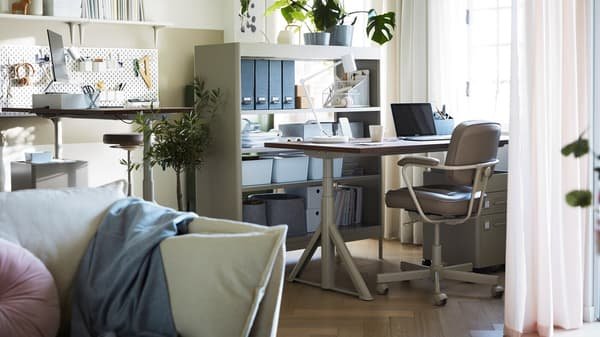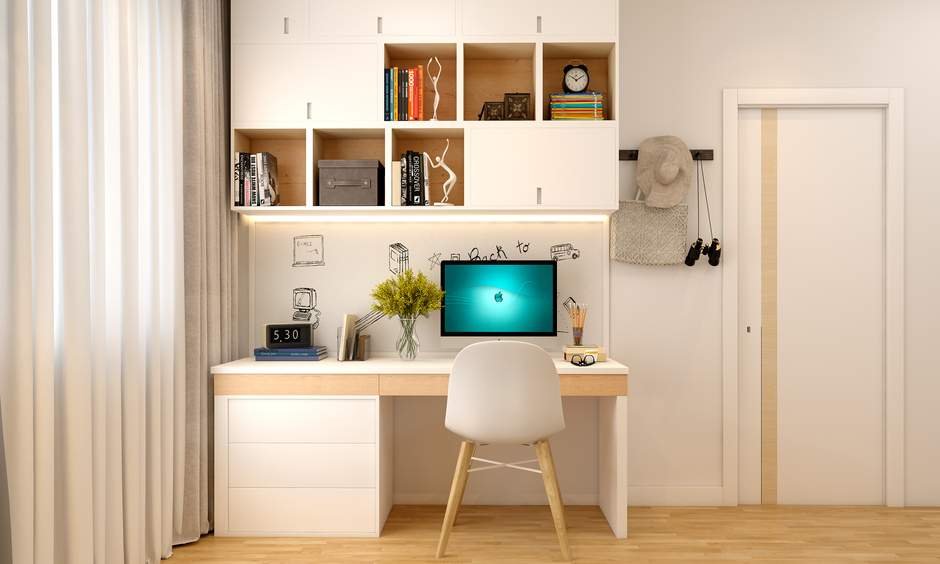
Setting up your home office can feel overwhelming, especially when you’re not sure where to start with the furniture layout. But imagine a space where everything flows perfectly—your desk in just the right spot, your chair comfortable, and storage within easy reach.
This isn’t just about looks; it’s about creating a workspace that boosts your focus and energy every single day. You’ll discover simple, practical tips to arrange your home office furniture in a way that makes your work easier and your day more productive.
Ready to transform your space? Let’s dive in.
Credit: www.extraspace.com
Choosing The Right Desk
Your desk is the main part of your home office. Picking the right one helps you work better.
Think about your space and what tasks you do before choosing a desk.
Size And Shape Options
Desks come in many sizes and shapes. Choose one that fits your room and work style.
Small desks work well in tight spaces. Large desks give you more room to spread out.
- Rectangular desks suit most rooms and tasks
- L-shaped desks save corner space and offer more surface area
- Compact desks fit small rooms or apartments
- Adjustable desks can change shape or height
Ergonomic Considerations
An ergonomic desk helps reduce strain and keeps you comfortable all day.
Look for desks with the right height and enough legroom. This supports good posture.
- Desk height should allow your arms to rest at 90 degrees
- Enough space under the desk for your knees and feet
- Consider a sit-stand desk to change positions
- Keep your monitor at eye level to avoid neck pain
Material And Durability
Choose desk materials that last and fit your style. Strong materials hold up well over time.
Wood is classic and sturdy. Metal desks are tough and modern. Glass desks look sleek but need care.
- Solid wood offers durability and a warm look
- Metal desks resist damage and are easy to clean
- Glass desks show fingerprints but look spacious
- Laminates are affordable and come in many styles

Credit: www.digsdigs.com
Selecting Comfortable Seating
Choosing the right seating is key for a home office. Comfort helps you work longer without pain.
Good seating supports your body and keeps you focused. Let’s explore options for comfortable chairs.
Ergonomic Chairs
Ergonomic chairs are designed to support your posture. They reduce strain on your back and neck.
- Look for lumbar support to protect your lower back.
- Choose chairs with padded seats and breathable fabric.
- Check if the chair encourages a natural sitting position.
Alternative Seating Solutions
Not all seating must be traditional. Alternative seats can add variety and comfort.
| Type | Benefits | Considerations |
|---|---|---|
| Balance Balls | Improve core strength | May not be best for long hours |
| Kneeling Chairs | Reduce lower back pressure | Requires adjustment period |
| Standing Desks with Stools | Promote movement | Needs space and budget |
Adjustability Features
Adjustable chairs fit your body and desk better. This helps avoid discomfort.
Key adjustability features to check:
- Seat height adjustment
- Armrest height and width control
- Backrest tilt and tension settings
- Swivel base for easy movement
Optimizing Desk Placement
Desk placement affects comfort and work quality in a home office. A good layout helps you focus and stay productive.
Think about light, distractions, and space when choosing where to put your desk. Small changes can make a big difference.
Natural Light Benefits
Placing your desk near a window lets you use natural light. This reduces eye strain and keeps you alert during the day.
Natural light improves mood and helps you feel less tired. It also lowers the need for artificial lighting, saving energy.
- Face the window for soft light on your work surface
- Place the desk at an angle to avoid glare on your screen
- Use sheer curtains to control brightness if needed
Minimizing Distractions
Choose a desk spot away from noisy areas like the TV or kitchen. This helps you focus better on your tasks.
Keep your desk clear and organized. A neat workspace reduces mental clutter and improves concentration.
- Place your desk facing away from busy rooms
- Use room dividers or screens for privacy
- Keep cords and gadgets out of sight
Maximizing Space Efficiency
Arrange your desk to use the room’s space well. This gives you enough room to move and store items.
Use corners or walls to place your desk. This leaves open space for other furniture or activities.
- Pick a desk size that fits your room
- Use shelves or drawers to keep supplies handy
- Keep walking paths clear around your desk
Incorporating Storage Solutions
Creating a functional home office requires smart storage solutions. Organizing your space helps boost productivity and focus.
Learn how to integrate shelves, desk organizers, and cable management for a clutter-free workspace.
Shelves And Cabinets
Shelves and cabinets offer ample storage for books, files, and supplies. They keep your workspace tidy and efficient.
| Type | Features |
| Wall-mounted shelves | Save floor space |
| File cabinets | Lockable for security |
| Bookshelves | Adjustable heights |
Desk Organizers
Desk organizers help sort and store small items like pens, paper clips, and notepads. This keeps your desk surface clear.
- Use drawer dividers for small items
- Try a desktop organizer for papers
- Label containers for quick access
Cable Management
Cable management prevents tangles and mess behind your desk. It ensures a neat and safe environment.
Enhancing Productivity With Layout
Setting up your home office with the right layout helps you work better. A good layout keeps you focused and organized.
Small changes in furniture placement can make your day smoother and more productive.
Zoning Work Areas
Divide your office space into zones for different tasks. This separation helps your brain switch focus easily.
- Create a main desk zone for computer work.
- Set a reading or planning area with a comfortable chair.
- Use shelves or drawers for storage zones.
- Keep zones clear to avoid mixing tasks.
Creating Clear Pathways
Arrange furniture so you can move freely. Clear paths reduce stress and help you stay focused.
| Benefit | How Clear Pathways Help |
|---|---|
| Safety | Prevents trips and falls |
| Efficiency | Easy access to supplies |
| Focus | Less clutter to distract |
| Comfort | Smooth movement in space |
Personalizing Workspace
Add items that make your space feel yours. Personal touches can boost mood and motivation.
Try these ideas to personalize:
- Place photos or artwork you like
- Use your favorite colors in decor
- Add plants for a fresh look
- Choose comfortable and stylish furniture
Lighting For Focus And Comfort
Creating a well-lit home office is important for productivity. Proper lighting can enhance focus and comfort. It helps reduce eye strain and improves mood.
Consider different types of lighting to make your workspace efficient. Here are some tips for task and ambient lighting.
Task Lighting Options
Task lighting helps you see specific work areas clearly. It is great for reading, writing, or typing. Desk lamps are a popular choice.
- Choose adjustable lamps for flexibility.
- Use LED bulbs to save energy and reduce glare.
- Position the light to avoid shadows on your work.
Ambient Lighting Tips
Ambient lighting provides general illumination. It creates a comfortable working atmosphere. Use soft, indirect lights for the best effect.
Reducing Eye Strain
Eye strain can occur from poor lighting. It leads to discomfort and fatigue. Proper lighting can help prevent this.
| Lighting Tip | Benefit |
| Use a light filter | Reduces glare |
| Take regular breaks | Relaxes eyes |
| Adjust screen brightness | Matches room lighting |
Adding Ergonomic Accessories
Adding ergonomic accessories to your home office helps reduce strain. These tools support good posture and comfort.
Proper accessories make long work hours easier and prevent pain in the body.
Monitor Stands And Arms
Monitor stands lift your screen to eye level. This stops you from bending your neck down.
Monitor arms let you adjust screen height, tilt, and distance. This helps find the best viewing angle.
- Keep the top of the screen at eye level
- Place the monitor about an arm’s length away
- Use adjustable arms for flexible positioning
Keyboard And Mouse Placement
Place your keyboard and mouse close to your body. This reduces reaching and shoulder strain.
Keep wrists straight and hands at or below elbow height. Use wrist rests if needed.
- Position keyboard so elbows bend at about 90 degrees
- Keep mouse near the keyboard for easy access
- Use ergonomic keyboard and mouse to reduce stress
Footrests And Support
Footrests help keep your feet flat and supported. This improves blood flow and reduces pressure on your legs.
Use footrests if your chair is too high or your feet don’t reach the floor.
- Choose adjustable footrests for comfort
- Keep feet flat and knees at a 90-degree angle
- Use footrests to reduce lower back strain

Credit: www.designcafe.com
Frequently Asked Questions
What Is The Best Home Office Furniture Layout?
The best layout balances comfort and productivity. Place your desk near natural light and keep essentials within arm’s reach. Optimize space by using ergonomic chairs and storage solutions. A clutter-free, organized layout boosts focus and efficiency.
How To Arrange Furniture For A Small Home Office?
Choose compact, multi-functional furniture to save space. Position the desk against a wall or corner to maximize floor area. Use vertical storage like shelves to keep items off the desk. Keep the layout open to avoid feeling cramped.
Which Furniture Is Essential For A Home Office?
Essential furniture includes a comfortable desk, ergonomic chair, and adequate storage. A good desk supports your work tools and allows proper posture. Storage units help keep the space tidy and organized. Prioritize quality and functionality for daily use.
How To Create An Ergonomic Home Office Layout?
Ensure your desk and chair support correct posture. The monitor should be at eye level, and feet flat on the floor. Keep frequently used items within easy reach. Proper lighting and adjustable furniture reduce strain and improve comfort.
Conclusion
A good home office layout boosts focus and comfort. Choose furniture that fits your space well. Keep your workspace tidy to stay organized. Natural light helps improve mood and energy. Add personal touches to make the area inviting. Small changes can make a big difference daily.
Your home office should help you work better. Enjoy creating a space that suits your needs.