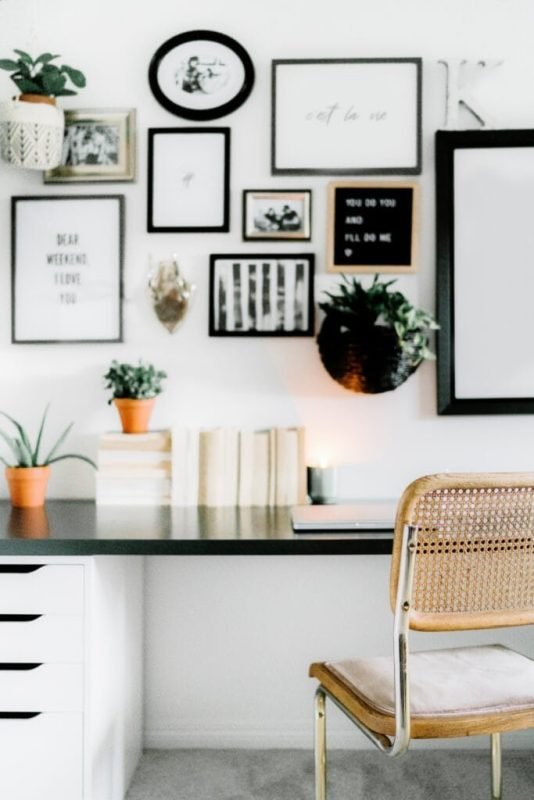
Your home office should be a place where you feel focused, comfortable, and inspired. But sometimes, the layout of your space can hold you back from doing your best work.
Imagine walking into a room that instantly boosts your energy and helps you stay productive all day. Sounds good, right? You’ll discover simple and effective ideas for home office layout that can transform your space and your workday. Ready to create a setup that works perfectly for you?
Let’s dive in.
Choosing The Right Space
Finding the perfect spot for your home office can boost your work focus and comfort. The right space helps you stay organized and feel motivated.
Think about your available areas carefully before setting up your workspace. This ensures your office fits your work needs well.
Assessing Available Areas
Look around your home for quiet and spacious spots. Check rooms, corners, and even unused closets for possible office setups.
- Choose a space with enough room for your desk and chair.
- Pick a place that is away from heavy foot traffic.
- Consider spots near power outlets for your devices.
- Think about storage space for your office supplies.
Considering Natural Light
Natural light helps reduce eye strain and lifts your mood. Try to set your desk near a window for the best light during the day.
| Light Source | Benefits |
| South-facing window | Bright light all day |
| East-facing window | Morning sunlight |
| North-facing window | Soft, even light |
| West-facing window | Afternoon sun |
Minimizing Distractions
Keep your office area free from noise and clutter. This helps you stay focused and work more efficiently.
Try these tips to reduce distractions:
- Use noise-canceling headphones or white noise machines.
- Place your desk away from TV or busy areas.
- Keep your workspace tidy and organized every day.
- Set clear boundaries with family members during work hours.
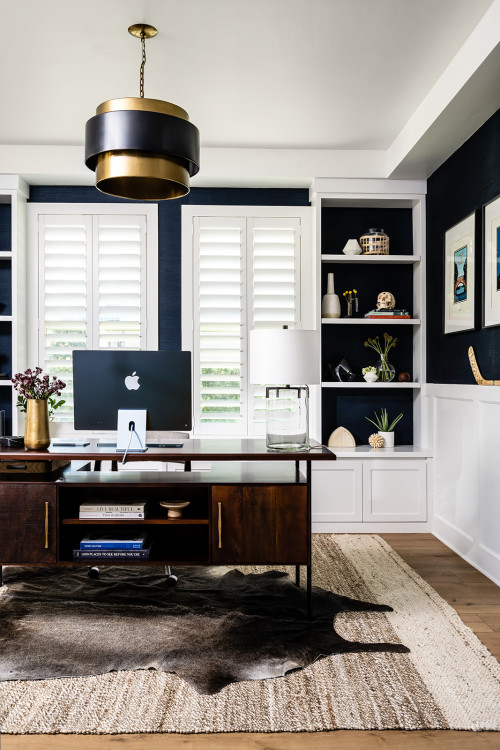
Credit: workwellremote.com
Ergonomic Furniture Choices
Creating a home office means choosing furniture that supports your body. Ergonomic furniture helps reduce strain and keeps you comfortable all day.
Good furniture can improve your posture and increase focus. It makes working from home easier and healthier.
Selecting Comfortable Chairs
Choose a chair that supports your back well. Look for one with adjustable height and good lumbar support.
A comfortable chair helps prevent back pain. Soft padding and breathable fabric add extra comfort.
- Adjust seat height to keep feet flat on the floor
- Use chairs with adjustable armrests to reduce shoulder strain
- Look for chairs with a reclining feature to change posture
- Choose breathable materials to stay cool
Adjustable Desks Benefits
Adjustable desks let you switch between sitting and standing. This helps reduce fatigue and improves circulation.
Standing desks encourage movement and can boost energy. They also help lower the risk of health problems linked to sitting too long.
- Helps reduce back and neck pain
- Improves focus and productivity
- Allows easy height adjustments for comfort
- Supports better posture throughout the day
Organizing With Functional Storage
Storage keeps your workspace tidy and items easy to find. Use shelves, drawers, and boxes to stay organized.
Functional storage saves space and reduces clutter. It helps keep your home office clean and efficient.
- Use vertical shelves to save floor space
- Choose drawers with dividers for small items
- Label boxes and containers for quick access
- Keep frequently used items within arm’s reach
Optimizing Desk Setup
Creating a good desk setup helps you work better and feel comfortable. A well-organized desk can reduce stress and improve focus.
Small changes to your desk layout can make a big difference in your home office. Let’s look at some ideas to optimize your workspace.
Arranging Monitors And Devices
Place your monitor at eye level to avoid neck strain. Keep devices you use often within arm’s reach to stay productive. Use monitor stands or adjustable arms to create more desk space.
- Center your main monitor directly in front of you
- Keep secondary screens to the side at a slight angle
- Position your keyboard and mouse close to the edge of the desk
- Use wireless devices to reduce clutter
Cable Management Tips
| Tip | Description |
| Use Cable Clips | Keep cables fixed and organized along desk edges. |
| Label Cables | Identify cables easily to avoid confusion. |
| Hide Excess Length | Use cable sleeves or ties to bundle extra length. |
| Power Strip Placement | Mount power strips under the desk to save space. |
Personalizing Your Workspace
Adding personal touches can make your workspace inviting and boost your mood. Include items that inspire you without cluttering the desk.
Ideas to Personalize
- Small potted plants for freshness
- Photos of family or friends
- Inspirational quotes or artwork
- Comfortable desk chair cushion
Incorporating Creative Elements
Creating a home office that feels inviting can boost your work mood. Adding creative elements helps make the space unique.
Simple touches bring freshness and inspiration to your daily routine. Let’s explore some ideas to brighten your office.
Adding Plants For Freshness
Plants bring life and color to your home office. They clean the air and reduce stress.
Choose plants that are easy to care for and fit your space. Small pots work well on desks or shelves.
- Succulents need little water and light
- Snake plants improve air quality
- Spider plants grow quickly and look nice
Using Color Psychology
Colors affect your feelings and focus. Pick colors that help you work well.
Blue can calm your mind. Green feels refreshing. Yellow adds energy and creativity.
- Use soft colors on walls to avoid distraction
- Add bright colors in small doses for energy
- Match colors with your personal style
Incorporating Inspirational Art
Art can motivate and inspire you during work. Choose pieces that speak to your goals.
Hang art where you can see it easily. Change pieces often to keep ideas fresh.
- Use prints with positive quotes
- Add photos of places you love
- Display creative work you admire
Enhancing Lighting
Good lighting helps you work better in your home office. It keeps you alert and focused.
Mixing natural and artificial light makes your space comfortable all day long.
Balancing Natural And Artificial Light
Natural light brightens your room and lifts your mood. Place your desk near windows.
Use curtains or blinds to control sunlight and reduce glare on screens.
Artificial light fills in when natural light is low. Use ceiling lights and lamps.
- Open windows for daylight
- Use sheer curtains for soft light
- Mix overhead lights with desk lamps
- Avoid harsh shadows and glare
Choosing Task Lighting
Task lighting helps you see details clearly. It focuses light where you need it most.
Pick adjustable desk lamps with bright but soft light for reading and writing.
- Choose LED bulbs for energy savings
- Use lamps with adjustable arms
- Pick light color close to daylight (4000K–5000K)
- Position light to avoid screen glare
Reducing Eye Strain
Eye strain happens when light is too dim or too bright. Balance light levels carefully.
Take breaks and adjust lighting to keep your eyes comfortable during work.
- Use soft, even lighting
- Reduce glare on screens
- Adjust brightness to match room light
- Follow the 20-20-20 rule: every 20 minutes, look 20 feet away for 20 seconds
Maximizing Storage Solutions
Setting up a home office can be tricky without the right storage. Using space wisely helps keep your office neat.
Explore clever ways to store your items, making your workspace efficient. Let’s look at some ideas.
Utilizing Vertical Space
Vertical space is often overlooked in home offices. Tall shelves can store books, files, and supplies.
Wall-mounted organizers free up desk space. They also keep things within easy reach.
- Install tall bookcases
- Use wall hooks for bags
- Hang pegboards for tools
Decluttering Strategies
A cluttered desk can slow you down. Regularly sorting items helps maintain order.
Keep only what you need on your desk. Store less-used items elsewhere.
- Sort papers weekly
- Use bins for small items
- Label storage containers
Smart Use Of Shelves And Drawers
Shelves and drawers are essential for organizing. Group similar items for easy access.
Adjustable shelves let you customize space for different items. Drawer dividers keep things tidy.
- Use adjustable shelves
- Add drawer dividers
- Group items by function
Creating Zones For Different Tasks
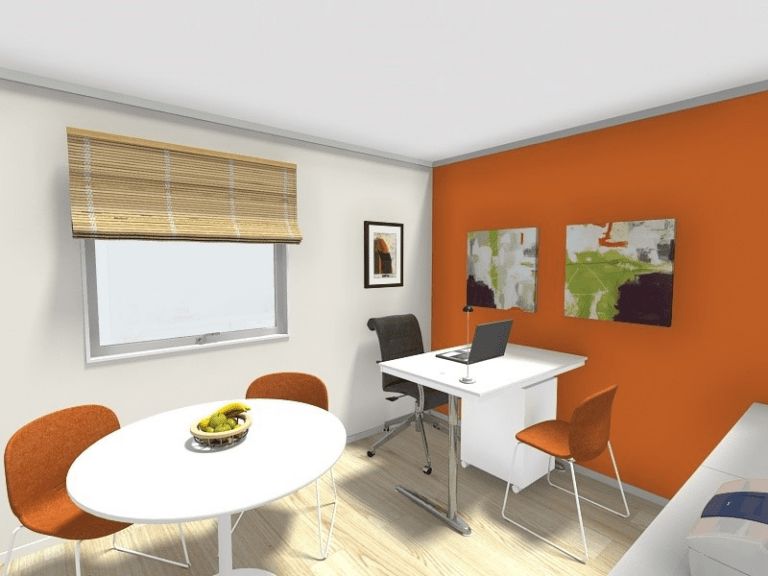
Designing a home office involves more than just placing a desk and chair. It is important to create zones for different tasks. This helps improve focus and productivity.
Different tasks need different environments. Setting up specific areas can make work more efficient and enjoyable.
Separate Areas For Meetings
Having a dedicated area for meetings is helpful. It creates a professional space for virtual calls and discussions.
A small table with chairs can work well. Ensure good lighting and a neutral background to make video calls clear.
- Use a small table for meetings
- Ensure good lighting
- Keep background simple
Quiet Zones For Focus
A quiet zone is essential for tasks that require concentration. Choose a spot away from distractions.
This area should have minimal noise. Consider soundproofing or using noise-canceling headphones for better focus.
- Find a spot away from noise
- Use noise-canceling headphones
- Consider soundproofing
Space For Breaks And Relaxation
Breaks are important to maintain productivity. A space for relaxation helps refresh the mind.
Include a comfortable chair or a small couch. Add some plants or art for a calming effect.
- Include a comfy chair or couch
- Add plants or art
- Use this space to relax
Credit: www.roomsketcher.com
Incorporating Technology Efficiently
Setting up your home office with the right technology can boost your work comfort and speed. Planning the layout helps you use devices well and avoid clutter.
Focus on how your equipment, internet, and smart devices fit together. This makes your workspace more practical and keeps your tools easy to reach.
Choosing The Right Equipment
Select devices that match your work needs and space. Good tools improve your efficiency and reduce frustration during tasks.
- Pick a monitor size that fits your desk and eyes.
- Use ergonomic keyboards and mice to stay comfortable.
- Choose a printer or scanner only if you need it often.
- Consider noise-canceling headphones for focus.
- Get a desk lamp with adjustable brightness for better light.
Optimizing Internet Connectivity
Fast and stable internet keeps your work smooth. Think about where your router sits and how your devices connect to avoid delays.
| Tip | Details |
| Place Router Centrally | Put your router near your desk for strong signal. |
| Use Wired Connections | Connect key devices with Ethernet for steady speed. |
| Limit Interference | Keep router away from walls and other electronics. |
| Upgrade Equipment | Use modern routers that support fast Wi-Fi standards. |
| Test Speed | Check your internet speed regularly to spot issues. |
Using Smart Home Devices
Smart devices can save time and add comfort to your home office. Control lights, temperature, and reminders with simple commands.
- Install smart bulbs to adjust lighting without getting up.
- Use smart plugs to control devices remotely.
- Set voice assistants to manage your schedule and tasks.
- Try smart thermostats for a comfortable room temperature.
- Connect devices to one app for easy control.

Credit: www.designcafe.com
Frequently Asked Questions
What Is The Best Home Office Layout For Small Spaces?
Maximize vertical storage and use compact furniture. Place your desk near natural light to boost productivity. Keep the layout minimal to reduce clutter and distractions.
How Do I Create An Ergonomic Home Office Layout?
Choose an adjustable chair and desk to support good posture. Position your monitor at eye level. Keep frequently used items within arm’s reach to avoid strain.
How Can I Improve Home Office Layout For Better Focus?
Use partitions or room dividers to separate work from distractions. Opt for calming colors and keep the space tidy. Add plants to enhance air quality and concentration.
What Are Essential Elements In A Home Office Layout?
Include a comfortable chair, a spacious desk, and proper lighting. Add storage for organization and personal touches for motivation. Ensure good ventilation and cable management for safety.
Conclusion
A good home office layout helps you work better every day. Choose a space that fits your needs and feels comfortable. Keep your desk organized and add things that inspire you. Let light in to keep the room bright and fresh.
Small changes can make a big difference in how you work. Try different ideas until you find what suits you best. A well-planned office boosts focus and makes tasks easier. Start designing your space today for a more productive tomorrow.