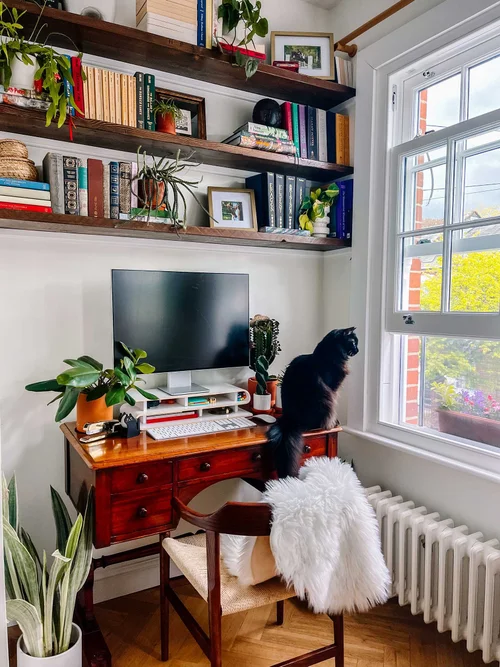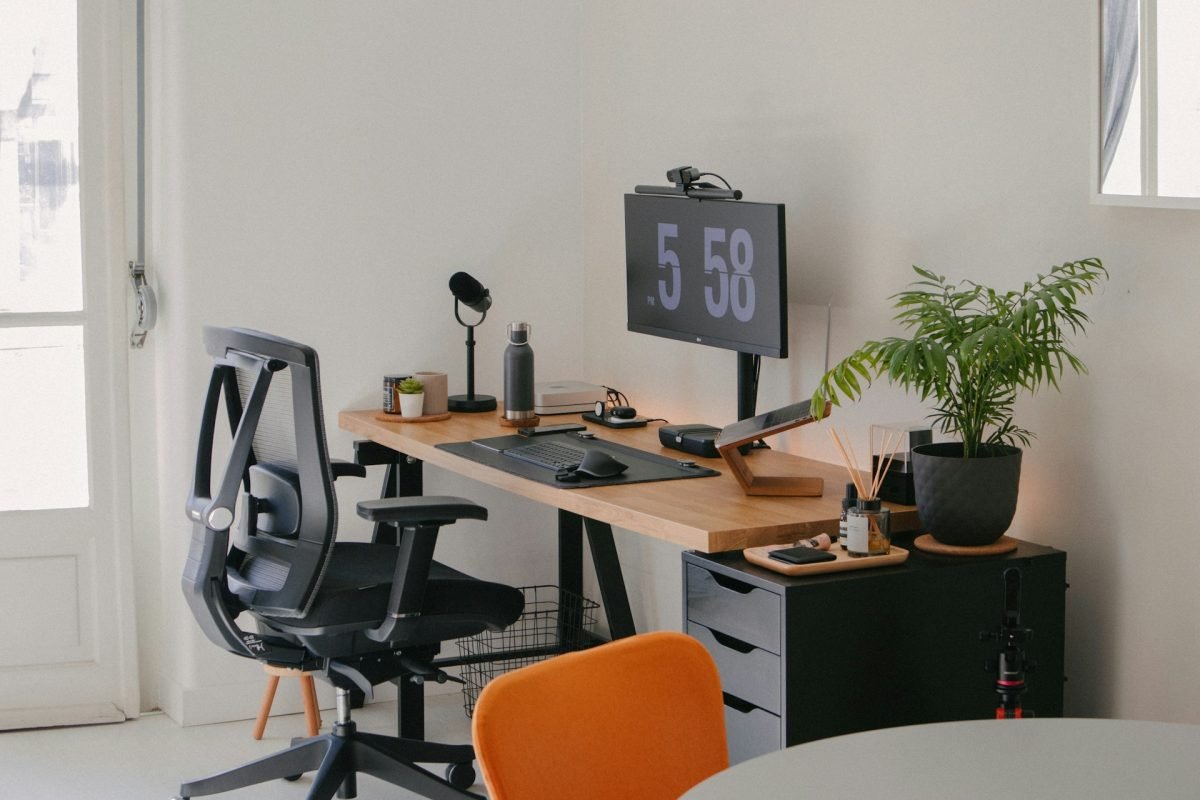
Creating the perfect home office can change the way you work every day. Imagine a space where everything you need is within reach, helping you focus and stay motivated.
Whether you have a small corner or a whole room, setting up your home office the right way can boost your productivity and make work feel less like a chore. Ready to discover simple, practical ideas that fit your style and needs?
Keep reading to transform your workspace into a place you actually look forward to spending time in.
Choosing The Right Space
Setting up a home office starts with picking the right spot. The space should help you focus and feel comfortable.
Think about quietness, light, and size when choosing where to work. These factors affect your productivity.
Finding A Quiet Spot
Choose a space away from noise and distractions. This helps you concentrate on your tasks.
Look for rooms with doors or corners where you can work peacefully. Avoid busy areas of the house.
- Pick rooms far from the TV or kitchen
- Use a room with a door for privacy
- Consider noise-canceling headphones if needed
Maximizing Natural Light
Natural light helps you stay alert and improves mood. Find a spot near windows if possible.
Avoid harsh glare by positioning your desk sideways to the window. Use curtains to control brightness.
- Place your desk close to a window
- Use sheer curtains to soften light
- Keep windows clean for better light
Considering Room Size
Pick a room size that fits your work needs. You should have space for your desk and supplies.
Smaller rooms can work if organized well. Larger rooms offer more freedom to move and store items.
- Measure your desk and chair before choosing a room
- Leave space to move comfortably
- Plan storage for papers and tools
Essential Furniture
Setting up a home office needs the right furniture. It helps you stay comfortable and work well.
Choose pieces that fit your space and work style. Good furniture supports your health and keeps you organized.
Ergonomic Chairs
Ergonomic chairs protect your back and neck. They reduce strain during long work hours.
- Look for adjustable height and armrests
- Choose chairs with lumbar support
- Pick materials that breathe well
- Make sure the seat is wide and comfortable
Functional Desks
Your desk should fit your work needs. It must hold your computer, papers, and other tools.
| Desk Type | Best For | Key Feature |
| Standing Desk | Reducing sitting time | Adjustable height |
| Corner Desk | Small spaces | Maximizes corner area |
| Traditional Desk | Classic work setup | Large surface area |
Storage Solutions
Storage keeps your office neat. It helps you find things fast and saves space.
- Filing cabinets for documents
- Bookshelves for books and decor
- Drawer units for office supplies
- Wall-mounted shelves to save floor space
Tech Setup
Setting up a home office requires the right tech tools. These tools help you work efficiently and comfortably. Let’s explore essential tech elements for your home office.
From internet connections to choosing devices, every detail matters. Here are some key components to consider.
Reliable Internet Connection
A reliable internet connection is crucial for remote work. It ensures that your online meetings and downloads run smoothly.
- Choose a high-speed broadband plan
- Position the router centrally in your home
- Consider a mesh network for large spaces
- Use wired connections for stable performance
Organizing Cables
Cable management keeps your workspace tidy. It also helps prevent tripping hazards and makes your desk look neat.
Use these tips for effective cable management:
- Label each cable for easy identification
- Use cable ties or clips to bundle wires
- Invest in a cable management box
Choosing The Right Devices
Picking the right devices enhances productivity. Consider what suits your work style and needs.
| Device | Feature | Benefit |
| Laptop | Portability | Work from anywhere |
| Monitor | Large screen | Better view and comfort |
| Printer | Wireless connectivity | Easy document handling |

Credit: digitallignite.com
Creative Decor Ideas
Setting up a home office needs more than just a desk and chair. Creative decor makes your space inviting and helps you stay focused.
Use colors, objects, and plants that inspire you. A well-decorated office can boost your mood and productivity.
Inspiring Wall Art
Wall art adds personality and energy to your workspace. Choose pieces that motivate you or relax your mind.
- Hang framed prints of your favorite quotes
- Use abstract paintings for a splash of color
- Create a gallery wall with photos and art
- Try removable wall decals for easy changes
Plants For Freshness
Plants improve air quality and add life to your office. Pick easy-to-care-for varieties to keep your space fresh.
| Plant | Light Needs | Care Level |
| Spider Plant | Bright, indirect | Low |
| Snake Plant | Low to bright | Low |
| Succulents | Bright | Low |
| Pothos | Low to moderate | Low |
Personal Touches
Make your office feel like your own by adding items that show your style and interests.
Consider these ideas:
- Display souvenirs from travels
- Use colorful stationery and desk organizers
- Add a cozy throw or cushion to your chair
- Keep a small photo frame with loved ones
Lighting Tips
Setting up a home office requires good lighting. Proper lighting reduces eye strain and boosts productivity.
Let’s explore different lighting types for your workspace.
Task Lighting
Task lighting is essential for focused activities. This includes reading, writing, or working on a computer.
- Use a desk lamp with an adjustable arm.
- Position the light to avoid shadows.
- Choose a lamp with a dimmer for flexibility.
Ambient Lighting
Ambient lighting provides general illumination. It helps in creating a comfortable atmosphere.
| Lighting Type | Benefits |
| Overhead Fixtures | Even light distribution |
| Floor Lamps | Soft, diffused light |
| Wall Sconces | Space-saving option |
Avoiding Glare
Glare can cause discomfort and reduce visibility. It is important to manage glare in your home office.
Organizational Hacks
Setting up a home office needs good organization. It helps you work better and feel less stressed.
Simple hacks can keep your space tidy and your work smooth. Try these ideas for better order.
Decluttering Techniques
Start by removing items you do not need. A clean space helps you focus and saves time.
Sort things into keep, toss, or donate. Do this regularly to avoid clutter build-up.
- Clear your desk at the end of each day
- Use a box for items you rarely use
- Limit decorations to a few meaningful pieces
Using Desk Organizers
Desk organizers hold your pens, papers, and tools neatly. They save space and keep things easy to find.
Choose organizers that fit your desk size and needs. Use trays, cups, or small drawers for sorting.
- Use pen holders for writing tools
- Stack trays for papers and notes
- Small drawers keep chargers and cables tidy
Digital Organization
Keep your computer files neat. Use folders and clear file names to find work fast.
Delete old files and emails often. Back up important data to avoid loss.
- Create folders for each project or client
- Use cloud storage for easy access
- Set reminders to clean your inbox weekly
Boosting Productivity
Setting up a home office can help you work better and get more done. A good setup creates a space that keeps you focused and motivated.
Simple changes in your home office can improve your work habits and reduce distractions.
Time Management Tools
Using tools to manage your time helps you stay on track. These tools remind you of tasks and deadlines so you don’t forget important work.
Timers and calendars help break your work into smaller parts. This makes big jobs easier to handle.
- Use digital calendars to plan your day
- Set timers to focus in short bursts
- Track tasks with simple to-do lists
- Use apps that block distracting websites
Setting Boundaries
Clear boundaries help separate work from home life. This keeps you focused during work hours and relaxed after.
Let others in your home know your work schedule. This reduces interruptions and keeps your work time peaceful.
- Create a specific work area in your home
- Set work hours and stick to them
- Communicate your schedule with family or roommates
- Use signs or signals to show when you are busy
Incorporating Break Areas
Having a place to take breaks helps your mind rest. This can improve focus when you return to work.
Break areas should be away from your desk. This helps you fully relax and avoid distractions.
- Choose a comfy chair or spot for breaks
- Add plants or calming decorations
- Keep water and snacks nearby
- Use breaks to stretch or move around

Credit: www.designcafe.com

Credit: indianapolisrealestate.com
Frequently Asked Questions
What Is The Best Location For A Home Office?
Choose a quiet, well-lit space with minimal distractions. Near a window is ideal for natural light. Ensure it has good ventilation and enough room for your equipment and storage needs.
How Can I Make My Home Office Ergonomic?
Invest in an adjustable chair and desk. Position your computer screen at eye level. Use a keyboard and mouse that reduce strain. Take breaks to stretch and maintain good posture.
What Essential Equipment Is Needed For A Home Office?
A reliable computer, high-speed internet, and a comfortable chair are basics. Add a desk, good lighting, and organizational tools like shelves or filing cabinets. Consider noise-canceling headphones for focus.
How Do I Keep My Home Office Organized?
Use storage solutions like drawers, shelves, and organizers. Declutter regularly and file documents systematically. Label items clearly to find things quickly and maintain a tidy workspace.
Conclusion
Creating a home office can boost your work and focus. Choose a quiet spot with good light. Keep your space clean and organized. Add items that make you feel comfortable and calm. Use a desk and chair that support your body well.
Small changes can make a big difference every day. Take time to arrange your office just right. Your work will feel easier and more enjoyable. Start setting up your home office today and enjoy the benefits.