Your home office should be a place where you feel focused, comfortable, and inspired. But creating that perfect setup can be tricky.
You might be struggling with clutter, poor lighting, or an uncomfortable chair that leaves you tired by midday. Imagine having a workspace that boosts your productivity and makes working from home a breeze. You’ll discover simple and effective home office set up ideas that fit your space and style.
Keep reading to transform your workspace into a place you actually look forward to spending time in.
Choosing The Right Location
Setting up a home office starts with picking a good spot. The right place helps you work better.
Think about how the space feels and how it fits your work needs before you decide.
Quiet Corners And Natural Light
Choose a quiet corner in your home to avoid noise. This helps you focus on your tasks.
Natural light improves mood and energy. Pick a spot near windows to get sunlight during the day.
- Quiet corners reduce distractions from family or street noise
- Natural light lowers eye strain and boosts alertness
- Combine quiet and light for a better work environment
Space Considerations
Make sure your workspace fits your work style and tools. Check if there is enough room for your desk and chair.
Think about storage space for files and supplies. Keep your area tidy to work comfortably.
- Desk size should fit your computer and work materials
- Chair space must allow easy movement
- Storage options help keep the area organized
Avoiding Distractions
Pick a place away from busy rooms like the kitchen or living room. This cuts down interruptions.
Use headphones or noise machines if noise is still a problem. Keep your phone silent during work hours.
- Work in a separate room if possible
- Limit access to the workspace for family members
- Use tools to block out background noise
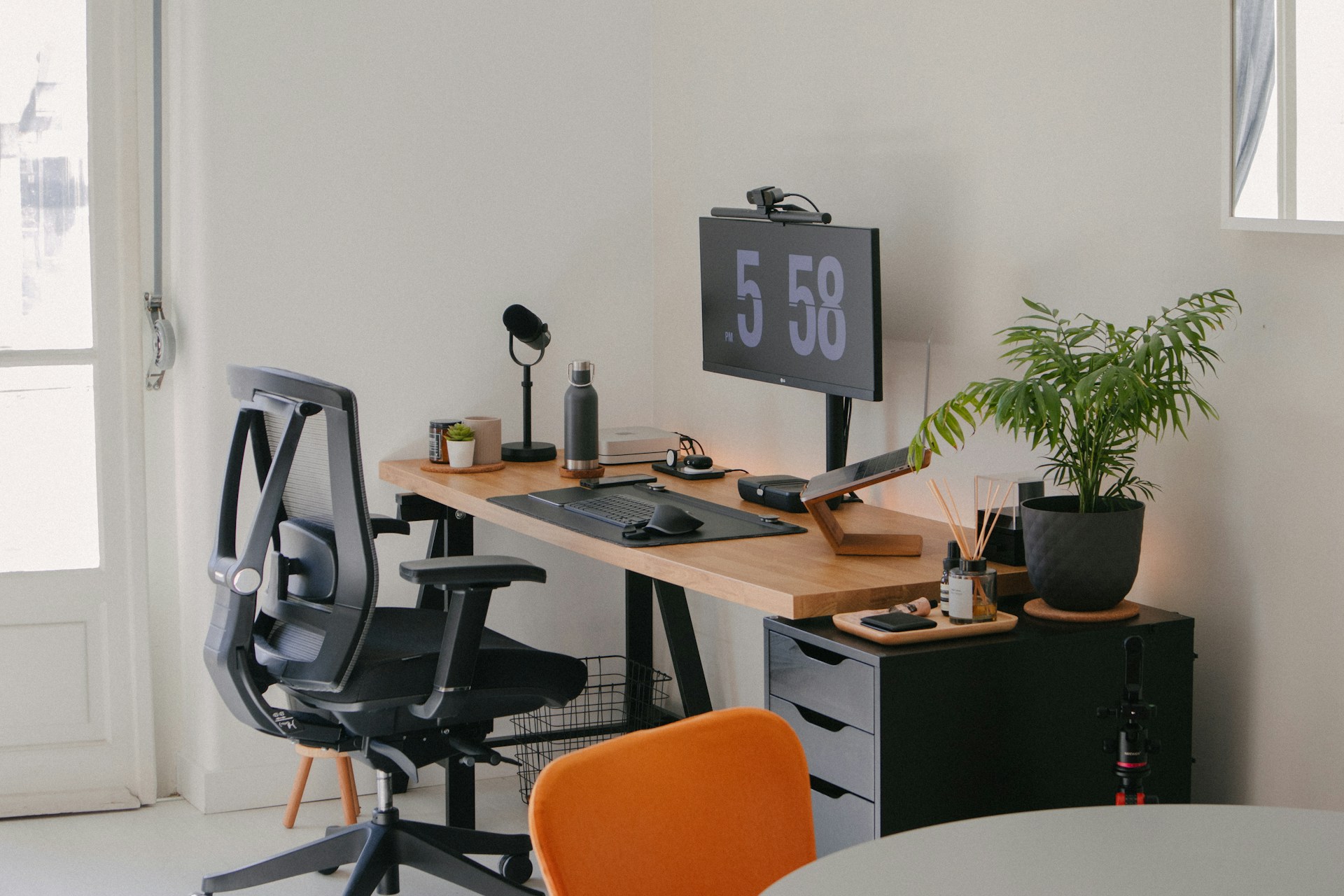
Credit: futuramo.com
Ergonomic Furniture Essentials
Setting up a home office needs careful choices. Ergonomic furniture helps you work comfortably. It supports your body and reduces strain.
This guide covers key furniture pieces. You will learn about chairs, desks, and monitor placement. Each part helps create a healthy workspace.
Comfortable Chairs
A good chair supports your back and encourages good posture. Look for chairs with adjustable height and lumbar support. Soft padding also adds comfort during long work hours.
- Adjust seat height so feet rest flat on the floor
- Use lumbar support to keep the lower back aligned
- Choose breathable fabric to reduce sweating
- Ensure armrests allow elbows to rest comfortably
Adjustable Desks
Desks that change height help you switch between sitting and standing. This reduces fatigue and improves circulation. Adjustable desks also fit different body sizes and tasks.
| Desk Type | Benefits | Considerations |
| Manual Height Adjustable | Lower cost, easy to use | Requires effort to change height |
| Electric Height Adjustable | Quick and smooth height change | Higher price, needs power outlet |
| Fixed Height Desk | Stable, simple design | No height change, less flexible |
Proper Monitor Placement
Placing your monitor correctly reduces neck and eye strain. The top of the screen should be at or just below eye level. Keep the screen about an arm’s length away.
Here are tips for monitor setup:
- Center the monitor directly in front of you
- Adjust brightness to match room lighting
- Use a screen glare filter if needed
- Keep the monitor clean for clear viewing
Smart Storage Solutions
Creating a smart storage system helps keep your home office tidy. It makes your workspace more efficient and pleasant.
Good storage ideas save space and keep important items within reach. They reduce distractions and boost focus.
Decluttering Tips
Start by sorting your desk items into what you use daily, sometimes, or never. Remove things you don’t need.
- Throw away old papers and broken tools
- Store rarely used items in boxes or drawers
- Keep only essential devices and supplies on your desk
- Use labels to identify containers and files
Shelving And Cabinets
Choose shelves and cabinets that fit your room size and style. Open shelves offer easy access, while closed cabinets hide clutter.
| Storage Type | Advantages | Best Use |
| Open Shelves | Quick access, display items | Books, decor, daily tools |
| Closed Cabinets | Hide clutter, protect from dust | Files, electronics, supplies |
| Floating Shelves | Save floor space, modern look | Small plants, office gadgets |
Cable Management
Messy cables distract and create hazards. Use simple cable management tools to keep wires neat and safe.
- Label each cable for easy identification
- Use cable clips or ties to bundle wires
- Hide cables behind desks or inside cable trays
- Choose wireless devices to reduce cable clutter
Effective Lighting Choices
Good lighting is key for a comfortable home office. It helps you see clearly and stay focused.
Choosing the right lights can make your workspace bright and reduce tired eyes.
Task Lighting
Task lighting shines light directly on your work area. It helps you read, write, and use your computer.
A desk lamp with adjustable brightness is a good choice. It lets you change light levels as needed.
- Use LED bulbs for bright, clear light
- Place lamps to avoid shadows on your work
- Choose lamps with flexible arms for better control
Ambient Lighting
Ambient lighting fills the whole room with soft, even light. It creates a comfortable space to work.
Use ceiling lights or wall sconces to add gentle light without glare. This light helps reduce contrast.
- Choose warm white bulbs for a cozy feel
- Use dimmers to adjust light levels easily
- Combine with natural light for best results
Reducing Eye Strain
Eye strain happens when your eyes work too hard. Good lighting helps prevent this problem.
Balance task and ambient lights to avoid glare and harsh shadows. Take breaks to rest your eyes.
- Adjust screen brightness to match room light
- Use anti-glare screens or filters
- Keep light sources away from your computer screen
- Follow the 20-20-20 rule: every 20 minutes, look 20 feet away for 20 seconds
Tech Setup For Efficiency
Setting up a home office requires thought and planning. The right tech can boost your productivity.
Let’s explore the essentials for an efficient tech setup. This includes internet, devices, and software.
High-speed Internet
High-speed internet is the backbone of an efficient home office. It ensures smooth communication and data transfer.
| Internet Type | Speed Range |
| Fiber | 100 Mbps to 1 Gbps |
| Cable | 10 Mbps to 500 Mbps |
| DSL | 1 Mbps to 100 Mbps |
Essential Devices
Devices are crucial for daily tasks. Choose them based on your work needs and preferences.
- Computer or Laptop: Choose one with good processing power.
- Monitor: A large screen can reduce eye strain.
- Keyboard and Mouse: Ergonomic options prevent discomfort.
- Printer and Scanner: Useful for document handling.
Productivity Software
Software tools enhance efficiency. They help manage tasks and improve workflow.
- Project Management: Tools like Trello or Asana.
- Communication: Use Slack or Zoom for meetings.
- Document Editing: Google Docs or Microsoft Office.
- Time Tracking: Apps like Toggl or Clockify.
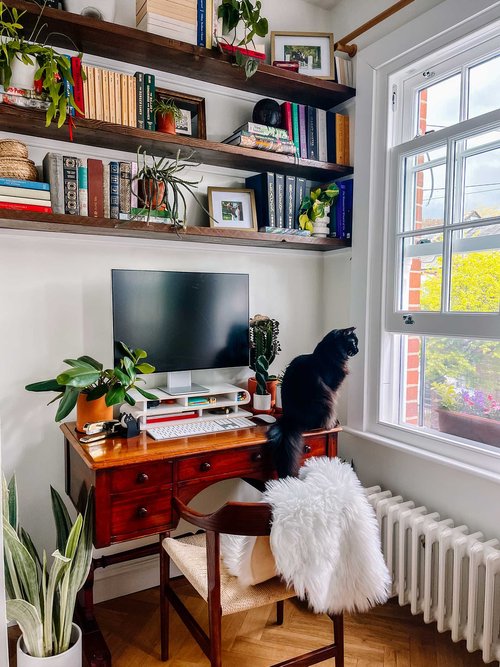
Credit: thegreenmadhouse.com
Personalizing Your Space
Creating a home office that feels like yours helps boost comfort and focus. Personal touches make the space inviting and motivating.
Simple changes to decor and layout can make your work area more inspiring. Adding elements that reflect your style supports productivity.
Inspiring Decor
Choose colors and items that lift your mood. Bright or soft tones can change how you feel in the room.
- Use artwork that speaks to you
- Add cushions or rugs with patterns you enjoy
- Display photos of happy memories
- Select a desk lamp with a warm glow
Greenery And Plants
Plants improve air quality and add life to your space. They bring calm and help reduce stress.
| Plant Type | Care Level | Benefits |
| Snake Plant | Low | Air purification, low light |
| Succulents | Low | Easy care, small size |
| Spider Plant | Medium | Air cleaning, bright light |
Motivational Elements
Add items that remind you of your goals and progress. These keep your spirits high during work hours.
Ideas for Motivational Elements
- Post inspirational quotes on your wall
- Keep a journal to track achievements
- Use a vision board with your goals
- Place small trophies or awards nearby
Maintaining Work-life Balance
Creating a home office that promotes work-life balance is vital. It helps you work efficiently without compromising personal time. Here are some ideas to set up your home office for better balance.
Designated Work Zones
Having a specific area for work helps separate work from personal life. This makes it easier to focus during work hours and relax afterward.
Choose a spot in your home that is quiet and free from distractions. This will help you concentrate on your tasks.
- Pick a location away from living areas
- Use a comfortable chair and desk
- Keep work items in this zone
Routine And Breaks
Having a routine helps you manage time better. It sets clear boundaries between work time and personal time.
Take regular breaks to recharge. Short breaks improve focus and reduce stress.
- Start and end work at the same time daily
- Take a 5-minute break every hour
- Use breaks to stretch or walk
Minimizing Overwork
It’s easy to overwork when your office is at home. Set limits to ensure you have time for relaxation and hobbies.
Turn off work notifications after hours. This helps you disconnect from work and enjoy personal time.
- Set a strict end to work hours
- Avoid checking emails after work
- Plan fun activities to look forward to

Credit: indianapolisrealestate.com
Frequently Asked Questions
What Are Essential Items For A Productive Home Office Setup?
A productive home office needs a comfortable chair, ergonomic desk, good lighting, and reliable technology. Organize cables and add storage to keep the space tidy. Personal touches can boost motivation and comfort.
How Can I Maximize Small Home Office Space Efficiently?
Use vertical storage like shelves and wall organizers. Choose compact furniture and multi-functional items. Keep the area clutter-free and use light colors to make the space feel larger and brighter.
What Lighting Is Best For A Home Office Setup?
Natural light is ideal for a home office. Supplement with adjustable LED desk lamps that reduce eye strain. Avoid harsh overhead lighting to maintain a comfortable work environment.
How Do I Create A Distraction-free Home Office Environment?
Choose a quiet spot away from household noise. Use noise-canceling headphones and set clear boundaries with family. Keep your workspace organized and free from non-work-related items.
Conclusion
Creating a comfortable home office helps you work better every day. Choose a desk and chair that suit your needs. Keep your space tidy to stay focused and calm. Add personal touches to make it inviting and warm. Good lighting reduces eye strain and boosts mood.
Small changes can make a big difference in your work life. Start with easy steps and build your perfect setup. Enjoy your work time in a space made just for you.